
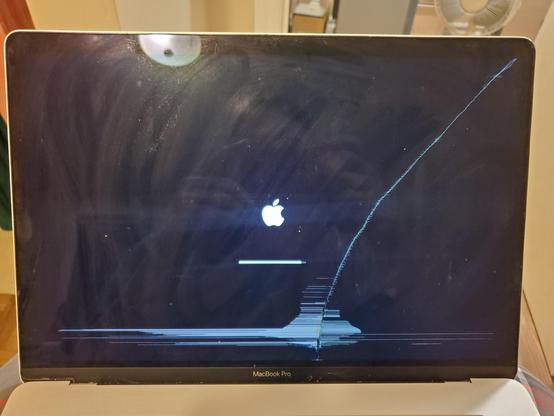
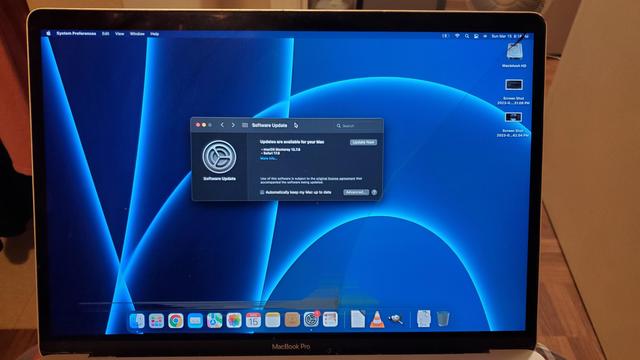
I pulled out the 2016 MacBook Pro, the nicest laptop I've ever owned, generously given to me by @CatgirlEva , to take on the trip, and sadly it looks like the display is slowly succumbing to the once-tiny crack it had. Not gonna stop me from using it yet!
@themaritimegirl @CatgirlEva These generation of Macs were so delicate, when I had my 2016 MBP it developed very large rub marks on the screen from very little and basic use. That computer felt so fragile, especially the keyboard that I didn’t enjoy using it.

My M1 Pro MBP though, I beat on that thing like it’s a 1995 Corolla and it’s solid, quality has definitely improved since the Touch Bar days.

@themaritimegirl @CatgirlEva Considering how bad the crack looks in the first picture with a black background, the second picture looks perfectly usable!

@themaritimegirl oh wow. Crazy how the screen is still usable though. Shouldn’t be too hard to source a replacement part, though if replacing the display assembly on that is anything like it was on my 16-inch MacBook Pro, you’ll be hunched over it for a good couple hours.

Could be your excuse to get a MacBook Neo though!

@CatgirlEva At this point, if I ever buy a new laptop, it will be a Framework. I kinda wanna save up the money to get one anyway, even though I have several modern-ish laptops that both work fine and that I barely use.
@themaritimegirl honestly, I support that decision. I have multiple computers from Framework and love them. As a matter of fact, my primary PC desktop is a Framework Desktop running Bazzite. Legit one of the best PCs I’ve had.
@themaritimegirl so I just looked at the guide on how to replace the display assembly and it doesn’t look too terribly difficult, but the part is over $500 for an A-stock unit. To be honest, I probably wouldn’t spend that much on fixing a 10 year old Mac, especially when even the entry-level MacBook Neo could probably run circles around it.
@themaritimegirl Aaaawwww that's regrettable.