How to clock-sync a delay #plugin in #Carla using #MIDI clock on #UbuntuStudio #Linux?

I have a DIY hardware MIDI clock feeding all kinds of stuff, including my PC of needed. Yet Jack Midi does not seem to route MIDI clock messages at all.

So I need something to sync my Jack transport to MIDI clock.

So there's this guy on YouTube who claims to have solved the issue by writing midi-clock-jack-bridge “using AI”: https://www.youtube.com/watch?v=Covwhqap27c

Here's his (?) code… https://github.com/ariel10aguero/midi-clock-jack-bridge

Okay, there's some compiler warnings, but it seems to do the job. I can use my #Tal #DubX #Delay and sync to plugin host, which translates to Jack transport, which is sync'ed to #MidiClock from an USB MIDI input.

Now I'm actually experimenting feeding #DecentSampler with #VenusTheory samples from my bass which has a #RolandGK3 #MidiPickup system (I got one of the rare GI-20 units).

EDIT: I fooled myself completely. While this looks good, it DOES NOT SYNC the tempo of my delay. See 🧵.

#LinuxAudio #LinuxProAudio #LinuxMusician

@nielso
I try to remember what the issue is here, because I know Jack forwards the alsa midi devices and you can use it to link devices together in Carla (as an addition to aconnect on the shell). I also remember seeing midi clock messages in the data stream... ah wait, Jack has its own start-stop-resume message feature it uses to synchronize audio and video streams, right? And you need to sync that one to a midi clock source to use it in your applications?

That's interesting! I remember I had a hard time syncing software plugins to external gear. It kinda worked when I ignored the existence of Jack and use native Alsa for midi transport but a) the latency was immense (150-250ms) and b) not all plugins were able to use Alsa for midi and Jack for Audio, so I eventually gave up entirely and went full DAWless.

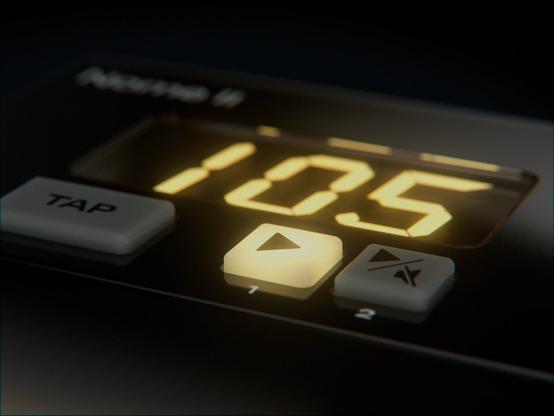
I own a hardware midi clock (Nome 1, was Midronome: https://simntonic.com/pages/about-nome-ii) and I always wondered how they solved this issue. Answer is simple: Linux not supported. 🤣

About Nome II

Learn about the Nome II and what it can do! This new innovative MIDI Clock will blow your mind.

Sim'n Tonic

@momo

It turns out that midi_clock_sync does set the Jack Transport tempo, but Carla overrides it with its own setting, so the sync to USB MIDI never happens.

@falktx – is there a way to prevent Carla from enforcing the Jack Transport tempo?

Note that Pipewire apparently does not provide a Transport Clock for its Jack layer, because… who would need that? 🤪 (Or did they implement it by now and I'm not up to date?)

Which basically would mean, this setup of mine, which runs half-ways, will not run on the laptop I intend to use it on. Because that laptop is 100% Pipewire, while my studio desktop machine is old Jack + Pipewire. Oh my.

But I have to do other stuff for a while now.

Would be a start if I could prevent Carla from overriding the tempo.

EDIT: I found Carla doesn't claim Jack Transport Master if there is another master already, but it only checks so on startup apparently, so midi_clock_sync must be started first.

Nasty trick. A checkbox in the GUI would be great.

@nielso @momo @falktx I know @dreamer has mentioned midi issues with Pipewire before, so it could definitely be a common issue.

I have never needed to use an incoming midi clock, so I wouldn’t even know where to start.

Have you considered reaching out on Github to the relevant parties?

@mosgaard @momo @falktx @dreamer

So I now tried this on my laptop, which runs Pipewire 1.4.10 and no oldskool Jack.

It works the same way with current Pipewire versions than it does with old Jack.

I first have to wire up midi_clock_sync and afterwards start Carla.

What is a little confusing is that Carla does not show/update the correct tempo in its transport tab until a plugin such as Tal DubX wants to sync to that tempo. (It does so properly on my other system…)

@mosgaard @momo @falktx @dreamer

Also Carla does not show my Harrison XT plugin GUI windows.

Apparently this issue had occurred earlier and was resolved, but I still have it in version 2.5.8

Also the ACE plugins from Mixbus or Ardour don't show no GUI.

https://github.com/falkTX/Carla/issues/793

Harrison Mixbus LV2 plugis don't show their GUi · Issue #793 · falkTX/Carla

In the latest CARLA version the Mixbus plugins don't show their GUI and a buzz occurs when trying to open the GUI. Carla 2.0 RC2

GitHub