How to clock-sync a delay #plugin in #Carla using #MIDI clock on #UbuntuStudio #Linux?

I have a DIY hardware MIDI clock feeding all kinds of stuff, including my PC of needed. Yet Jack Midi does not seem to route MIDI clock messages at all.

So I need something to sync my Jack transport to MIDI clock.

So there's this guy on YouTube who claims to have solved the issue by writing midi-clock-jack-bridge “using AI”: https://www.youtube.com/watch?v=Covwhqap27c

Here's his (?) code… https://github.com/ariel10aguero/midi-clock-jack-bridge

Okay, there's some compiler warnings, but it seems to do the job. I can use my #Tal #DubX #Delay and sync to plugin host, which translates to Jack transport, which is sync'ed to #MidiClock from an USB MIDI input.

Now I'm actually experimenting feeding #DecentSampler with #VenusTheory samples from my bass which has a #RolandGK3 #MidiPickup system (I got one of the rare GI-20 units).

EDIT: I fooled myself completely. While this looks good, it DOES NOT SYNC the tempo of my delay. See 🧵.

#LinuxAudio #LinuxProAudio #LinuxMusician

@nielso
I try to remember what the issue is here, because I know Jack forwards the alsa midi devices and you can use it to link devices together in Carla (as an addition to aconnect on the shell). I also remember seeing midi clock messages in the data stream... ah wait, Jack has its own start-stop-resume message feature it uses to synchronize audio and video streams, right? And you need to sync that one to a midi clock source to use it in your applications?

That's interesting! I remember I had a hard time syncing software plugins to external gear. It kinda worked when I ignored the existence of Jack and use native Alsa for midi transport but a) the latency was immense (150-250ms) and b) not all plugins were able to use Alsa for midi and Jack for Audio, so I eventually gave up entirely and went full DAWless.

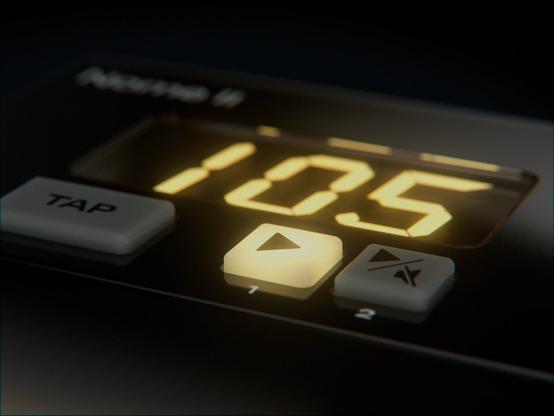
I own a hardware midi clock (Nome 1, was Midronome: https://simntonic.com/pages/about-nome-ii) and I always wondered how they solved this issue. Answer is simple: Linux not supported. 🤣

About Nome II

Learn about the Nome II and what it can do! This new innovative MIDI Clock will blow your mind.

Sim'n Tonic

@momo

It turns out that midi_clock_sync does set the Jack Transport tempo, but Carla overrides it with its own setting, so the sync to USB MIDI never happens.

@falktx – is there a way to prevent Carla from enforcing the Jack Transport tempo?

Note that Pipewire apparently does not provide a Transport Clock for its Jack layer, because… who would need that? 🤪 (Or did they implement it by now and I'm not up to date?)

Which basically would mean, this setup of mine, which runs half-ways, will not run on the laptop I intend to use it on. Because that laptop is 100% Pipewire, while my studio desktop machine is old Jack + Pipewire. Oh my.

But I have to do other stuff for a while now.

Would be a start if I could prevent Carla from overriding the tempo.

EDIT: I found Carla doesn't claim Jack Transport Master if there is another master already, but it only checks so on startup apparently, so midi_clock_sync must be started first.

Nasty trick. A checkbox in the GUI would be great.

@nielso @momo @falktx I know @dreamer has mentioned midi issues with Pipewire before, so it could definitely be a common issue.

I have never needed to use an incoming midi clock, so I wouldn’t even know where to start.

Have you considered reaching out on Github to the relevant parties?

@mosgaard @momo @falktx @dreamer

Turns out Carla can do it with old time Jack when started second, because then it will not claim Jack Transport Master status. (I'd love a checkbox for this.)

I will see with my Pipewire setup on the lapop, but have to do some work for money now first.

@nielso sometimes I really wish paying bills was overrated.

@mosgaard

It's either input or output or both… paying bills wouldn't be an issue if there as an income stream out of nowhere. Yet interestingly, people with such an income stream seem to be busy increasing that stream instead of doing interesting things. 🤪