 Jon889
 decryption
because the macbook neo has an A18 Pro SoC & 8GB of RAM in it, apple should let me plug an iPhone Pro with the A19 Pro SoC and 12GB of RAM into a USB-C/Thunderbolt monitor and use it as a Mac - charge me a $200 Mac enablement fee if you have to
 Matt H
@MattHatton but maybe id buy an iphone every year instead of an iphone every 5 years and a mac every 7 years
@decryption look yes but two is also more than one and i am a business genius
 Bernard Sheppard
@MattHatton @decryption having used phone as computer devices since *cough* windows phones, they are OK at a pinch, but...
The windows phone (Nokia something something) had a great camera, and when plugged in, usable Word, Excel, PowerPoint, Outlook, decent keyboard and mouse. Let down by not honouring typical keyboard shortcuts in the applications, so required you to use the mouse more than you would otherwise. Was a useful gimmick, and it was enough for proving a point.
Samsung Dex still works just as well - which is to say it is clunky.
@BernardSheppard @MattHatton those devices ran nerfed operating systems - apple could literally put macOS on this thing
@decryption @BernardSheppard That's it. Phones are literally running the same hardware as computers now. No reason why you can't chuck a full OS on there, conenct all the things either through a dock or wirelessly (I'm thinking specifically keyboards and mouses) and off you go.
 tootbrute
@MattHatton @decryption @BernardSheppard that's been the dream, right there with the year of the Linux desktop, and world peace
@decryption @MattHatton not disagreeing.
That said, the Nokia did run Windows 10 on a phone nearly a decade ago.
Wasn't the full x64 binary, obviously, but was the same OS API, and the shite that is the AI snapdragon "tell me how to cook pasta because I am a father who is unexpectedly stuck at home with my kids without my missus" devices that officeworks and hardly normal advertise evolved from that.
Good? Probably not. Relevant? Also probably not.
Could Apple run the full OS on either hardware if they wanted - yeah, they could.
I guess that was the point that I was trying to make. It has been done before.
@BernardSheppard @decryption the 10 years ago thing is big bit.
A lot has changed over that time.
Not just in terms of phone hardware, but in device use. Portability, plug and playing is much more of a thing now (thanks hot-desking and WFH). The wider environment is riper for a device that you can have in your pocket a lot of the time, but also throw into a dock and hookup to be an actual computer.
Also, I'd generally reckon Apple has a better chance of doing this well compared to Microsoft. For many reasons, but mostly because the control they have over the hardware.
@MattHatton @decryption yeah, agreed.
The biggest problem that I recalled when I tried it, though, was answering a call; not that you couldn't do it, but if you wanted to have a confidential conversation in an open plan office then you would have to undock your phone to walk away and hope that those apps were as resilient as desktop apps when undocking.
@BernardSheppard @decryption I would suspect there is a lot of that scenario that is much less of a problem these days.
Even down to, your bluetooth earbuds/headset work at quite a distance now so you can just walk off into a corner to take the call.
 jbaggs
 Ian Williamson
@MattHatton @decryption Apple would do well to remember this: https://www.goodreads.com/quotes/908575-one-of-job-s-business-rules-was-to-never-be-afraid

 Gnomon_Manchot
@decryption yes please yes
 benschwarz
@decryption it’s a $2000 phone, it should just be dockable. Make a $200 HDMI dock! 😁
@benschwarz exactly - sell a weird overpriced dongle if that's how it's gotta be justified to tim cook
@decryption fuck it, they can do dock and dock pro (in black, for $500)
 Andrew Wickliffe
@decryption I've been wondering why this hasn't been an option since the first iphone faster than an ipad
 Michael Engel
@decryption We should be able to run macOS on the new Studio Display itself – it uses an A19 SoC, so it should even be faster than the Macbook Neo...
 Peter Tomlins
@decryption i just want to be able to plug an iPhone into a dock and use remote desktops.
 Huw Rowlands
@decryption 5G on a MacBook would be good too
@huwr apple even make their own modems now, come on man, give us the option!!
 notanowl
@decryption exo and mlx projects for a week
 mcc
mcc@decryption i have been wanting "the powerbook duo, but it's a phone" as long as there have been smartphones.
for awhile Samsung has been shipping something like this called "DeX" and it's legit great (but i'm afraid to use Samsung hardware as they've got kinda AI brained. and their TVs show advertisements on the HDMI-input-switch screen now)
@mcc same here - apple could really do it well if they cared but they seem not to
@decryption I had initially assumed this was where apple was going with Catalyst— not necessarily "pay a bit extra to make your iphone a mac" but maybe "mac just goes away, and you pay extra / plug into a dock to make your iphone do some of the things a mac used to be able to do". But they haven't moved in that direction as quickly as I'd have expected if that was really the plan.
 Vicomte Folmer af Helvede
I'm guessing you all remember the Ubuntu Edge concept that unfortunately didn't make the crowdfunding target?
Built-in desktop mode, would've been powerful for the time.
https://youtu.be/eQLe3iIMN7k
And yes, it's pretty wild you can't do anything like that on Apple devices. It's definitely possible
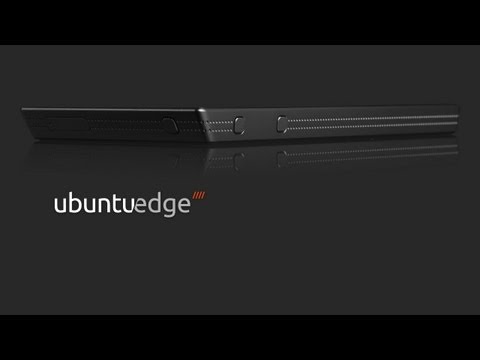
Ubuntu Edge: introducing the hardware
 James Henstridge
@decryption Even if the CPU is nominally the same, I imagine the power management is quite different. That Mac has a battery about twice as large as the phone, but promises about half the battery life.
Some of that is down to the larger screen on the laptop, but it is also going to be down to the mobile OS being more ruthless in suspending and killing applications.
@jamesh doesnt need to be a mobile OS - just macOS when docked & on a power source - iOS when undocked
@decryption I'm mainly going by my experience working on Ubuntu Phone.
Even though there was a lot in common with regular Ubuntu (we'd generally be using the same binaries as regular ARM32 Ubuntu), there was a lot of stuff that had to be stripped out and the application model was completely different.
The simple model for this kind of thing might be to start a container or VM for the desktop session when docked, but you'd probably want better integration than vanilla MacOS: what should happen if you receive a call or text message? You probably want that to be visible within the desktop session. You probably also want to be able to access some of the mobile apps in this mode too: even if there are desktop equivalents, you probably want the data the mobile app has access to.
And what should happen when you unplug from the dock? Is it okay to just kill everything in the container/VM?
 Alex Cordonnier
@decryption my microwave has a microcontroller, numeric keypad, and display. Panasonic should just give me the option to use it as a basic calculator instead of making me buy two products!
 S★m V★rm★
@decryption "... you cowards"
😜
 Brian "bex" Exelbierd
@decryption I read this differently. This feels to me like Apple saying “we’ve never been able to figure out how to make iOS feel like a desktop in terms of productivity, even on those fancy iPads with good keyboards, so here’s MacOS on a phone.”
@bexelbie @decryption Agreed, they should do this to help them figure it out, and then enable iPad style multitasking on docked iPhones. https://mastodon.online/@tuckerjj/116173074332436198
 cafuego 🔭🤦🏼♂️
@decryption Ooh. USB-C powered off the external screen Mac Nano. Or Apple Pi if you will.
 Nols
Nols@decryption others have said it: because Samsung is (afaik) the only one offering something like this, it feels like a crazy magic trick. When all it really is is evidence that all manufacturers could easily do this
 gosha
gosha@decryption That would rule!
 Paul Hennell • Dev
@decryption my Samsung + Bluetooth keyboard (± mouse) and hdmi screen works as a solid device. I've even done it just casting to a 40" TV, although I typed faster than the lag so it wasn't a great experience.