there's a recovery image from Microsoft I'm downloading through the Windows 11 Tool but it's downloading at like 0.1 millibytes per slow
tried again, and I think it finally stalled out at 20.39gb of 22.16gb
that was like two hours of downloading ;_;
and there's no resume

"If the device was unplugged or experienced an abrupt power outage or pulled power cord, wait at least 15 seconds before attempting to boot from USB."

what?

does the USB stack not come up in the first 15 seconds of power on?
AHHHHHHH IT STOPPED AT 21 OF 22GB
I finally got a version of the recovery disk downloaded, and it boots.
It tries to recover to a version of windows 10 that's not terribly useful, but I think now that I have a working recovery disk, I can munge that disk into a windows 11 recovery disk
hey microsoft you could have made this migration go a lot smoother if you'd just told your recovery-image-generating-tool how to make win11 disks
wait can I just lie to it that I have a Surface Hub 3 and it'll do that?
NOPE it tries to give me MTR
updating this thing is mainly a nightmare because the only updates I've managed to at all get working are the ones from the Surface IT Tool and it can't download most of the images because microsoft is storing the images on a server that someone reboots every 10 minutes or something
microsoft, you know that resuming HTTP downloads has been a solved problem since, uh, 1997?
It's a 22gb file and it can go as fast as half a gigabit/s but it keeps just hanging at like 14gb in. Your only option is to cancel and try again, which starts from byte 0
they mention this might be a problem in one of the many FAQs, and they recommend you fix it by getting better internet
I should MITM myself and see if I can figure out where it's downloading these files, and just curl it
I'd be tempted to launch my win95 VM ad use GetRight to download it, but I imagine it'd have some issues with TLS and certificates and such

oh right I need to install TCP/IP onto my windows 95 machine first

lemme find my win95 floppies

Nah, MS won't let you download the file over HTTP, and this version of GetRight from 1997 doesn't support HTTPS.

the curl download failed with a connection reset after 17 minutes and 20gb!

so I tell curl to resume it, and... the server starts over from the beginning.

MICROSOFT'S STUPID SERVER DOESN'T SUPPORT THE RANGE HEADER

IT'S 2026 BUY A REAL COMPUTER

anger canceled, I was just misreading curl. it did resume.

so again, why doesn't microsoft's official tool do this?

anyway I have the file now. There's a metadata JSON file that I don't have, but it looks very fakable. Then I can use the official recovery tool to build me a bootable USB drive, like it's supposed to be able to do
FUN FACT: the Surface IT Tool doesn't seem to validate any of the windows version info you give it in the JSON file!
yeah no it just failed verification. So I'm just going to try to download it, again, and again, and again, until I get lucky
it already hung

currently on attempt #8

#7 made it to 17gb (of 22gb)!

slightly tempted to automate it. watch the screen for the visible download amount, and if it hasn't changed in Xty seconds, hit cancel, restart.
cross your fingers, we're at 19gb and still climbing at 76 Mbps!
21gb!!!!
OH MY GOD ARE YOU SERIOUSLY DOING THIS, MICROSOFT

bad idea: I already MITM'd this once.

I download the file with curl and stick it on a local fast server. Then I set up mitmproxy to silently rewrite requests to their shitty server to my local one, which will be an actual server that works and doesn't randomly drop connections once out of EVERY FUCKING TIME

annoyingly I already deleted the file I downloaded earlier.

(I'm juggling laserdisc archival files right now, so my laptop has a VERY full hard drive, and I thought I was done with that file when it failed verification)

my first attempt and curling it stalled at 16mb.

not gigabytes, megabytes.

hey microsoft could I mail you some blank floppies and you just return 'em with the file on it? that might be easier at this point

my best guess for what is happening: I'm getting randomly loadbalanced onto a bunch of very overloaded servers.

I have downloaded the file and I'm now copying it onto my local server.

why didn't I just download it on my local server in the first place, so I wouldn't have to copy it across my house's network?

good question.

okay the files all moved locally so I can just make mitmproxy point it at the different URL. but I think I have been screaming at this problem enough for one day, so I'm going to stop for tonight.

the surface hub has not defeated me yet, I fight on

I lied. mitmproxy is now redirected to my local server, and Surface IT Tool is downloading from it.

annoyingly slowly, actually. Only 51Mbps? this is 22gb!

(it's probably because mitmproxy is handling all the bytes instead of letting nginx do it)

okay I have made a recovery disk by using the MITM download hack

how much do you want to bet this thing won't even boot?

it boots! it's now recovering

this may finally get us incrementally closer to a version of windows that actually works
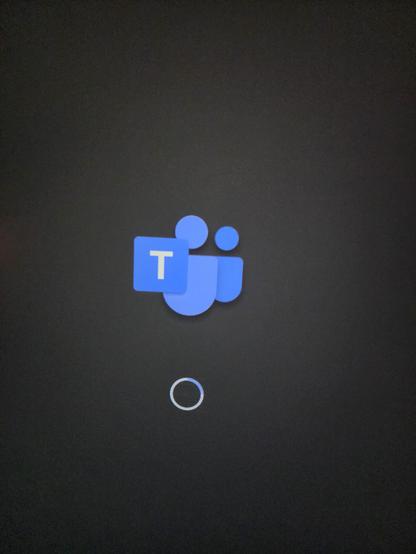
It replaced the windows logo during boot with the teams logo
It just showed that it was logging into a user account named "Skype"
Yeah I can't get past the setup. It gives me two accounts, Skype and Administrator, and the latter is passworded, and the former doesn't work because I can't login to a Skype account
This machine is a fractal paperweight
There are two recovery images I have that work. One of them boots to an environment that can't use the store and can't run software until it gets to the store.
The other can't log in because Skype is gone
IT LIVES! AND WE HAVE UNKIOSKED WINDOWS 11 IoT!
The trick was installing MTR (Microsoft Teams for Rooms) and then logging into the passworded Administrator account ("sfb": "Skype For Business") and deleting the Skype account. Now it boots to 11 IoT and I can run updates
And the machine can finally, FINALLY after 4 days become useful and a real computer:
Windows if you fuck me here after all I've been through, I swear to god...
okay so if you are unfortunate enough to get a Surface Hub 2S and want to make it run Useful Windows (linux would be nice but I haven't figured out how to boot it) instead of Broken Windows, you need to:
1. Get the Surface IT Tools
2. Go through the whole SEMM mode enrollment with the private key and such
3. Try to create a Surface 2S MTR 22H2 recovery disk. The download will fail
3a. MITM Surface IT Tools to get the URL of the 22gb file you need.
3b. write an addon for mitmproxy to redirect Surface IT Tools to a local server you control
4. actually make the recovery disk
5. Recover the Surface Hub 2.
6. It boots into Skype setup
7. Exit and log into administrator, password is "sfb"
8. Delete the Skype account and uninstall Microsoft Teams Rooms
9. Run Win11 updates
I think the fundamental problem with this device is that they ship it in a super-locked-down mode that can't do anything unless you install more software from the Microsoft Store... and as of last December it can't talk to the Microsoft Store anymore.
so the easy migration tool they had available can't be installed and even if you could install it, it wouldn't work

So instead you've got these instructions, which do not work:

https://learn.microsoft.com/en-us/surface-hub/surface-hub-2s-migrate-os

Migrate Surface Hub 2S to Windows 11 via USB - Surface Hub

This guide provides IT admins with detailed instructions on how to software-migrate a Surface Hub 2S to the Microsoft Teams Rooms on Windows (MTR-W) experience or Windows 11 using a USB drive.

because the way it suggests to make a recovery image doesn't create a recovery image this locked-down fucker will boot.

Only the Surface IT Tools recovery images will boot, and Surface IT Tools can't download files worth shit, so good fucking luck getting that 22gb image

also the Surface IT Tool verifies _something_ (I wasn't able to confirm what) with the microsoft servers before it'll write you an image, even if you have the image already downloaded.

So I highly suspect this method will break in the future

I should just make an image of the final recovery drive it creates, and stick that on the internet archive. DD it to your own 32gb drive and bypass all the nonsense
BTW this is one of my favorite kinds of projects.
You pick a shiny computer out of the garbage saying "why would anyone throw away this expensive fancy new computer?" and then slowly over the course of multiple days you Learn Why

I don't think I ever really explained why this is such a pain: The boot is locked down, and it's a real idiot-light kind of system. By default the UEFI does not allow changing the OS. It boots off the internal HD or not at all (although I think if you have an external drive the right signatures that's running the same OS, it doesn't consider it a problem and will boot it? No way to check that)
You can use the Surface IT Tool (on a different machine) to make a special USB key that will reconfigure the system, based on a private key you generate, and this enables "AllowOSMigration" in the EUFI config. Basically all other UEFI options are locked down even in the special SEMM mode tool.
@foone This is the kind of hardware you're supposed to salvage to run something other than the original OS on.
@foone Ah yes the project car effect
@foone I have an MSN TV 2 that matches this description that is going to require a lot of strength to get motivated on but could be so cool
no VGA although there is a spot on the motherboard for one and an RV version of it has it populated (no chance of finding that though)
But still it's a pentium iii, and there's a composite/s-video output; could run something neat maybe

@foone revived an extremely old Asus eeepc of mine that hadn't been used in like 15 years. Got arch running on it only to find it was so underpowered it could only watch YouTube videos at 1 frame every 20 sec. Can't believe I used to be able to code on that on windows

@knutaf @foone My 701 is still a very capable CD ripping station and SSH client.

The web is the problem there.

@knutaf @foone

I had a problem where the frame rate of YouTube videos was very low on Fedora. I eventually solved it: YouTube has a setting that casts a coloured wash over the area surrounding the video window. Turning that off improved the frame rate dramatically. You might want to check that setting and make sure it's disabled.

@knutaf @foone I had a similar one. It made for an adequate Linux server and consumed like 9 W while idle, so I ran my file/torrent and DAV server off it for five years or so.

@foone I found an HP z640 workstation in the garbage room at my old office. Snagged it thinking it was dead but that it might have some good parts.

Plugged it into power and a monitor…. Booted it…. It was infected with a cryptolocker.

Powered it down, yanked the drives, wiped them on a Mac, ordered a new Firmware chip (BIOS/UEFI/whatever) and put in a RAM upgrade. Within 4 weeks, I had a blazing fast desktop running Linux. It was rare I ever got so lucky.

@foone This reminds me of my experience Librebooting and tearing my hair out at 3AM wondering why the programmer wouldn't work

@foone Flashback to the time I brough home 30 desktop towers that were being thrown out at work and for months the entire living room floor was made up of disassembled machines being cannibalized for parts to rebuild one another.

It was AWESOME.

@foone thank you, it was very, very… exciting and entertaining. Also: I'm making a note to avoid that kind of hardware at all costs. ;-)
@foone haha, this made me laugh
@foone The question is... will your server allow this download to start where it left off, or do you want to retain an echo of the original evil?
@foone Install the 2023 secure boot keys (which can be done on all systems that trust the Microsoft KEK) and you will be able to boot any Linux installer signed with the 2023 keys (which uh ok not sure which off-hand)
@mjg59 I'm not sure how I'd even do that on this particular system: the UEFI is locked down, the tool to administer the UEFI doesn't let you change those settings, and it is VERY picky about what it'll boot
@foone These are designed to be updated from the OS, I can give you a win32 binary that does it
@foone Well ok I'll need to *write* that win32 binary but that's a few minutes

@mjg59 @foone Do you – by chance – know if it's also possible to administer the UEFI from Linux (sry, to hijack the thread)?

I haven't seen anything like this so far and I wonder if I just overlooked it. I have seen some tooling to do things like this from Windows for hardware from some vendors, but no tooling for all UEFI.

But I imagine this to be a standardized interface (with UEFI) and kinda expect that it could be possible. I just never really found the time to look more in depth.

@nils_ballmann @foone There's no generic way to do it. Several vendors expose this via WMI, and Powershell lets you hit arbitrary WMI endpoints, but that's a kind of security nightmare so Linux doesn't give arbitrary access that way (it's a long story). Could it be standardised? Absolutely. Nobody's done the work, though :(
Microsoft Activation Scripts | MAS

An open-source Windows and Office activator featuring HWID, Ohook, TSforge, and Online KMS activation methods, along with advanced troubleshooting.

@foone Aaahh, a good ol' visit to https://massgrave.dev should take care of that little issue. ​
Microsoft Activation Scripts | MAS

An open-source Windows and Office activator featuring HWID, Ohook, TSforge, and Online KMS activation methods, along with advanced troubleshooting.

@maddy @foone you're even allowed to borrow their email address [email protected] for (not) making a microsoft account ​

@mitsunee Oh? I thought that trick hasn't worked for a while. It stopped working for me back in ~2022
@maddy I definitely used it in 2024 when I put together HUOHUO from old parts to have a windows 10 machine to play Honkai Star Rail on for longer sessions ​
@mitsunee Huh, weird. I should try again next time I set up a machine. Or maybe it still works in Win 10, but not 11. ​
@maddy oh that could be it actually, I never bothered with Windows 11 and I'm planning to just take the machine offline and put Windows 7 on it, so I'll never end up using 11 at all
@mitsunee Nice! 11 is so fucking irritating.

@foone clearly you now have to reverse engineer the network communications it tries to have with skype and setup a Potemkin Skype Server on your network!

That sleep's not gonna come any time soon 😄

@foone You should try adding 0.0.0.0 config.edge.skype.com and 0.0.0.0 get.skype.com to your hosts file on the Skype image if you can get to it and maybe try to use an existing Skype account - MS never killed the servers properly as of a few months ago and I'm not entirely sure how they stand now but it's worth a shot.

@foone

Can you use one of the Windows boot/rescue tools to boot from external media and then reset the password on the admin account?

@cazabon I can't boot anything except recovery images at this point. If I try to boot anything else, it just tells me it can't boot

@foone

Aw, hell. I thought the second one actually installed/updated Windows on the hub, and you just couldn't use it because of the problems with both accounts.

How long until you're looking at NetBSD or something? 😏

@cazabon the problem isn't the OS, it's getting something to boot. so far I've only got two recovery images that boot, and I don't know how I can get more. I'm currently planning to try recovering it to a version of windows intended for a different version of the hub (3) to see if that works
@foone ooh, an interesting NT image to look at
@foone can it run 9front
@foone Microsoft Teams CoPilot OS