 Terence Eden
New laptop day! Go on, Fedifriends, which #Linux distro should I put on it?
I usually use Pop / Ubuntu / Debian - but happy to try anything modern and supported.
(Chuwi Minibook X N150 if it makes a difference.)
New laptop day! Go on, Fedifriends, which #Linux distro should I put on it?
I usually use Pop / Ubuntu / Debian - but happy to try anything modern and supported.
(Chuwi Minibook X N150 if it makes a difference.)
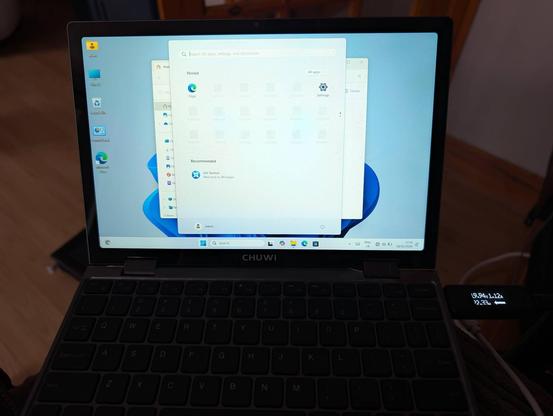
Gonna give Windows 11 a spin first. Mostly because a separate gadget has a firmware update which is packaged as an .exe.
Haven't connected it to the Internet get, but so far Windows is just as I remembered it from a couple of years ago. Unexciting.
Linux Mint Debian Edition is go!
Automatic screen rotation works once booted (grub and LUKS in portrait mode). Touchscreen works as does WiFi. Sound works, as do the function keys.
Haven't tested anything else yet.
Affiliate link if you want one - https://s.click.aliexpress.com/e/_c3wSKUbd
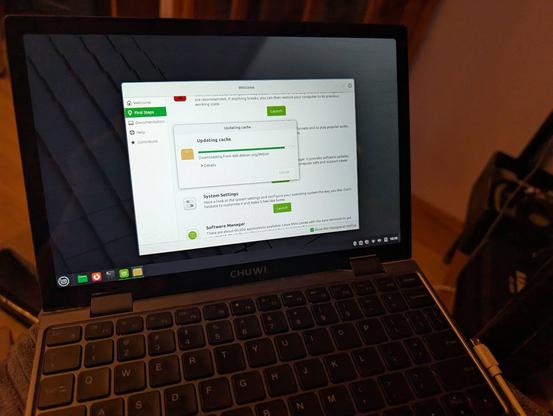
OK Linux Mint is a no-go. Touchscreen doesn't work properly with Wayland.
https://github.com/linuxmint/wayland/issues/190
Time to try a new distro!
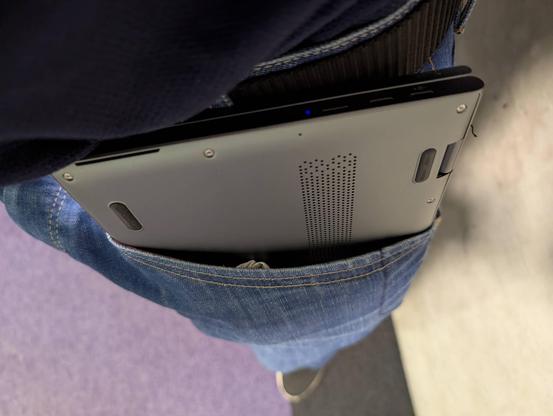
This mini laptop literally fits in my jeans' pocket. Just about 😄
Trackpad is a bit crap, but other than that it is a cute and useful device.
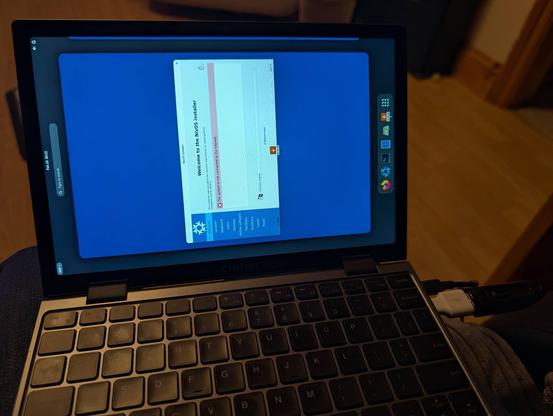
Man, the #NixOS people really love editing their text files, huh?
I've managed to get fractional scaling (by adding to a text file) and screen rotation (by adding weird magic to a text file).
Like, you know GUIs exist, right? You can have checkboxes, toggles, and drop down lists. Then save that to whatever text serialisation you'd like.
This reminds me of playing with Linux in the 1990s (derogatory).
A month ago, I ragequit #NixOS.
Now slowly trying it again but this time taking copious notes.
I can see the theoretical advantages, but disappointing to see so much basic information scattered around a hundred different forums and blogs. Even the official post-install guide assumes a hell of a lot of knowledge.
Let's see if I can get it working this time.
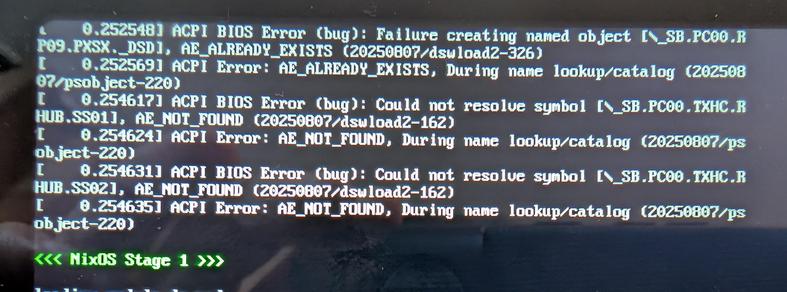
@Edent those aren’t NixOS errors, they’re Linux errors. You just wouldn’t normally see them on a distro that uses Plymouth or similar as they’d be hidden away.
I don’t have any clues for you, just helping direct your search away from NixOS to the kernel.
@Edent it should be
boot.plymouth.enable = true;
you find it with the option search: https://search.nixos.org/options?channel=25.11&query=Plymouth&show=boot.plymouth.enable
but it does not successfully hide all messages
https://github.com/NixOS/nixpkgs/issues/32556
i reported that in 2017, but it's one of those user experience issues that no one works on
i would also argue that it should be enabled by default on a desktop system
@Edent the trap some people fall into with NixOS is that they think configuration.nix is a static configuration with a format that could be easily managed with a GUI; however, that file is just a single module in a full programming language, and in that fact lies a lot of the power that Nix and NixOS can offer. It's not just a fancy rc.conf.
But, and this is what I did, you can treat it as such when you start out, and then move your way up over time.
@samir how do I get the onscreen keyboard to appear on Firefox and other apps?
I'm using Gnome. I have it set on in the accessibility menu. It appears on the desktop search bar. But disappears when I launch FF. So I can't type a URl on my touch screen.
@Edent And just like that, you hit my limits! I’m afraid I use Sway.
Offer’s still open if you have configuration questions but I don’t think I can help with anything GNOME-related.
@Edent @samir For grub rotation, look at https://github.com/NixOS/nixos-hardware/blob/master/chuwi/minibook-x/default.nix
The referenced hidpi.nix in that same repo gives an example of pulling in a better (larger) console font
(Not sure about auto-rotation / screen positions getting reset)
@milas @Edent Unfortunately I believe that with Wayland, the rotation and screen position stuff is quite dependent on the window manager / display environment, so again, you’d have to rely on GNOME settings.
With Sway, I would add a call to wlr-randr in the config to be run on startup, but I don’t think you can do this with GNOME.
@raboof I do. And the sensors show it rotating. But the screen doesn't rotate.
I can install a Gnome extension which seems to work - but that seems a bit janky.
@Edent LOL. I had exactly the same reaction, and probably that was the reason why I gave up on nix.
But GUI comes with its own challenges. It takes time to get right, choose a toolkit, provide accessibility, all the dropdowns, quite dynamic settings, handle file read/writes, serialization, handle crashes. List probably goes on.
I guess for nix use-case, text is just the fastest UI.
@alvan i think the technical implementation is the easy part. there where multiple projects over the years
the hard part is designing the UI and UX, so it makes it actually easier to use. for that, we don't need programmers, we need designers
@Edent One of my longstanding backburner project ideas has been a GTK config UI for Guix (which isn't exactly Nix, but same deal). I do think it's the sort of thing we need to give folks a more gentle introduction to the concepts if they don't want to dive in headfirst
GUI programming isn't my strong suit but I've been slowly learning
@Edent although fractions scaling isn’t the default in GNOME (what you get when you install GNOME on nix) but should be the default in the next release which will allow you to select it in a GUI.
I assume this is the same for Arch which strives to not provided non-default configs for packages.
@nemith yes they are. More so than a text file. A text file can't have rules in it that prevent a user from selecting an incorrect value.
As I said, a GUI can save to a text file. So, yes, you can have an easy to use *interface* and still retain the ability to git clone a file to import.
@Edent if it’s anything like the N100 gadget I got a year or so ago, it will take quite a bit of fiddling to get the touchscreen and pen input to work on the rotated screen. What worked the best was a couple udev rules, and some screwing around with grub. I’m fairly sure they simply loaded the bios splashscreen rotated 90° heh
I finally caved and bought one of the no-name 8" mini laptops from Aliexpress. I’ve had my eye on these for a long time. Really, since the days of my youth with the Sony Vaio P and other iconic UMPCs of the early 00’s. The game changer was the original GPD Pocket from a few years back. Now, there’s a cambrian explosion of cool tiny computers coming from China. This particular one was sold under the name “Topton”, but also appears under “Crelander”, “Aslay”, and a few other storefront names.
@Edent @tommorris I would nuke and try again. It's for sure possible via the installer.
Be sure to double check the overview page after partitioning. I've also had issues where somehow it didn't encrypt my swap. Good luck
@Edent There was a time when I longed for a form factor such as this. I was getting really good use out of my Nokia E71 and then HTC Desire Z. Was always interested in like a GPD Pocket or something, for the physical keyboard.
But now I got my age appropriate presbyopia and, well, if I always have to carry my new glasses to interact with the thing anyway, the size doesn't make as much of a difference any more.
@Edent mine is my bedside computer. The outstanding build quality also means it is fairly heavy, heavier than my 13” ThinkPad X13 G6 AMD that is my EDC laptop. One thing I really like about the Chuwi is great standby battery life despite Linux’ poor power management.
I have a small shoulder bag originally meant for an iPad that fits it perfectly, no pockets needed.
 Tris
Tris Tom Hughes
 mahadevank
 Paul Bowsher
 davidak
 The Incredible Laser
 samir, a terminally deprecated method
 milas
milas
 raboof
 Sinjo
Sinjo 지지 ᚠᚱᛖᛃᚨ Daniel 黄法官 CyReVolt
 Alvan 🇵🇸
 Pol Dellaiera
 Khleedril
 Damian Poddębniak
 Jonathan Frederickson
 Brandon Bennett
 Mark Crocker
 Noah Bailey
 aburka 🫣
 Tom Morris
 Martijn
 Henryk Plötz
 bugbear
 lornajane
 Fazal Majid