After 6 months of coding and refining, I’m thrilled to launch Crowfi! 🚀

I wanted to build a Mastodon client for iOS that feels fast, looks clean, and respects the way we use the Fediverse.

🍎 Get it on the App Store: https://apps.apple.com/us/app/crowfi/id6756513753

Please Boost to help me reach the community! 🔄

I’d love to hear your feedback as I keep building. ✨
#Crowfi #Mastodon #IndieDev #BuildInPublic #iOSDev

Crowfi App - App Store

Download Crowfi by 宏旭 朱 on the App Store. See screenshots, ratings and reviews, user tips, and more apps like Crowfi.

App Store
@nixzhu by the way, one feature I miss from mastodon apps is an ability to create a quick post (using selected account) from a lock screen with a lock screen widget. I know, I probably can create such a widget using Shortcuts app (if there is shortcuts support), but the action will be somehow limited and not that nice.
@apatheticintolerablefreak Thank you for your feedback. I will try to implement this lock screen widget.
@apatheticintolerablefreak You can test the lock screen widget with #Crowfi TestFlight: https://testflight.apple.com/join/T2bfaCYR
Join the Crowfi beta

Available on iOS

@nixzhu nice! There is no way to select account to post from though (it probably should be convenient to be able to select it right while editing the post or to be able to configure widget and preselect the account). Btw, currently, it is also somehow hard in the app — it would be cool to be able to switch the account right from the main screen.
@apatheticintolerablefreak Lock screen widget can’t be long pressed to configure as the widget in the home screen. Maybe we can switch the account in the editor or config it in the Settings. I’m still considering which way is better.
@nixzhu it can be configured by tapping it while in edit mode (with a minus badge visible). At least many do this way 🤷‍♂️
@apatheticintolerablefreak I see. I never knew, thank you. 😂 I'll try it tomorrow.
@nixzhu yeah, sure!
@apatheticintolerablefreak Please test it again with 0.7.0 (937). You may need to remove the old widget first. https://testflight.apple.com/join/T2bfaCYR
Join the Crowfi beta

Available on iOS

@nixzhu it works 🎉! Let me use it for some time so I can see how it goes.
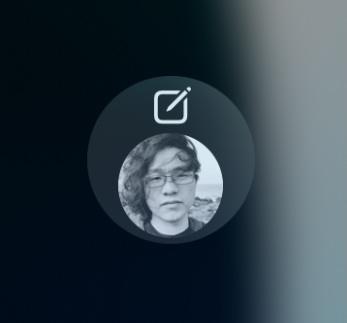
@apatheticintolerablefreak In the latest build 0.7.0 (947), the widget will display the avatar of the account you selected. You may need to visit the profile first to automatically download the avatar data.
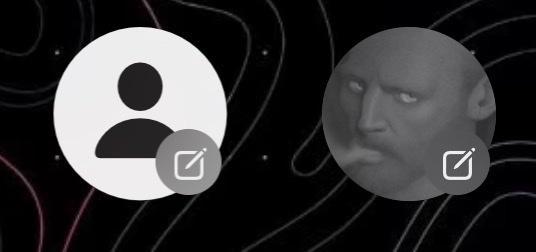
@nixzhu Cool! Though, aesthetically I prefer to see avatar only (without edit icon at all) or an avatar with a mastodon/crowfi badge on it.
@apatheticintolerablefreak I prefer to keep the edit icon, but make the avatar bigger. A #Crowfi badge may violate the HIG. If just an avatar, it looks like it's just for open the app (switch account if needed), maybe a new widget?
@nixzhu an avatar and a plus badge, or just avatar to open the app (two different widgets, you might not choose an account for open app widget and it will show the app icon then instead of an account one). But, still, probably ability to change the account during post will solve this.
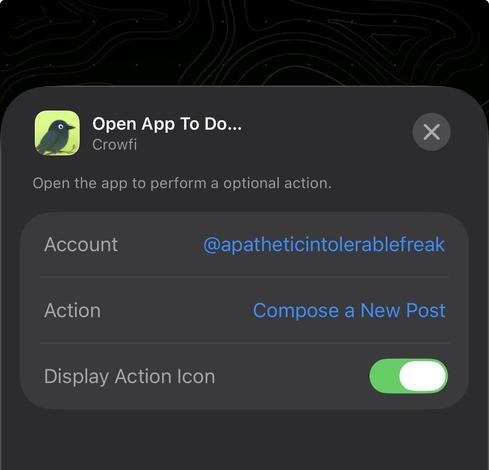
@apatheticintolerablefreak Please test TF 0.7.0 (957), which adds OpenAppToDoWidget and removes NewPostWidget.
@nixzhu wow! I like it! Much better now!
@nixzhu not sure why but one of my widgets lost my avatar icon, have tried to switch accounts back and forth w/o any visible result.
@apatheticintolerablefreak Are you in the latest build 0.7.0 (974)? The widget will not display the avatar if you don’t select an account. The default behavior is just open the app.
@nixzhu yeah, I’m on 974 and account is selected (and was selected before).
@nixzhu I have toggled the toggle off and icon have appeared again 🤷‍♂️
@apatheticintolerablefreak That’s weird. Maybe it’s not reload appropriately.
@nixzhu yeah, maybe 🤷‍♂️