Wanted: Advice from CS teachers

When #teaching a group of students new to coding I've noticed that my students who are normally very good about not calling out during class will shout "it's not working!" the moment their code hits an error and fails to run. They want me to fix it right away. This makes for too many interruptions since I'm easy to nerd snipe in this way.

I think I need to let them know that fixing errors that keep the code from running is literally what I'm trying to teach.

Example of the problem:

Me: "OK everyone. Next we'll make this into a function so we can simply call it each time-"

Student 1: "It won't work." (student who wouldn't interrupt like this normally)

Student 2: "Mine's broken too!"

Student 3: "It says error. I have the EXACT same thing as you but it's not working."

This makes me feel overloaded and grouchy. Too many questions at once. What I want them to do is wait until the explanation is done and ask when I'm walking around. #CSEdu

I think they become anxious when their code isn't working the same as what I have up on the projector and they want to get it fixed RIGHT AWAY so they won't fall behind.

Then when one of them starts calling out they all do it.

I may take some time to explain this.

This never happens when I'm teaching math. Something about coding makes them forget some of their manners, and become less self-sufficient. "It's broke! I'm helpless!"

What is that about?

My students aren't lazy, but they *can* be a little perfectionist: scared to take risks or sit with not having the answer right away.

They are really upset when their code won't run... but staying calm and *systematically* looking for the cause of the problem, knowing that if you just work through the tree of possible causes you will find it is not something they are good at.

I think I need to teach this.

Maybe I will give them some broken code and we will find the errors together.

So Your Code Won't Run

1. There *is* an error in your code. It's probably just a typo. You can find it by looking for it in a calm, systematic way.

2. The error will make sense. It's not random. The computer does not "just hate you"

3. Read the error message. The error message *tries* to help you, but it's just a computer so YOUR HUMAN INTELLIGENCE may be needed to find the real source of error.

4. Every programmer makes errors. Great programmers can find and fix them.

1/

Things to Try:
* look for typos
* look at what the error message indicates.

If these don't work consider reverting your last changes to the last working version of your code. Then try making the changes again, but be more careful.

If you can't revert the changes, start removing bits of the code systematically. Remove the things you think might cause the error and run the code again. Isolate the change or code that causes the problem.

You can be a great programmer.

2/2

@futurebird I gave my students code with errors in it and had them fix it. But they do have to be at a certain level to be able to do that.

I stole this idea from the Java certification exams, which had code examples that would get most people fired.

@venite @futurebird debugging is standard even in primary in many curricula - you can start with basic algorithms, move onto block code, then move onto very basic python and even database/search queries. And still keep the algorithms running alongside!

@futurebird I usually have clear me/them speaking parts in the course. While I speak, they listen, which I enforce up to the last whisper.

Also, the "me" parts only take 15-20 minutes each, then it's time for questions, https://github.com/ineiti/livequiz, or other interactions.

For the exercise sections, the "me" parts are of course much shorter.

@ligasser

"I usually have clear me/them speaking parts in the course. While I speak, they listen, which I enforce up to the last whisper.

Also, the "me" parts only take 15-20 minutes each"

This is how I normally teach (although with middle school students I keep "me" bits to under 8 min each) this is why it's so annoying when they call out during these sections. Something they wouldn't ever do normally.

Something about coding and seeing the error makes them not see it as "time to listen"

@futurebird I'm also interested how to add LLMs to the mix: how to use them in a way we use IDEs now: we still know how to program/read code, but IDEs are so useful.

This will add another level to the me/them, where sometimes I'd want them to use LLMs, other times not.

But first I need to convince the school it's a good approach: I'm an external teacher, and as such have very little influence...

@ligasser good god do not get kids hooked on using LLMs. What a horrible idea, you're teaching them to *not* think.

@jessienab One of the professors taught C++ in Notepad, because he said that IDEs are an abomination and distract from the real programming...

I'm actually quite happy with LLMs, they're very limited, and there is lots of stuff I cannot do with them. But on some things they really shine, and I think part of it is because I have a lot of background knowledge to link what they tell me.

So how do we present this new tech to kids in a way that they still think?

@ligasser

So how do we present this new tech to kids in a way that they still think?

We don't!!!! argh. there's so many examples of WHY it's been bad to use AI with programming, and to introduce it to children who's minds are so ... influenceable, is NOT a good idea!!

It's also becoming more and more clear that the general idea of using AI generated code is not only affecting the apps using that code, but the human operators too:
https://www.theregister.com/2025/06/18/is_ai_changing_our_brains/

Plus, some of these AI agents have security issues:
https://cy.md/opencode-rce/

And in general, and I've seen this myself... AI generated code is often flakey and full of errors:
https://floofy.tech/@arch/115881804200692137

One of the professors taught C++ in Notepad, because he said that IDEs are an abomination and distract from the real programming...

Your professor choosing to use Notepad vs an IDE is a matter of preference, wherein there is a notable loss of benefits with one vs the other; additionally, where one may prefer to not be distracted from the process of creation.

There's no "matter of preference" in using AI LLMs to generate your code, vs... coding it yourself. You're either coding with AI, or not in that case... they're not comparable.

Nice to hear you found something you enjoy, but please consider all the (proven) negatives it's bringing to the world, let alone to yourself, before you foist it onto others.

bye for now

Brain activity much lower when using AI chatbots, MIT boffins find

: EEG and recall tests suggest people who use ChatGPT to write essays aren't learning much

The Register
@ligasser @futurebird i'm interested, but very skeptical as well. Before the LLM craze, I was working through the CS50 Intro to CS class that Harvard offers online for free through OpenCourseWare. Even back then, they offered a rubber duck debugging program that you could type your questions to. And back then, I don't think it did anything except quack. But today, I would be curious what it does because I suspect they would try to use LLMs.

@[email protected]
I think LLMs are tricky, it would require being able to tell whether it's giving you something useful or not, which I suspect could be overwhelming to students.

And they're so verbose that I think it would suck out a lot of time from students just to try to read and understand what the LLM said, much less figure out if it was accurate or not.

Sometimes LLMs are not very good for larger projects due to limited context size, so it won't work as well in all industry use cases either.

@coolcoder360 currently I have an idea how to use LLMs to get students to explore subjects. But there definitely has to be some time without LLMs where the students have to learn on their own.

I hope I get the time to do a writeup of what I think might work...

@futurebird @ligasser Teaching math is a dyad: You or the student are communicating. In coding, it's triadic: you, the student, and the error message -- which won't always appear in calming, student-friendly language.

When an error message interrupts you, the dynamic shifts. Students feel prompted to react to the sudden problem immediately.

@jhlibby @futurebird I only did an intensive introduction C++ course. But it was with 18 year old students. They seemed to have a better abstraction of the computer, at least I don't recall them being offended by errors...

@ligasser @futurebird

Yes, that's exactly what I did! I already posted a couple of answers, but after looking at the whole thread I realized I didn't really understand the question. Yes, I think this is the answer to the question.

@ligasser @futurebird I'm stealing this just so I can start saying, "You're interrupting my me time." Thanks. :)

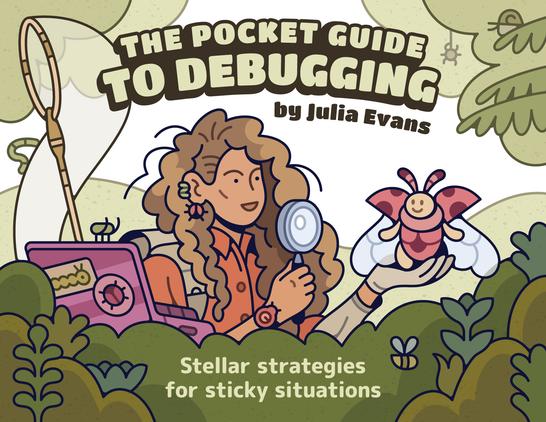
@futurebird You probably already know @b0rk‘s Pocked Guide to Debugging. The thing I love so much about it is how she cherishes the bug, instead of squashing it (in the illustrations too). I love this attitude. Not sure if students can learn to think that way? There is a beautiful poster too:

📰 https://wizardzines.com/zines/debugging-guide/

🖼️ https://store.wizardzines.com/products/poster-debugging-manifesto

The Pocket Guide to Debugging

wizard zines
@hoertauf @futurebird @b0rk +1 for pretty much anything by Julia Evans.
@futurebird
These two toots should be on a poster in every CS lab!
@futurebird
I once put a sign up in my cubicle that said `What sort of "doesn't work" does it DO?`

@futurebird

Also: If you see pages and pages of errors, start by looking at the first error message. Often, that's the cause of all the others. Students sometimes just give up when confronted with a wall of errors.

@futurebird Just an idea but what about "switching" students around so they have to check someone else's code?

I used to do that with my students, asking them to grade each other papers.
It's always easier to see others' mistakes and it flatters their ego... I mean, self-confidence.

Also it's a sneaky way to make them realize that teaching is NOT easy.😉

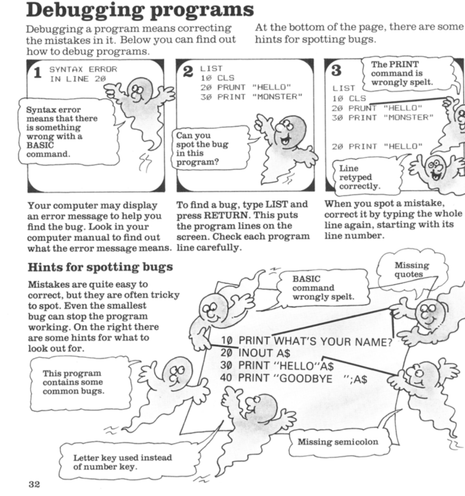
@futurebird reminds me of the helpful guides in the Usborne books I learnt programming from.

@futurebird Also, I've noticed that learner programmers very rarely read the error messages with any level of attention.

Ooh, you could do a reverse challenge.... provide them with the error message and have them write the code that produces it!

@futurebird
(3) Recognise the difference in code between : and ; 😅
@futurebird So Your Code Won't Run: great! Errors like this that stop it running completely are much easier to track down than errors that just give you the wrong answer. Or give you the wrong answer _sometimes_.

@RogerBW @futurebird (some) C coders have a saying:

If the compiler emits an error, then your code can't run;

If the compiler emits a warning, then your code won't run, at least not the way you expect it to;

If the compiler emits no errors and no warnings, then it's high time you updated your compiler.

@aaribaud @futurebird When I moved from Perl to Rust as my primary language I was very pleased to find that whole classes of errors which had previously been runtime debugs turned into compile-time debugs. I am now an enthusiastic convert to strong typing.
@futurebird I think CS students and also everyone else should use the list, but in reverse order.
1). Calm down, you’ll get over it and find a fix in no time. Everyone does.
2) Read the error and read it again. It tells you pretty much where, or sometimes even what exactly is the problem. Fix is right there.
3) The error makes sense, it is not magic. Ever.
4) It is probably a typo, you’ll find it after competing the first 3 points. Go to 1).

@futurebird > The error will make sense.

Have you heard of this thing called C++?

@mansr

Yeah...

what I'm trying to convey is that there is a *reason* why the code isn't working and it will make sense in the context of the rules the got dang computer is trying to follow.

It might be annoying or silly, but it will "make sense"

@futurebird I know what you mean, and you're perfectly right when it comes to sane programming languages. However, C++ compilers have a habit of spewing out error messages the size of a Tolstoy novel in response to mistakes as trivial as a missing comma. Now I assume you're not teaching the kids C++ as that would be quite irresponsible.

@mansr @futurebird my highschool programming class was C++ based, but it was a joke. It was paint by numbers and we didn't learn programming.

The main thing I learned in that class was that Gmail existed and my classmates sent me an invitation to use it. Because he was checking his email during class time.

@futurebird

It's probably a missing or extra comma, quote, or paren.

"looking for it in a calm, systematic way" after the requisite freak-out & meltdown....

@futurebird

Thanks this is really helpful. We teach a graduate class on quantitative cell biology based in python. Many ppl don’t have prior coding experience, we probably need a section like this.

@MCDuncanLab @futurebird I also found exercises fixing someone else's code to be much less frustrating than fixing my own, and revelatory as to how something done apparently-right can work very wrong. I needed lots of practice with this before I could approach errors with a cool head.

@futurebird This is what I would have suggested. Introduce the compiler, explain that you will encounter errors, but the error messages are designed to be as helpful as they can be.

(If you're using Python, error messages have been worked on over the last few major releases, with teaching particularly in mind, so it's worth using the most recent.)

@futurebird

"The error message *tries* to help you": the error message was written by people who had no interest in helping you

@futurebird
I've been a professional software engineer for over a decade now. I still make errors.

What's interesting is that at a certain level it's possible to write code that in isolation works exactly as you want it to, but it doesn't work in combination with the rest of the existing code.

But I also have tools to help me. My IDE checks for typos or syntax errors for me and flags them. It suggests solutions and offers to apply them. I have build tools written by other engineers to catch problems I might not have ever thought about.

No one person knows everything, but anyone can learn enough to be effective

@futurebird this is a great outline for a “debug” lesson. I try to scaffold up to writing their own code over the semester:
Assignment 1 Read code: give them working code and they add comments.
Assignment 2 Debug code: give them broken code WITH comments of what it’s SUPPOSED to do and see if they can fix it. Both typos and logic errors. But I give this assignment after teaching about break points and other debugging tools.
Only after that are they allowed to start writing code. After that they tend to bug me less in class with their errors (pun intended 😜).

@futurebird Yes, when I taught young adults I had an explicit section, right after the first ones that gave them a taste of success, on reading error messages.

Showed an error -- intimidating, eh? But we can pick out parts. Line number, file, error type, message, and a traceback. Highlight those as I pointed them out. New raw error message: hey, same structure! Can we pick out the line number? etc.

1/

@futurebird
So that was step one, teach their eyes to pick info from the error text, instead of sliding off it. Next step teach them to see error as a call for their action. I did this by running through 2-3 common errors and the action, repeating 'WHEN I see an X error, THEN I do Y' language.

WHEN I see a NameError, THEN I read the error, look up the line, and look for a mistyped name.

WHEN I see a SyntaxError, THEN I double-check my quote marks / parentheses / colons.

2/

@futurebird

Also IndentError, KeyError, and IndexError.

(Optional: 'hunt the Big Five': can they deliberately make code that has this error? and then fix it?)

Finally TypeError, for which more than the previous errors the fix depends on what you were doing. New phrase: 'I THOUGHT I had a number, but I HAVE a string. Can I change what I HAVE, or should I change what I THINK?"

Change what I have: int(my_string)

Change what I think: Ah, x can also be a string. `if type(my_x) is str: ...`
3/

@futurebird

Okay, last bits, sorry for going on so long!

1. My inspiration was Software Carpentry's module on reading errors. https://swcarpentry.github.io/python-novice-inflammation-2.7/07-errors.html
2. I also taught them about 'rubber ducking'. Made it all conspiratorial, let them in on the secret, tell them the pros do this. (We do!) The secret is: draw a little duck, and when you get errors explain your problem to the duck. Duck is simple duck, so explain every detail. Often, because you explain it, you'll realise how to fix it! 4/4

Software Carpentry: Programming with Python

@futurebird
Wonderful. I would suggest a small change to 4. Even though the rest of your message explains how to become a great programmer, students may get hyper-fixated on #4. They may think "oh I'm just not a great programmer" before even reading ahead, or even after. So may I suggest something like: "Finding and fixing the errors is an essential step towards becoming a great programmer." This frames it as a process from the get-go, rather than a binary.
@futurebird I mean, the computer *does* just hate you, but that's not why your code isn't running. Completely separate issue.
@futurebird Something I noticed in junior developers is that they sometimes tend to blame the library or language when something goes wrong. Whereas a more experienced programmer would know to blame themselves first. 🙂
@futurebird I mean, sometimes the computer really does just hate you 🤪
@futurebird maybe reiterate at the start of the demo, and even put up a short statement on the wall so you can point at it rather than answer! Should drum it in quickly

@futurebird

> Maybe I will give them some broken code and we will find the errors together.

I think this is an excellent idea!

@AbramKedge @futurebird I do this (in the context of a different academic subject) with "bad" essays, where we work collaboratively to find errors and redraft improvements. Hope it's effective for you.
@MintSpies @AbramKedge @futurebird when I was taking cartography classes our teacher would put up student work on the board but with the names removed and we would discuss it together. We didn't know if it was folks in our class or previous years and it was really helpful especially when you saw your own work up there and other people were kindly pointing out their suggestions.

@futurebird Not a teacher, but that sounds great.

Learning what error messages are and what they can tell you is so important. It's so different to many other subjects where you don't get that kind of information when something goes wrong, plus they will have grown up using computers of various kinds where an error message really is just a cryptic string of words that they can't do anything with.

@phronetic @futurebird I can imagine a classroom where there's a running list of error messages encountered, and you get a sticker or bonus points or something for finding a new one, and explaining to the class what it means once you've figured it out. These days I can get an error message and approach it with "ooooohhhh never seen that before", but in my earlier years, hah!

@futurebird assigning code broken in specific ways & having a rubric for teaching the troubleshooting sounds like it should be SOP for coding courses, is this not normally part of the curriculum? 🤔

(def not dumping on you, asking as an Old who is a self-taught potato coder who never did a CS degree & feels like the way I learned basically anything that I do know was: type it in from a magazine or other source / modify working code that’s similar to what I need -> make mistakes in transcription / tweaks -> code doesn’t run or runs with errors -> troubleshoot the mistakes -> learn stuff 🙃)

@itgrrl also self taught, from what I can see this is rarely in courses - can ask some recent grads this week. @futurebird

@voltagex @itgrrl @futurebird

At the university we had this maybe once.

But then, to quote a professor: "You are learning 'computer science' here. 'Programming' is something that you should either already know or learn in your free time."

@voltagex @itgrrl @futurebird Definitely not a standard part of academic courses. Software Carpentry workshops include it, in part by live coding the demos so the participants both see the instructor making mistakes *and* their process for resolving them. Teaching the trial & error loop also comes up most years at the PyCon AU Education Seminar (since it is far from being a solved problem)