OpenMandriva - Here comes OpenMandriva ROME

This is the official OpenMandriva website. There you can find documentation, all needed links for our services and getting the distribution, and the latest news.

OpenMandriva
i passed the usual error
about /boot/efi

but i got a new one
Main script file /usr/lib64/calamares/modules/bootloader/main.py for python job bootloader raised an exception.

here is what google say


The error "Main script file /usr/lib64/calamares/modules/bootloader/main.py for python job bootloader raised an exception" during a Calamares installation usually indicates a problem with the bootloader installation process, often related to incorrect partition configuration or BIOS/UEFI settings. The Python script itself is likely fine, but it fails to execute the necessary commands due to an environmental issue.
Common Causes and Solutions
Here are the most frequent reasons for this error and how to address them:
1. Incorrect BIOS/UEFI Settings
The most common cause is a mismatch between how the installation media is booted (UEFI vs. Legacy/CSM) and how the system is configured to install the bootloader.
Solution:
Disable Secure Boot: Most Linux distributions require Secure Boot to be disabled in your system's firmware settings.
Disable CSM/Legacy Boot: Ensure that Compatibility Support Module (CSM) or Legacy boot is disabled, and your firmware is set to UEFI Mode Only.
Boot the USB in UEFI mode: Make sure you select the UEFI option for your USB drive when choosing the boot device.
2. EFI Partition Issues
The Calamares installer might struggle with the existing or newly created EFI partition.
Solution:
Ensure the EFI partition is formatted: If you are using manual partitioning, make sure the EFI System Partition (usually FAT32, mounted at /boot/efi or /boot) is checked for formatting in the installer.
Check for disk errors: If you have a Windows installation, ensure "Fast Startup" is disabled in Windows. Windows can leave the disk in a "dirty" state, making it read-only for Linux, which causes the bootloader installation to fail. You might need to run a filesystem check (like fsck) on the EFI partition from the live environment.
Ensure enough space: The EFI partition should have enough space (e.g., at least 300MB).
If dual-booting and the installer fails to detect Windows' EFI: Some users reported success by wiping the entire drive and installing Linux only, or by using a different installation method/ISO that handles dual-booting better.
3. Issues with the Installation Media/ISO
Sometimes the error is due to an issue with the specific version of the ISO or how it was written to the USB drive.
Solution:
Verify the ISO: Check the integrity of your downloaded ISO file.
Recreate the installation media: Use a reliable tool (like Etcher, Ventoy, or dd) to write the ISO to the USB drive again.
Try a different USB drive or port.
Update the live environment (advanced): In some specific cases (like an 'unparseable Python error'), running sudo pacman -Syu in the live session terminal before starting the installer can resolve dependency issues, though this may require a reboot.
Next Steps
To help diagnose the exact cause, run Calamares from the terminal in debug mode, which will provide more detailed log output when the error occurs:
Boot into the live environment.
Open a terminal.
Run the command: sudo calamares -d.
Proceed with the installation and when it fails, check the terminal output for specific error messages (e.g., the exact grub-install command that failed and its return status).
-----------------------

by the way i created a new /boot/efi partion fat32 1000mb
nothing is written there if i remember right but if fails again i ll format it
i made the boot partion /boot for solus so maybe if i format it so it will be
/boot/efi
it ll work

result .. install worked

so the bad thing i did wat to leave the /boot partion not formating it
since i had solus on /boot not /boot/efi
-----------
here is what i got from terminal before i worked

sudo calamares -d
---------------
at least the normal error with installtion is gone here
------
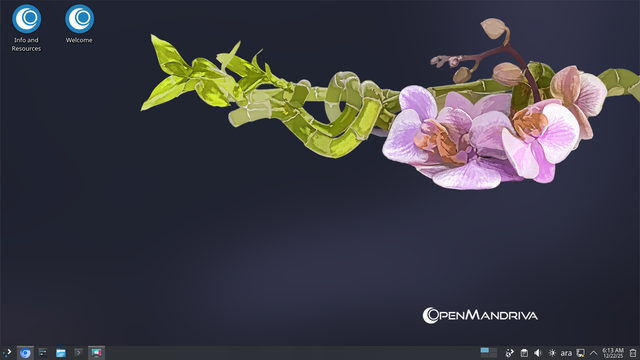
now it s time to see what this distro looks like

let s begin the journey :)))))))

#openmandriva
#linux
#install
#error
بعد الريستارت المفاجأة
التوزيعة التانية ظهرت في القايمة وشغاله .. هييييييييييه

كروم اول ما فتحته بعد ما دخلت على بسام قفل لوحده
صفحة الترحيب بتاعتهم ما كملتش ما ظهرتش هجرب افتحها
ههههههه
ما بتفتحش اصلا ليه مااعرفش
مش مهم
ربنا يستر


هل التوزيعة مستقرة ؟
هيبان
بالمناسبة المفروض اني بستخدم التوزيعة المستقرة اللي بتتحدث مرة في السنة
Rock
دا اسمها
---------
هروح انااااااااام
نلتقي على خير بإذن الله ... سلام مؤقت
بتستخدم كروم كمتصفح
وكبروا الخط كما اريد من غير اي اضافات
فاضل اشوف فيس بوك هيعمل ايه
جاري تحديث النظام من خلال برنامج
discover
بيفتح ترمنل ويحدث
بعد ما بيخلص بيقفل الترمنل
عشان يحدث بعد تنزيل التحديث بقفل برنامج ديسكفر نفسه
على فكرة طريقة غلسه للتحديث وبطيئة
وفيها كزا خطوة

فيه في القايمة حاجة اسمها
system update
هل دي مختلفة عن تحديث ديسكفر ؟ هجرب لما ده يخلص ويارب ما يعلقش لانه طول في التحديث وهما كلهم على بعض 600 ميجا بس وكمان مش باين هو بيحدث ايه
الصبر جميل ... يا مسهل
ماقدرتش استنا فتحت ديسكفر قالي التحديث خلص قفلته راح مطلع انه التحديث لسه شغال
حد فيكم جرب ديسكفر قبل كده ؟ انا جربته مرة واحدة بس

بعدها بإذن الله هعمل ريستارت اشوف اخبار النظام ايه
:)))
اظاهر ماكنش مفروض اقفله .. اول ما فتحته قالي خلصت التحديث
طب فين ؟

انا مش عارف انا المفروض اعمل ايه
دوست على كلمة
task
هو اصلا كاتب 0
بيدوسوا فين عشان يحدثوا ؟
هبقى افتكر المرة القادمة بإذن الله ماحدش عن طريق ديسكفر حسب كلام جوجل :)
التحديث عن طريق
sys tupdate
من القائمة
بيفتح ترمنل برده :)

هطلع تسجيل خروج واشوف ديسكفر هيعمل ايه
ما تعرفش ايه اللي حصل
عملت تسجيل خروج رجعت
صفحة الترحيب اللي ماكنتش بتفتح فتحت
وديسكفر خلاص ماعندوش حاجة تتحدث
نسخة تيليجرام قديمة جدا فهشوف هترضى تتحدث ولالا
عدلت في المكتبة بتاعت البرامج
اخترت
non free
واخترت
من الجزء في الاسفل
متصفح اوبرا

بصفة عامة السيستم شغال بس حكاية التحديث دي هشوف
هحاول من خلال موقع تيليجرام اني اختار انزل بالفلاتباك المدعوم

ديسكفر فتح اللنك
طب سؤال ليه مش موجود في اللستة اني فيه تحديث ليه ؟

طيب فهمت الاولاني النسخة الموجودة هي نسخة النظام انما التانية دي نسخة فلاتهاب
ضغطت تثبيت ولا حصل حاجة :)

لا تصدقوا اشتغل بس بعد ايه .. قعد كثير اوي
خلوني ابتدي اخرب في النظام
هفعل في الاعدادات اخر نسخة لاوبن ماندريفا
من خلال ديسكفر

اتضح ان فيه برنامج لتحديث وتنزل الحزم
حلو ده وربنا يستر
برده هنا حاطط النسخة القديمة لتيليجرام

هجرب
sudo dnf --refresh dsync

Important Considerations
Don't Mix Channels: Never use repositories from cooker (unstable) on a rock (stable) system, as this can break your installation.

شكرا على التنبيه

زودت شوية مكتبات في اعدادات ديسكفر
هل هتأثر لا اعلم
احم البرنامج لسع :)))
هقفله وافتحه
اشتغل وتمام
بس برده نسخة ماندريفا لتيليجرام قديمة جدا
وتحديث النظام ماعملش حاجة
هو انا ليه اصلا اوجع دماغي بده ليه هو ما يحدثش المكتبة الخاصة بالنظام لوحده ؟

جربت
sudo dnf --refresh dsync
لتحديث المكتبات
والنتيجة طنشها وماحدثهاش
شوف الملف المرفق
طيب كده مكتبات النظام قديمة
بالذات مع نسخة
Rock
اللي انا اخترتها :)
https://pkgs.org/search/?q=telegram

العيب مش في النظام :)))))))
عبال ما يخلص تحديث ناخد صور من التوزيعة
تم أخذ الصور والتعديل عليها ببرنامج
spectacle
شوية اراء عن التوزيعة

https://www.reddit.com/r/linux/comments/1j1o3sr/openmandriva_opinions/

I've used OpenMandriva in the past (like 8 months ago). It's alright, and it's pretty polished, and I liked the slight speed improvement with the AMD Zen CPU-specific builds. But my main problem was it always lacked packages that are standard on other popular distros; guess not much can be done because it's a manpower issue.

The other problem I experienced was with their ROME spin, which uses a semi-rolling-release model (Cooker is their experiment rolling-release). I tried installing ROME 4 months apart, and each time system I'd run into errors and could not properly update my system, so I was stuck with what came on the ISO.

OpenMandriva ROCK (AKA, the fixed-release spin) worked fine however, but it was too out-dated for my needs.

انا كنت بفكر احمل ال
Rolling
:))))

---
I played around with it recently to see how it is coming along. It is a very nice distribution with solid support despite being a smaller community. The dev team is quite active and willing to help.

Being rolling is nice as you never have to worry about big version updates. Not to get too technical, they have built some different methods to build the distro, and it works quite well. The updates during my 1-month test were well done and without any issue.

The only negatives were the relatively small community and fewer packages. Being more of a niche distro. However, as mentioned, they are active.

----
I mainly run Fedora and EndeavourOS, but love to test distros. As mentioned, I tested for a month, and it was stable during that period, but in the grand scheme, that is not a long time to know how stable it really is. From what I have read, it is stable, however I don't think it would be accurate for me to say one way or the other based on just a month worth of testing.

------

I don't like it.

The "Rock" fixed release edition comes with frozen package versions without much effort done to backport security fixes, they don't even update browsers (Firefox is stil at version 120 in Rock 5.0), which makes it unusable to me as well as anyone decently concerned about their system's security. I'd much rather use Debian instead.

Meanwhile, the "Rome" rolling release is annoying to manage, before any time you want to update the system you need to check their forum (https://forum.openmandriva.org/t/rome-major-upgrade-expected/4707) whether they're currently syncing the package servers or whether there's some manual intervention needed. I'd much rather use Void Linux instead.

It does have a few interesting features of its own (like being built entirely with Clang) but they aren't of much interest to me, and certainly not worth the downsides.
--------

wouldn’t recommend a niche distro simply because it’s probably hard to get help or find solutions to issues.

--
Openmandriva has nothing special about it really, tho it claims to be unique. The community is very small compared to other distros and because it's community based, you won't see much going on around it. Bryan Lunduke has brought them a wave of new users recently, after the devs' announcement that they won't follow the woke leftist propaganda in the open source world. IMHO politics aside, openmandriva is just a generic distro that brings nothing new to the table. I'd look elsewere.

reply to this

They build the entire distribution with Clang instead of GCC (although gcc is available in the repo) even the kernel, by default is with Clang, but in the repo you will also find a version with GCC. There are also RC kernels and Server versions available.

They build all packages with LTO optimization by default (they were the first to use it) (except for a few packages that do not work with LTO).

They were one of the first to start building core packages with PGO optimization.

They release a specially optimized version of znver for AMD ZEN processors (ryzen, epyc etc.)

A large repository divided into main, extra, non-free (where you will find non-free packages like nvidia drivers, steam) and restricted (where you will find things like codecs or x264/265).

They build mesa by default with codecs enabled like vaapi so you don't have to add an external repo and fight dependencies like in fedora or opensuse to experience decoding/encoding using gpu.

Codecs are enabled by default as a dlopen option which means you don't have to manually build ffmpeg to experience support for example for x266 (vvc), you just have to enable the repo restricted and install the codec pack.

There are many conveniences.

---------

je découvre et j'adore de plus en plus, je fais plein de choses avec : musique, dessin, jeux, et j'arrive même à faire fonctionner mes jeux de PC Windows
الترجمة

I'm discovering it and loving it more and more; I do all sorts of things with it: music, drawing, games, and I've even managed to get my Windows PC games working.

----
طيب المستفاد من اراء الناس ان النسخة المستقرة منها البرامج فيها قديمة شويتن زي ماشفتوا مع تيليجرام مثلا

والنسخة اللي بتتحدث على طول فيها مشاكل

عدد العاملين في التوزيعة قليل والمجتمع الخاص بيها مش كبير وبالتالي الدعم ممكن مايكونش قوي زي التوزيعات الديبيانية مثلا

لكنها توزيعة نشيطة

طيب هو انا يفرق معايا تحديثات البرامج؟
بصراحة مش اوي
بالنسبة لي ما بستخدمش برامج كثير المهم بالنسبة لي تيليجرام ودا ممكن يتحدث من فلات هاب عادي
هكمل معاها ولالا ؟ لسه هشوف
كنت قلت ان برنامج كروم بيقفل لوحده وبيعلق

طلعت النسخة اللي في النظام قديمة
135
بينما الموجودة في فلات هاب
143

انا عاوز ادي النظام ده فرصة
لانه حلو وسهل اضبطه واضبط الخطوط بتاعته
فخليني اشوف ايه البرامج اللي مش هعرف اثبتها او احدثها لان دا اللي ممكن يفرق معايا

كويس اني ماعنديش هارادات تانية كان زماني لسه بجرب توزيعات تانية مع دي
اللي خلاني سبت موكاتشينو اني اخترت سطح مكتب مش سلس بالنسبة لي
انا مش عاوز اقعد اعمل خطوات كثير لحاجة مفروض ما تتعمل غير بخطوة واحدة
xfce4
مع ان اللي خلاني اسيب بيج لنكس توزيعتي المفضله المبنية على مانجارو هو تحديث الكي دي ايه
فآه دي نسخة سطح مكتب بلازما
بس لغاية دلواتي تمام يمكن عشان مافيش تحديث كبير للنظام وده يمكن الاختبار ل كي دي في المستقبل على التوزيعة دي
وايوة هفضل اتكلم عن توزيعة بيج لنكس لانها من اكثر التوزيعات اللي حبيتها واللي كانت مستقرة وكانت حلوة شكلا ومميزات حببتني في لينكس
كمان شغلت عليها العاب كثير قديمة وحديثة كنت بس بلعب في اعدادات
lutris
ماعرفتش استخدم بروتون
وبرده هفضل اقول ان كرت الشاشة بتاع نيفيديا القديم ممكن يكون سبب في ان التحديث ما يكملش
وممكن لاني كنت بكبر الخطوط اوي عشان نظري ضعيف شوية فبحب عيني تبقى مرتاحه
المهم اللي يلاقي حل لتحديث بيج لنكس ده ياريت يبقى يقول
-------------
تيجو نجرب نلعب على اوبن ماندريفا ؟