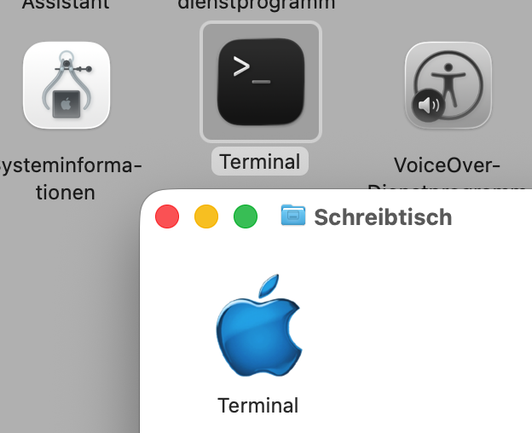
Who approved the #macOS26 terminal #icon?

Welp looks like I need to get back to work (once i figure out how to do icon composer without a mac)

Also can any tahoe users confirm or disprove that you can change a liquid glass icon with the old drag and drop method?
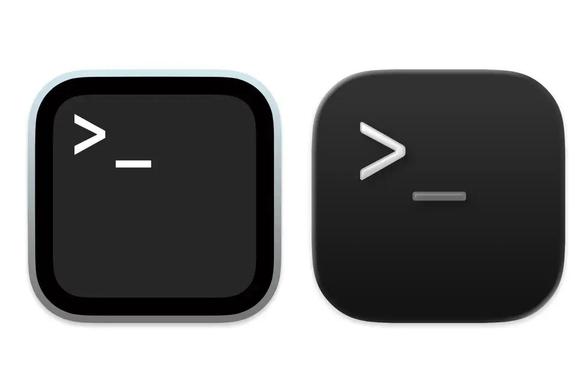

@dch82 Yes, changing icons works the usual way in #Tahoe. But there are some protections that make it difficult to change core system components. So you either have to disable that or do some circumvention for Terminal. (It is easy to change the Icon on a copy of terminal app, but the copy doesn't run even before that.) An alias works, but the Icon of the alias is not used for the dock. I think the difference of these two icons is so small that it is better to get used to it.
@bitnacht Sorry, what I meant to say was an *Icon Composer* icon (or a .icon file (they have special capabilities that regular icons don't have). I can't find any online so I want to see if anyone can use those in the drag and drop method.
@dch82 Icon Composer files can not be put into the drag and drop area if the Get Info dialog in #TahoeBeta. This will result in a generic "Icon Composer file" icon for the target and not the contents of the Icon Composer file.
@bitnacht Ah. Thanks anyways!
@dch82 This doesn‘t imply that you can‘t copy the icon image of a new icon to other files, but currently they are copied as a regular png image. For example if you copy the default folder icon to a different folder, it will not change on the target file if you put files into it and it was empty before. It won‘t change to clear style if you change the settings.