 David Smith
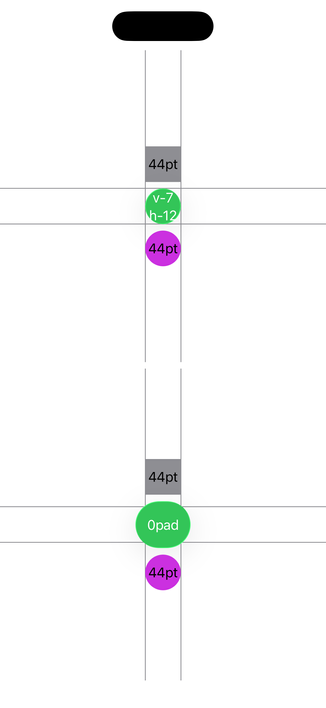
Liquid Glass doesn't seem to want circular buttons. The default `.glassProminent` button style adds an extra 5pt of horizontal padding compared to its vertical padding.
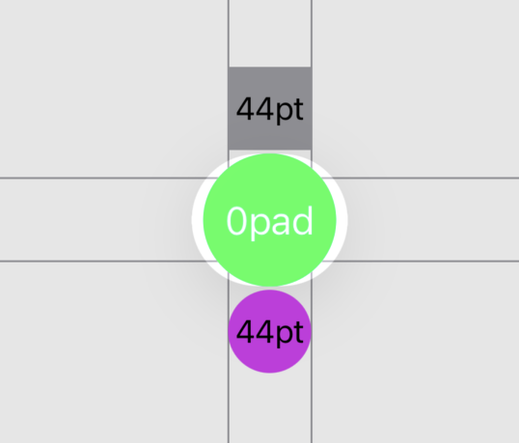
You can set the `buttonBorderShape` to be a `.circle` which will make it visually render as a circle, but when tapped get a oval shaped highlight.
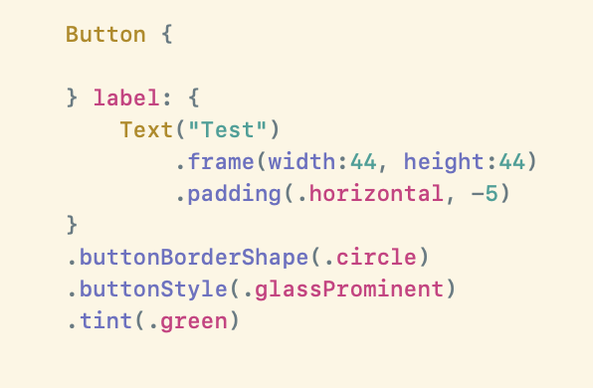
Not really sure if this is a bug, working as designed or something in the middle. Best I've found for when I want a circular button is to apply `.padding(.horizontal, -5)`🤷🏻♂️
 Juergen (JayFM)