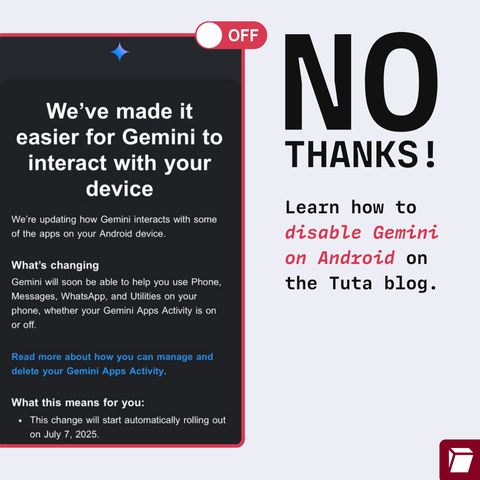
๐Ÿšจ WARNING: Google is trying to force you into using #Gemini AI on Android in #Gmail, #WhatsApp & other apps - hijacking your data for "AI training"

This is opted in by default โ€“ so check your Settings to opt out.

Hereโ€™s how: ๐Ÿ‘‰ https://tuta.com/blog/how-to-disable-gemini-on-android
@Tutanota Is this country-specific? I'm in the UK and there is no Gemini app on my phone, and I just updated the OS.

@cassolotl @Tutanota

Without gemini app you can do this:

-Go to the google app.

-Click on your profile picture.

-Go to settings.

-Go to google assistant.

-Go to google digital assistants (choose between google assistant and gemini).

-Choose google assistant instead of gemini.

-Go back to the google assistant section.

-Go to the "Your Apps" section.

-Go to the Whatsapp section.

-Disable: "Allow assistant to learn from this app" and "Allow assistant to choose this app".

@simonjpaladinus @Tutanota Thank you, this is really helpful! :)
@simonjpaladinus Nightmare to do for each and every app. I'm livid, I know I shouldn't be expecting anything else from Google and Co, but this is probably what is gonna push me away from android OS and start looking for libre alternative. Even if the experience is subpar.
Thank you for the detailed explanation and sorry for the rant. Take care
@simonjpaladinus @cassolotl @Tutanota may I add do this for more apps in the list like brave web browser and maybe Wikipedia?

@FilesUnknown @cassolotl @Tutanota

Yes, you should definitely do the same with the other apps. I only put whatsapp as an example.

I also forgot to mention that if you want to disable google assistant completely, you should do the following:

-Go to the google app.

-Click on your profile picture.

-Go to settings.

-Go to google assistant.

-Go to general.

-Deactivate the google assistant.