 mrdev023
 Seshan "Seshpenguin"
This week #Plasma Bigscreen has seen some major work and improvements (thanks to, among others, @espidev )! UI redesigns, bug fixes, and new features, there's lots to see! And more to come!
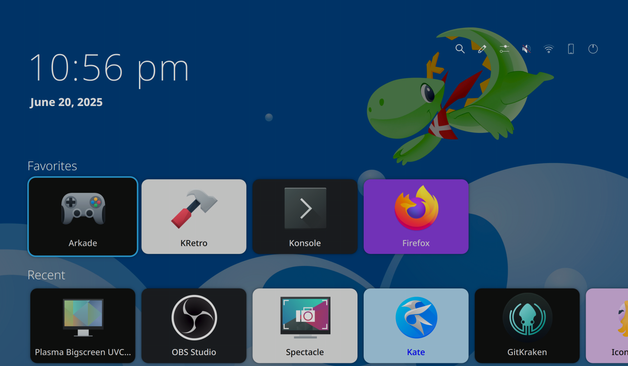
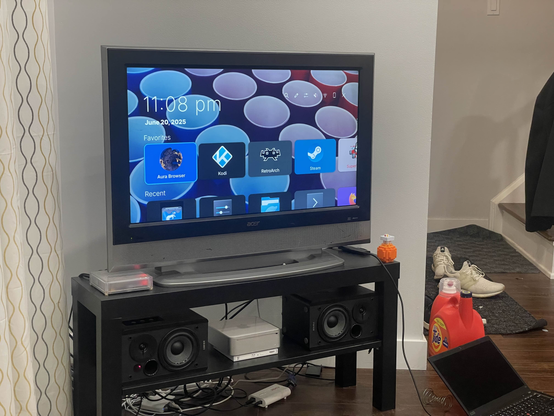
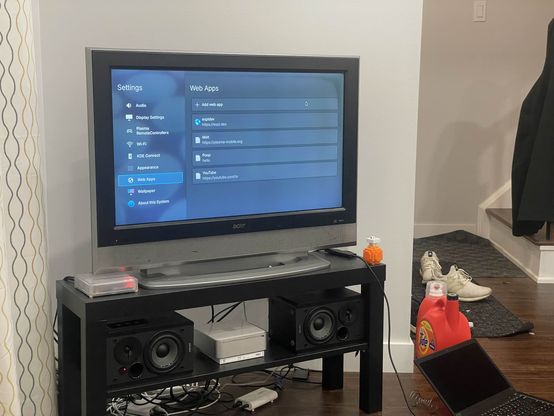
This week #Plasma Bigscreen has seen some major work and improvements (thanks to, among others, @espidev )! UI redesigns, bug fixes, and new features, there's lots to see! And more to come!
I haven't realized the project has been revived. Looking forward to use it on my big TV!
Also, is that a HomeAssistant Yellow?
@seshpenguin how happy are you with it?
I thought about getting one but settled with a beefy miniPC on Black Friday sale.
Also are you using any voice assistant on Linux?
I am really looking forward for the voice assistant from HA!
@Anachron It's pretty nice! A mini PC would probably be the better value (especially since I went with a Pi CM5), but the Yellow looks nicer imo and I get to support the HA devs.
I've messed with HA voice a bit... It would be cool to get that integrated into Bigscreen somehow 😶🌫️
Awesome! Native control via KDE Connect would be needed, basically another input mode for keyboard and arrow keys, or add arrow keys to the touch+keyboard screen
 Maltimore
 Anachron
 alxdre301 💤
 Thibaut
 [Sága]$
 southie wusky
 Agron Noka
 Henning