 Fyx
FyxWell I've just made an absolutely gut-wrenching discovery.
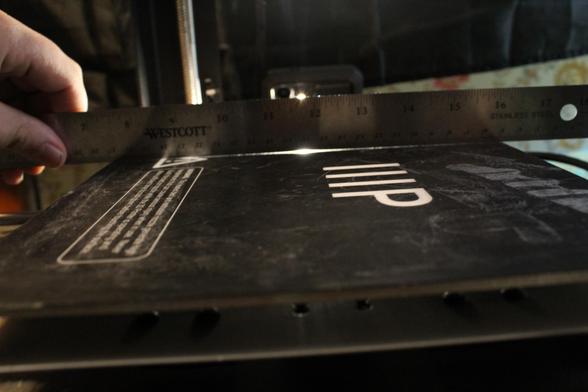
I've been fighting with adhesion issues on my 3D printer for months, and after making Z-Offset adjustments, temperature changes, leveling and re-leveling the bed countless times... I decided to check the extruder nozzle height at more than just the corners, and I've discovered the bed is warped. Fuck.
This is a manually-leveled machine so there's no way to compensate for this. I don't know what to do.
#3dprinting
I've been fighting with adhesion issues on my 3D printer for months, and after making Z-Offset adjustments, temperature changes, leveling and re-leveling the bed countless times... I decided to check the extruder nozzle height at more than just the corners, and I've discovered the bed is warped. Fuck.
This is a manually-leveled machine so there's no way to compensate for this. I don't know what to do.
#3dprinting
 Alexander