[Server OS migration project]

ok, back on track on the bare QEMU project after a month. I really need this done so I can actually test before I migrate to fedora on my server.

I'm going to log progress on getting the dammed networking and the rest of me messing with fedora, Why?

  • I need to know what the fuck i did in case i leave the project in a hiatus
  • I'm going to write a blog based on this
  • Fuck yes

Why on fedi?
Cuz i fucking can and if you follow this thread i promise it will be entertaining and funny

And please, if i do something stupidly obvious or you know the fix to something please don't be afraid to leave a comment.

#Linux #QEMU #devlog #selfhosting #selfhosted #networking

ok first things first, i think ill remove the cw becuase idfk

So this is how i want to do this:

  • Devices in my network can interact with the VM as if it was another computer, mainly for testing with jellyfin, caddy, dns (pihole)
  • It can be done on a wireless interface
  • The VM has a wireless
  • The virtual interface uses dhcp
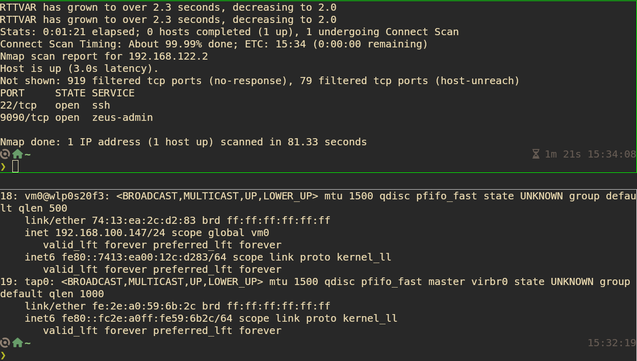
So far i have managed to setup an IPVTAP on my wireless interface and it works onlye one way: can ping devices on my LAN but they can't ping the virtual machine itself; it just doesn't expose the ports on the ip
omg tell me im not this stupid

i am indeed that fucking stupid holy shit.

Ok so it now works and with internet access too! with the exception of my host pc, i can't ping my router form my host no more and ports are still not working on the host and honestly im not gonna bother, im probably going to route ssh through a unix socket and be done with it.
I also stopped using dhcpcd because i'm to lazy to sync the vm ip and the host ipvtap ip

ok, day 2.
I'm going to mess with the vm a bit more and then i'm going to study for finals.
ok i gave up with the unix socket and tried to fix communicationg host-guest but came across this which explains that macvtap and ipvtap just don't allow host-guest communication by nature so I'll need to user another interface to communicate with the vm which actually comes in pretty handy for testing dns resolution with pihole for requests on different interfaces
Guest and host cannot see each other using linux-kvm and macvtap

I'm migrating a kvm virtual machine from an old host (both hardware and OS) to a new one. For networking, virt-manager proposed me a new option: macvtap. This looked a good alternative to setting ...

Super User

finally have time for this again

got the interface for host-vm communication up and running with the libvirt nat bridge, i mean i have it at hand why not use it? (this totally wont come back to torment me).

Weird thing is that by using -netdev bridge... qemu doesn't assign an ip to the tap in the host and idk if it is a requirement cuz i did setup the ipvtap interface with an ip on the host and an ip on the vm.
Idk how qemu sets up the tap interface behind scenes, maybe because of iptables shenanigans and the NAT thing

Can someone explain how it works? I guess not having an IP on the host tap interface makes more sense than having one

#networking #qemu #kvm

anyways it works
im not messing with it more
but it does feel little bloated to have an IP on the host

Just had the worst experience so far making this work.

So i forgot to mention that i am doing this with a LUKS encrypted rootfs and obyusly i need to unlock it first before i had an ssh connection.

I tried doing this with TPM 2 and long story short: don't

So I'm just gonna use this and be done with it.

Tomorrow i will finally be able to do the thing this whole vm was for in the first place: to test Fedora Server so i know if i want to migrate to it on my main server

GitHub - dracut-crypt-ssh/dracut-crypt-ssh: dracut initramfs module to start dropbear sshd during boot to unlock the root filesystem with the (cryptsetup) LUKS passphrase remotely

dracut initramfs module to start dropbear sshd during boot to unlock the root filesystem with the (cryptsetup) LUKS passphrase remotely - dracut-crypt-ssh/dracut-crypt-ssh

GitHub
ok so testing alpine now and gotta say so far it has been less of a hassle with the whole networking thing and the APK package manager is rapidly becoming one of my favorites, straight to the point, understandable options (except for the 'add' one that installs packages imo just call it install).