
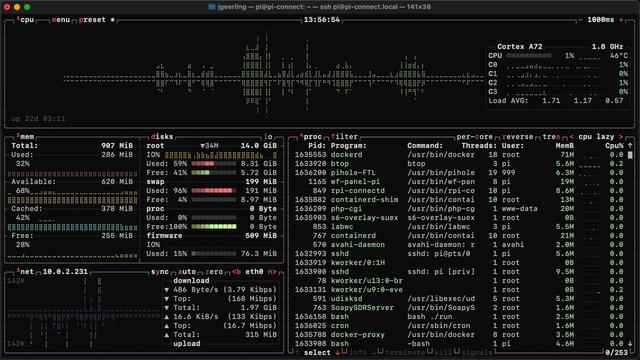
People often ask me about this fancy-looking Linux monitoring tool when they see me using it in my videos—it's called 'btop' and it's available via the package manager of almost every modern Linux distro (e.g. `sudo apt install btop`)

I posted a video on my 2nd channel with my 'top' 10 list of Linux (and macOS, and sometimes even Windows!) monitoring tools you can run in the console—for CPU, power, network, disk, etc.: https://www.youtube.com/watch?v=4isEhE2rvmA
Top 10 ways to monitor Linux in a Terminal

YouTube
@geerlingguy I still prefer Conky on the desktop but that's just me 😄
@sgtnasty @geerlingguy bpytop is from the same developer and no longer maintained. (btop is the c++ rewrite from bpytop)

@geerlingguy

Super!

j'utilisais bpytop. Avant... 😀

@geerlingguy FYI, the blog post linked in the video description is showing "Accessed Denied".
@bigcalm @geerlingguy At this moment they link works for me, no access denied. 🙂
@bigcalm sorry about that! I had forgotten to hit publish!

@geerlingguy No apologies need :)

Was intended as a heads-up in case something was awry after the website config incident.

Glad all is well :)

@geerlingguy My problem with most monitoring tools is that there is no way to aggregate the usage of groups of related processes. The canonical example of this is Google Chrome Helper. Seeing 40 different copies of Google Chrome Helper each consuming X amount of memory and Y amount of CPU doesn't tell me that Chrome, as a whole, is consuming X' memory and Y' CPU.
@geerlingguy I love btop! I've been using it since the bashtop days, and it's only gotten better over the years. Thanks for this post. It finally motivated me to update my config so the terminal transparency levels were respected.
@geerlingguy
BTW, it is available on macOS via Homebrew: brew install btop

@geerlingguy if you want your terminal http-ping look more interesting then maybe httping in ncurses mode is interesting as well
e.g.:
httping -K www.vanheusden.com

https://github.com/folkertvanheusden/httping

preview: https://vanheusden.com/permshare/httping.webm

GitHub - folkertvanheusden/HTTPing: Ping an HTTP server

Ping an HTTP server. Contribute to folkertvanheusden/HTTPing development by creating an account on GitHub.

GitHub
@geerlingguy ha! I going to ask about that after seeing a tool in your latest video (“honey I nuked the server”)
@geerlingguy First used this tool in my time as an AIX admin but it also works on Linux. nmon. https://nmon.sourceforge.io/pmwiki.php
nmon and njmon | Main / HomePage

@geerlingguy Thanks for covering terminal monitors. I hadn't used btop or nvtop before, so it was cool to check those out. If you're looking for a graphical monitor for your Mac, you might want to try XRG. I started developing it years ago when I switched from FreeBSD to macOS and missed gkrellm.

https://gaucho.software/xrg/

XRG

Profiling & tracing with perf

wizard zines