 Christian Selig
Does anyone find Safari on Sequoia will just randomly decide "Nah I don't want to load any new pages for the next like… 30 seconds"? Other browsers will load things fine
 Steve Troughton-Smith
@christianselig sometimes single tabs crash out like that, and closing the tab is the only way to make things load again. Not seen it browser-wide though
 Arcticulate
@stroughtonsmith @christianselig Well, for me it’s much worse: Safari crashes consistently after 4 to 6 minutes of either activity or idling. MacOS has been annually upgraded since the preinstalled Big Sur (M1 Mac Mini 16 GB, 1 TB). Activity Monitor shows memory usage is insane, with just 3 simple tabs opened 🤪. All since 15.0, fine in Sonoma. I might have installed 15.0 while it was in a late beta. Maybe something didn’t migrate correctly between upgrades.
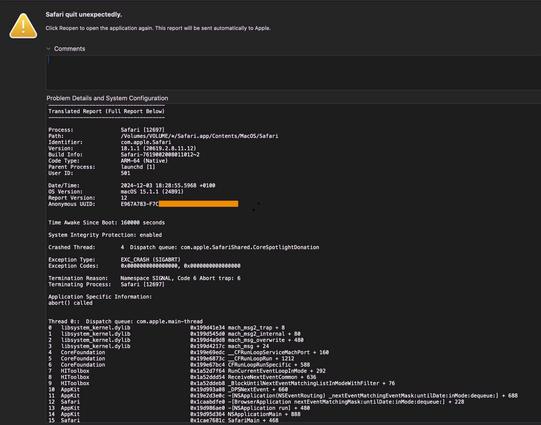
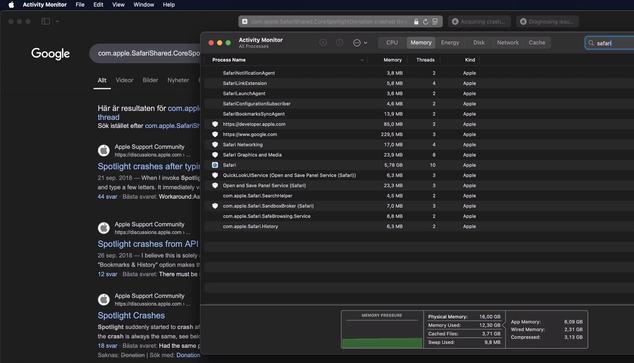
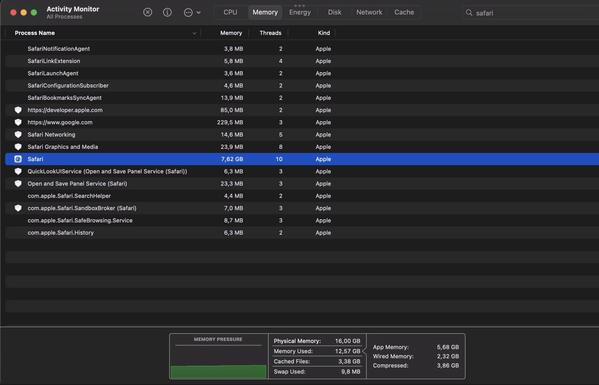
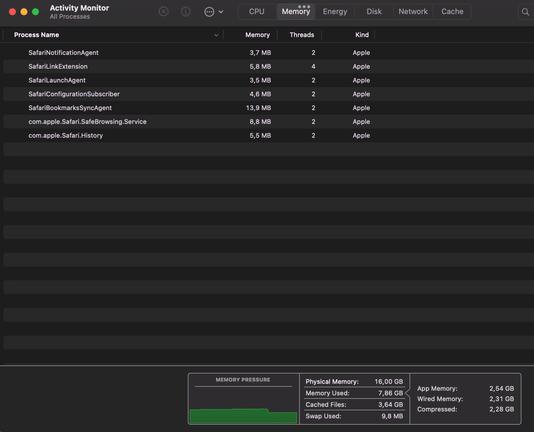
Notice how memory is leaking like crazy. We’re talking maybe 1 minute apart between the screenshots. Even worse, it is the exact same on my M1 iPad Pro 11” (16 GB, 2 TB). Fine in iPadOS 17.x and earlier. Switched to Orion in iPadOS and macOS for now, as several Apple feedback + sysdiag reports have lead nowhere.
Yet, Safari works great on my iPhone 13 with the same iOS version, upgraded from preinstalled iOS. The phone is just 2 weeks old, new in box but of course — a 3 years old iPhone model.
@stroughtonsmith Tab specific would be an upgrade for me, it seems to take down the whole browser weirdly
 Sören
Sören@stroughtonsmith @christianselig IME it’s definitely a process-wide lock; when one tab is stuck in a network request, *all* of them are