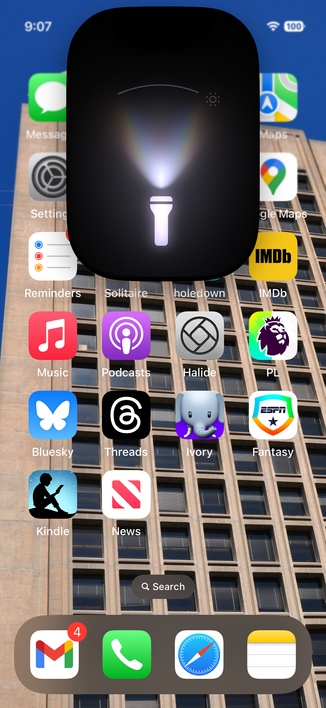
A tiny Apple "Dynamic Island" detail I love:

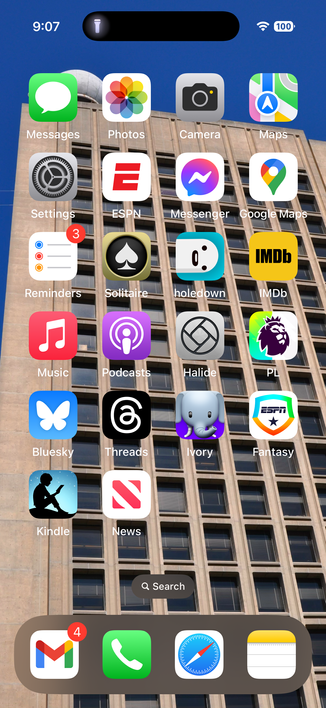
- Turn on the iPhone flashlight. A little flashlight icon appears in Dynamic Island (pic 1). Helps remind me the flashlight is on!

- Tap the icon (see pic 2), then drag up/down and side to side to change the strength/shape of the beam, or tap to turn it off

All animated nicely. Function and form well done.

🔦❤️👏🏻
#Apple

@davemark I just saw this last night - is this new?
@dimsumthinking Oooo, good question. Don't know.
@davemark And Happy belated Thanksgiving
@dimsumthinking Thanks! And right back at you, my friend. 😃
@dimsumthinking @davemark it was definitely in 17 - I use this a lot to avoid tripping over things in the bedroom at night
@designatednerd @davemark I also liked it because it's a good reminder that it's on. How many times have I accidentally had the flashlight on and not known it.
@dimsumthinking @designatednerd @davemark I did not realize the flashlight was adjustable.
@jamesdempsey @dimsumthinking @designatednerd @davemark Even on non-dynamic island devices you can long press on the flashlight in control centre and select different brightness levels.