
M4 efficiency is stunning. First machine I've tested getting over 5 Gflops/W with HPL, and in fact it goes beyond 6 Gflops/W... with fan only spinning up to a quiet 2500 rpm.

Maybe this is why Qualcomm abandoned their marquee Dev Kit—it is thoroughly trounced by M4.
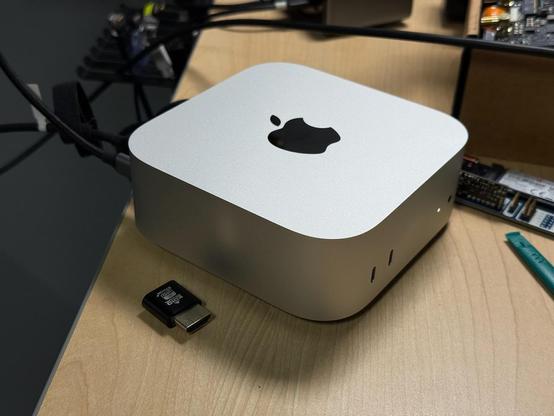
@geerlingguy The hardware is truly great. I just wish that MacOS was better. I got the base M4 Mac Mini as my first Mac but unfortunately I’m probably going to end up returning it.
@that_leaflet @geerlingguy Honest question, what would make macOS better for you?

@donkey @geerlingguy

* Make fullscreening more consistent; let the user decide whether the green button does "Entire Screen Fullscreen" or just "Fills" (keeps dock and menu bar visible); also don't hide window controls when in Entire Screen Fullscreen
* Don't force Entire Screen Fullscreen apps onto their own space
* When I close a window, don't automatically move me to a new space to focus on another window
*Fix scrolling on traditional mouse wheels
*Always show top previews in Mission Control

@that_leaflet @geerlingguy Great list - thanks! If I might offer some suggestions: (1/3)
It’s the distinction between full-screen (in its own space) and having the window take up the whole viewport minus the dock and menu bar? In Sequoia, if you long press on the green button you can select the ‘take up the whole viewport’ option that you’re after. Unfortunately I don’t know of any way to swap the default single press of the green button though. There is a spotlight alternative called Raycast which also has window management functions in it which might help. (2/3)

When you say “fix scrolling…” do you mean having the scroll direction work the same way as other OSes? If yes, the scroll direction is selectable in settings. I think you can even have the trackpad work one way and the mouse the other.

Mission Control, as far as I am aware, doesn’t have any configuration options available - I agree that would be useful to have the top previews! (3/3)

@donkey

The scrolling issue is that Apple sells devices with touchpads and mouses with touchpad scrolling. MacOS is just not optimized for traditional mice with wheels that move in steps.

They seem to apply an acceleration curve to scrolling. One scroll moves a tiny amount and is jittery. You need to scroll pretty fast for it to go a decent speed.

Luckily, there's an app called Mos that addresses this. However, it seems to just be doing many scrolls each time you scroll once. This.......

@donkey

.... breaks apps and games where you want one scroll to correlate to one event. For example, in Minecraft you want one scroll to move to the next item in your item list, not to skip over the next 5.

Luckily the app also lets you override things on a per app basis, but you still have to set those exceptions manually.

@that_leaflet Oh no - yes, that is sub-optimal! I had a Logitech ‘designed for Mac’ (MX Anywhere 3 for Mac) mouse that had a scroll wheel that would do individual clicks unless you spun it fast, then it would do a gliding scroll. That seems to fit your explanation of how it works.