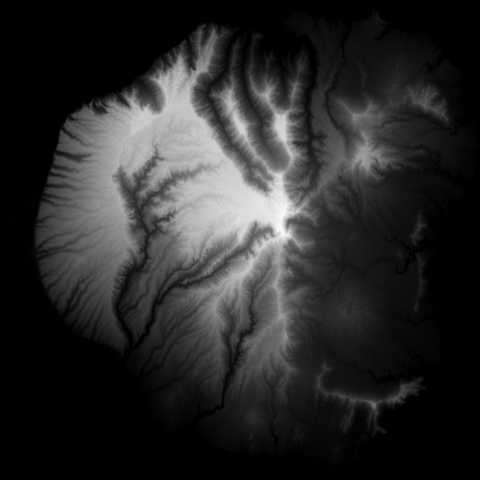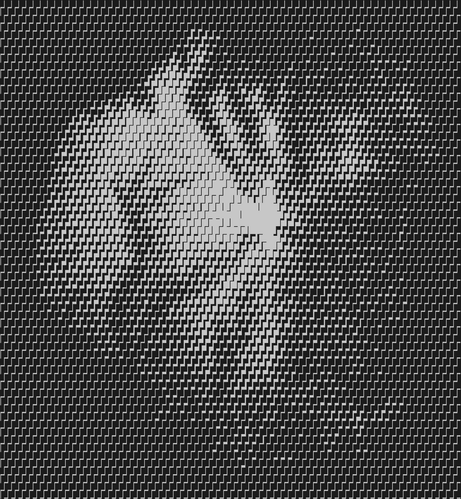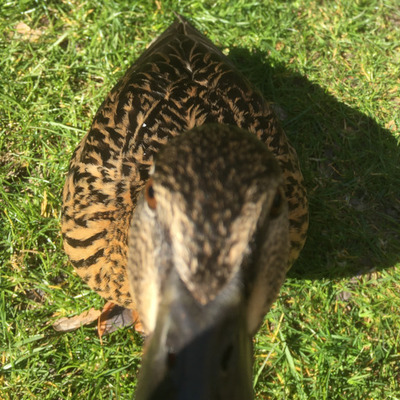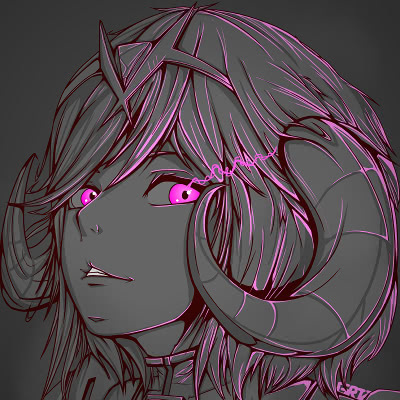
I made a neat terminal-friendly cross hatching effect with unicode
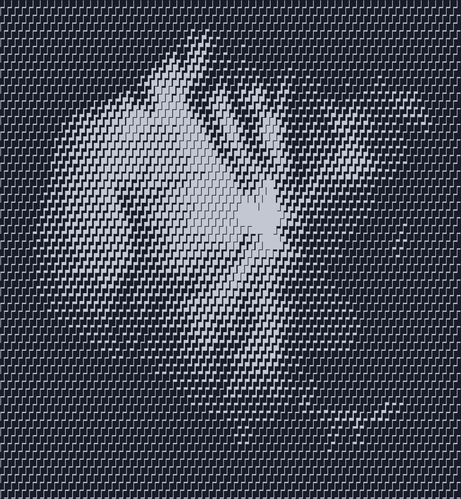
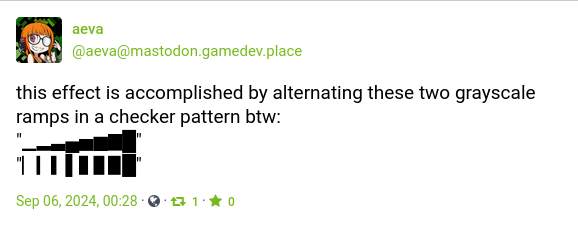
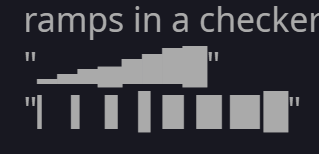
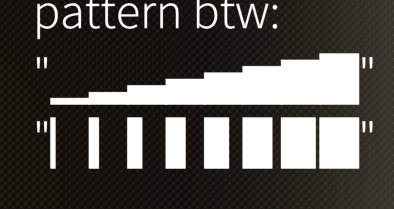
this effect is accomplished by alternating these two grayscale ramps in a checker pattern btw:
"▁▂▃▄▅▆▇█"
"▏▎▍▌▋▊▉█"
I made a shadertoy version of it if anyone wants to play around with it https://www.shadertoy.com/view/4f2fDc

@aeva oh that's nice. I was just looking for something similar to rasterize images on console using Unicode Block codepoints

https://sociale.network/@oblomov/113046215497167791

Oblomov (@[email protected])

OK I had the distinct impression that there were now tools that could “rasterize” images to characters (similar to #AAlib and #libcaca), but with more aggressive usage of #Unicode characters to achieve better results. I have tried #img2txt from libcaca with the #utf8 option but it's still not satisfactory compared to what I remember, even for grayscale, so … which one was it? Also #TIL that this is called #semigraphics or #pseudographics https://en.wikipedia.org/wiki/Semigraphics #askFedi #fediHelp

sociale.network
@aeva this has a curious half-analog half-digital vibe to it, love it!
@aeva that's very cool! I'm tempted to work out how to have my webcam be the input.
@carbontwelve if you click on the thing that says "buffer a" below the source code you can change what data source to use as the input texture. iirc one of the options is a webcam
@aeva Thanks for reminding me how much I hate whatever font is providing those box-drawing characters.
@MrDOS oh noo wtf lol
@aeva I use arch btw
@MrDOS @aeva Looks the same on Windows:

@jernej__s
Looks great on an android phone that hasn't has a security patch since 2019
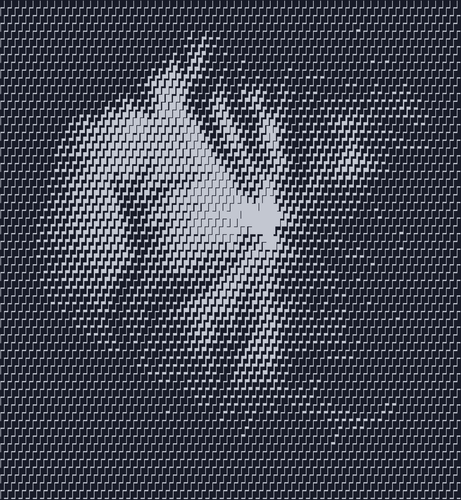
@MrDOS @aeva

@EndlessMason @jernej__s @MrDOS clearly the only OS that's bringing its A game here

@aeva
Aged like a fine wine

@jernej__s @MrDOS

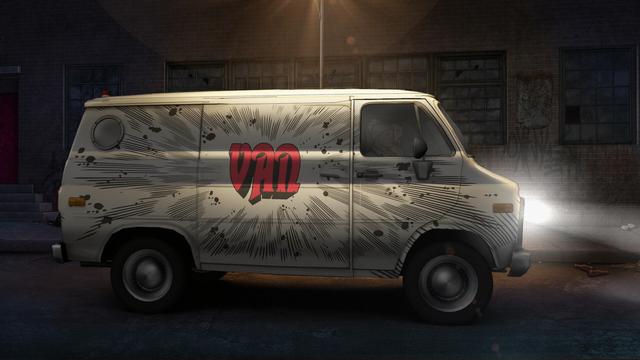
@EndlessMason @jernej__s @MrDOS like a van with a wizard airbrushed on the side

Like one? I'd love one!

@aeva @jernej__s @MrDOS

@MrDOS
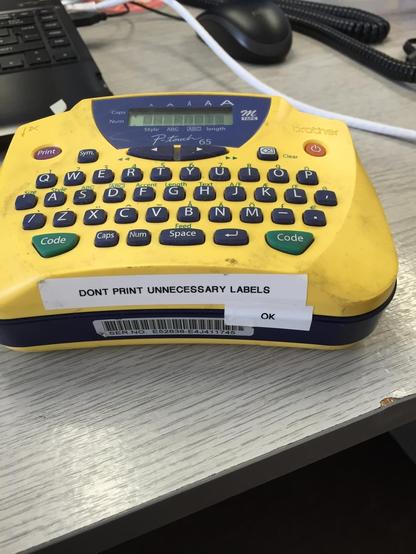
Made me think of the "label printer" label everyone prints when testing out a new label printer

@aeva @jernej__s

@aeva @MrDOS it's similar for me. Would be interested to know if there's a system that commonly displays all of these using the same font (assuming even that there is a font with them all on and it's installed).
@drj Ha – I looked up the character with GNOME Character Map, and it seems like it's coming from... Segoe UI Symbol 😬
@aeva I know ASCII space isn’t guaranteed to be the same width as the block characters, but how about the ideographic space “ “ or em space “ “?
@jkaniarz there are (or should be) no spaces in either quotation. I didn't like how it looked when I added a regular space in the lowest position of both, because it was kinda visually jarring I guess
@aeva @jkaniarz Also, if you use space as well, you get 9 elements in your ramp, so you end up dividing by 9, and that makes people sad.
@aeva @drj It’s actually a nicer divide. 9 elements means 0 to 8, which lets you divide by 8 to get 0.0 to 1.0 range. A lot of dithering algorithms have trouble with pure black or pure white because you need 2^n + 1 color values to balance it out.
@aeva oh, it's like 10 PRINT, phatboi edition. :)
[edit: if you randomly select horizontal or vertical (in addition to the darkness selector), you'll get a 10PRINT-like maze]
@aeva cool! I bet this would look even better with a dither
@modulusshift @aeva I wonder if you could get a reasonably decent blue noise stippling using unicode characters?
@demofox @modulusshift probably could do it with the braille characters, but i don't want to figure that out XD
@modulusshift looks more or less the same to me if I dither the input first (I reduced the color pallet to 8 shades in the gimp)
@aeva yeah you'd definitely need to dither the output for this, reduces the banding
@aeva more accurately doing it in place of the GIMP posterization, as an alternate posterizing method
@modulusshift oh I see what you mean. yeah the banding is a little less bad in the second one. Would be even better if I used blue noise instead of whatever the gimp has
@modulusshift @demofox ok here's a version with a bit of blue magic. much better, I think :)
@aeva @modulusshift oh wow yeah, you can see more details. Neat!
@aeva omg you finally cracked the secret behind this shirt
@eljojo I love hounds tooth XD
@aeva I had no idea that’s what it’s called!

@aeva I don't know how to see comments. I don't know if that matters? I'd like to hear, if there were all range for range? Does that make sense? Like an all within min to max?

Tim

@aeva And "It" is like in UniCode? so they can greyscale and color?

Tim : I think they can probably 3D.

@heislertecreator2049 the left image is just unicode characters printed to the terminal with no color applied, the right image is a regular grayscale image

@aeva Now make an interactive mandlebrot with this.

Not even kidding, that'd be so cool.

@MissAemilia I don't have the spoons for that sorry
@MissAemilia if you want to give it a go, here's the relevant python function:
https://gist.github.com/Aeva/0877a9306621bc0c0dbd3d7cdc16f569
crosshatching

crosshatching. GitHub Gist: instantly share code, notes, and snippets.

Gist
@aeva
Oooh, its been all too long since I made a mandelbrot. Maybe I should.
@MissAemilia I made a shadertoy version of the filter btw https://www.shadertoy.com/view/4f2fDc
@aeva @MissAemilia there's a blue noise texture on shadertoy if you find it handy. It's the one that looks like a flat grey texture in the thumbnail. Funny enough, the low pass filter before shrinking the image to avoid anti aliasing removes the high frequencies, leaving nothing left :)
@demofox @MissAemilia whats this about a lowpass filter
@aeva @MissAemilia oh, if you shrink an image, it can't represent as fine details (high frequencies) so you have to blur (low pass filter) those details away before you shrink the image. Otherwise you'll get aliasing.
That's what's done when shrinking images, like for thumbnails.
Since blue noise is all high frequencies, when the low pass filter hits it, those high frequencies go away, leaving a flat grey image.
It's kind of comical.
@aeva @MissAemilia this is also why blue noise can be denoised more easily than white noise. White noise is in all frequencies, so the only way to remove it with a blur is to blur until nothing is left.
If you blur (low pass filter) white noise, it leaves lumpy oatmeal because the low frequency noise remains.
With blue noise you can blur away the frequencies that have noise in it, and leave the image otherwise untouched!
@aeva @MissAemilia and probably too much info, but blue noise is just the beginning for filtering. If you know what blur you are going to use on your noise, after rendering, you can craft noise that is better filtered away by that filter than blue noise is.
Like if you are going to box filter, you can use "box noise" and the result is better than blue noise.
Blue noise is king if you aren't going to filter the result though. It's perceptually best as far as we humans know.

@demofox @MissAemilia oooooooooh I thought you were remarking on the quantizing step in my shader, not why the thumbnail is gray XD

that's neat, I had no idea that was why that happened