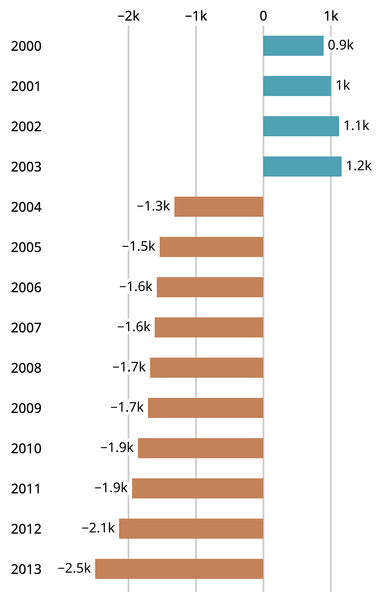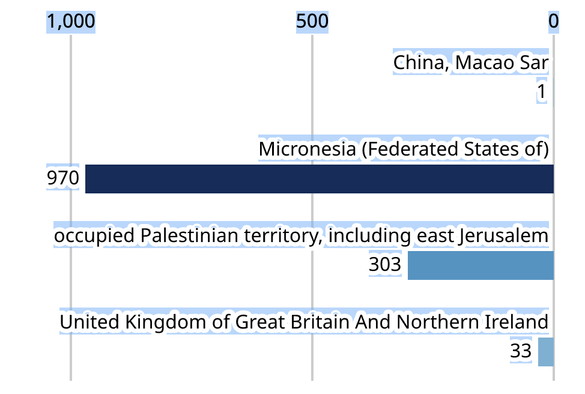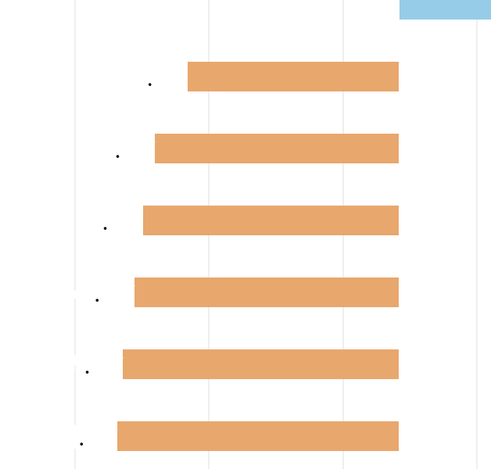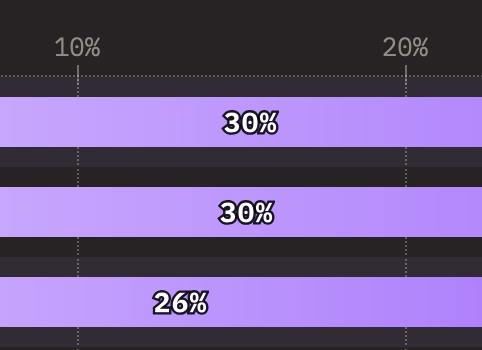
I've written about bar charts in HTML & CSS Grid and how they make responsive design, internationalization and accessibility easier than SVG & JS layouting.

https://9elements.com/blog/responsive-bar-charts-in-html-and-css/

Collaboration with @nilsbinder and @sphinxc0re.

#html #css #dataviz

Responsive bar charts in HTML and CSS - 9elements

Combining finest craftsmanship with elegant design to ship innovative digital experiences.

9elements

Here's the link to the CodePen if you'd like to have a look at the final code:

https://codepen.io/molily/pen/PovgeGK

Bar chart

...

@molily Removed .tick-line elements and moved the line as a pseudo element into .tick-value which is now a flex container that spans to the given --grid-row-count.

There also is no longer a need to define grid-template-rows. Giving the --grid-row-count is also optional, it defaults to spanning to a value of 100.

https://codepen.io/Merri/pen/XWLrwGv

Bar chart

...

@molily Additionally this fork removes need for setting the inset-inline-start value for each .tick-value by using a flex container on .ticks:

https://codepen.io/Merri/pen/PorYvvE

(Edit: also switched to `visibility: hidden;` over `opacity: 0; user-select: none;`)

Bar chart

...

@MerriNet Thanks, many good improvements! Will look into them more deeply.

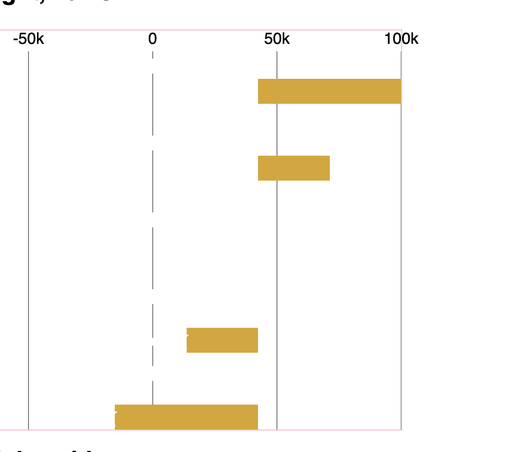
Regarding the ticks: The ticks numbers are nice and round (e.g. -100k to 100k) but the actual number extent is not (it might be -110,230 to 95,522, for example). There might not be ticks on the outer edges and they are not necessarily distributed equally across the width. That's why we can't use Flexbox here and need the explicit tick positioning (as far as I can see). Example attached.

@molily You can probably set positioning of the flexbox ticks with percentage padding at start and end relative to the range of values that go past the tick positions.

@molily Here are more ideas to reduce output HTML size. No duplicated data, no absolutely positioned elements.

Removed the need to hardcode grid-row for each row, but it still needs --grid-row-count. Also the tick description height is hardcoded in CSS.

https://codepen.io/Merri/pen/RwzwbdV

Bar chart doodle using DL

...

@molily Updated the bar chart pen above to clean it up.

- Got rid of --grid-row-count
- Fixes text selection appearance
- Customizable zero point
- Only need to pass min and max values as #CSS vars & #HTML attributes

The ugly parts:

- data-- needed to signal being below zero point
- The internal CSS max() trickery as CSS abs() is only supported by Firefox atm
- text-shadow CSS is a bit verbose way to achieve the -webkit-text-stroke effect, but necessary to fix the text selection visual issue

@MerriNet Thanks, this is a very clever solution of the row span problem. Haven't fully understood your latest update though. :-D I also like the padding-inline-start/end: 100% idea. Unsure about doing all position calculations in CSS – we're using different scales (linear, logarithmic etc.) from d3-scale which also picks appropriate tick numbers, so I'm fine with doing that in D3 for now.

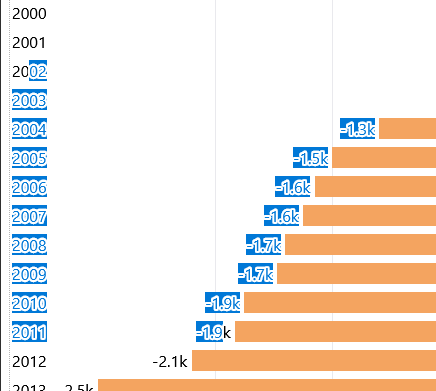
@MerriNet > text-shadow CSS is a bit verbose way to achieve the -webkit-text-stroke effect, but necessary to fix the text selection visual issue

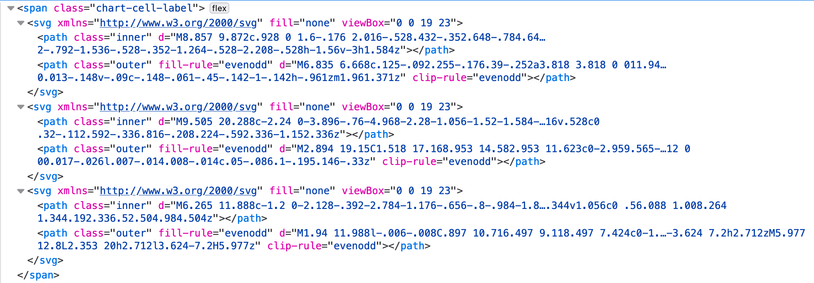
Good find, I didn't realize that text-stroke breaks selection. Unfortunately, 18 stacked text shadows isn't an option for us either, as this is known to be a rendering performance killer. :/ In SVG, this is easy to solve with stroked text without breaking selection (see screenshot)…

@molily Ah, I wasn't aware of text-shadow having huge rendering perf issues. I guess I'll doodle with the text selection issue and -webkit-text-stroke a bit more.

@molily Updated the pen with a tolerable workaround.

MDN claims that -webkit-text-stroke-color should work on ::selection, but it does not (tested Firefox & Edge) while -webkit-text-fill-color does work. So setting the value to Highlight makes the selected text atleast somewhat readable when on white or black background.

@MerriNet Thanks. Currently looking into supporting older browsers. paint-order: stroke for HTML is supported in Chromium since v123, March 2024. Text is invisible in older versions. :( I have to reconsider this solution anyhow, this is a blocker for us.
@MerriNet So text-shadow could be a solution for older browsers. Ideally one would detect support before using -webkit-text-stroke, but `@supports (paint-order: stroke)`also applies in old Chromium versions since it's supported for SVG text.

@molily I looked at filter drop-shadow but it wasn't effective enough.

So I switched in the classic simple: wrap the text items into spans and give the span a background color.

(Edit: also updated the pen to do some clip-path to make it a bit more balanced).

@MerriNet This is a simple and robust solution, thanks.
@MerriNet Now I understand why https://2023.stateofjs.com/en-US/features/ uses a super complex solution with one SVG with two paths per glyph to render perfect and robust text outlines. πŸ˜…
State of JavaScript 2023: Features

The 2023 edition of the annual survey about the latest trends in the JavaScript ecosystem.

@molily Yeah, I tend to dislike this kind of SVG solutions for the verbosity of code.

Without paint-order the only way to get the stroke under is to have another element with same content. So I made this pen that uses a pseudo element to do it:

https://codepen.io/Merri/pen/WNqbLKb

Pseudo elements used to be troublesome for screen readers but can now tell not to read it. Although duplicating to two elements is probably still more robust as you can control the positioning better.

Text stroke outline under without paint-order: stroke;

...

@molily Yeah, logaritmic values would need to be converted to linear values, but that is essentially the same as going for percentage values to represent the bar sizes.

For example, you could have -10000 to 10000 as the internal output values for CSS vars. And favoring integers just to avoid floating point number issues and the resulting verbose HTML output some of those floating point edge cases can cause.

@MerriNet Thanks again, Vesa!
I've updated the article: https://9elements.com/blog/responsive-bar-charts-in-html-and-css/
It now embeds this CodePen: https://codepen.io/molily/pen/JjqgxVR?editors=1100 which includes several of your ideas.
I've mentioned your contributions in the article and linked to your CodePen as well. Are you fine with that? Any wishes? ☺️
Responsive bar charts in HTML and CSS - 9elements

Combining finest craftsmanship with elegant design to ship innovative digital experiences.

9elements