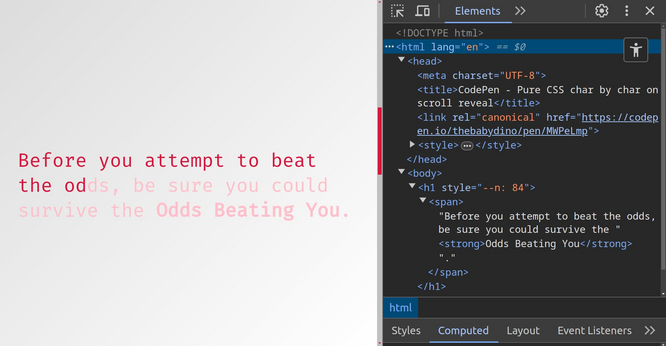
Here's a pure CSS char by char text reveal on scroll!

@codepen demo https://codepen.io/thebabydino/pen/MWPeLmp

No splitting text into individual characters!

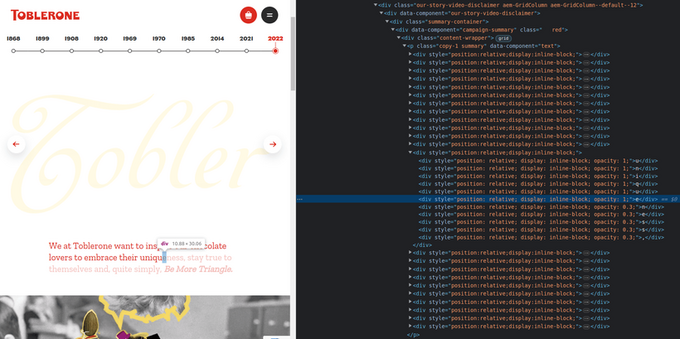
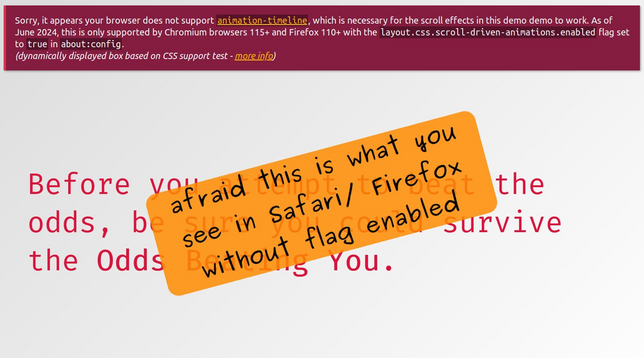
Inspired by an old Toblerone Story page, except that used JS (reasonable for cross-browser support) and was splitting the text into individual characters (yikes! 😱)

cc @bramus

#CSS #pureCSS #noJS #scroll #scrollAnimation #text #textEffect #revealEffect #code #coding #frontend #webDev #web #webDevelopment #dev
Pure CSS char by char on scroll reveal

...

The how behind the demo!

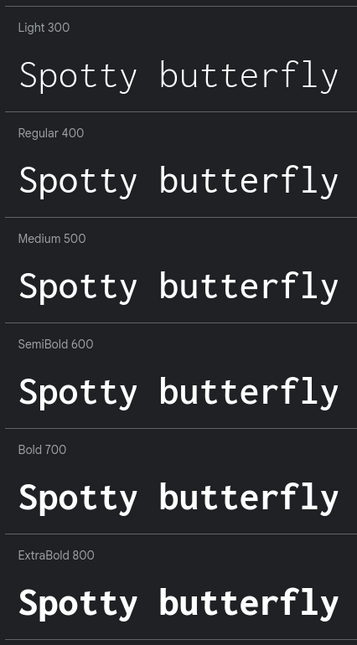
First, we need a monospaced font (each character needs to have the same width of `1ch`) where increasing the `font-weight` doesn't increase the horizontal space occupied by a letter.

This is important because we'll be taking `1ch` steps for text reveal.

#CSS #pureCSS #noJS #scroll #scrollAnimation #text #textEffect #revealEffect #code #coding #frontend #webDev #web #webDevelopment #dev #typography
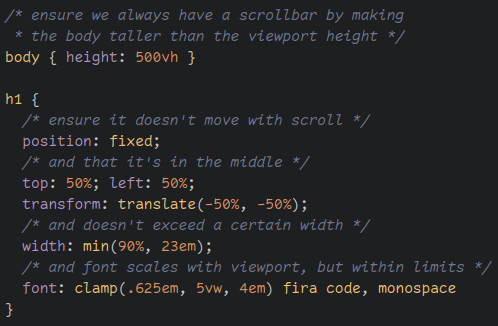
We ensure there's always a scrollbar by making the body taller than the viewport.

We give the text container `position: fixed` so it doesn't scroll with the page.

Within this, we wrap the entire text in a `span` (in an `inline` element). This is important for the next step...

#CSS #pureCSS #noJS #scroll #scrollAnimation #text #textEffect #revealEffect #code #coding #frontend #webDev #web #webDevelopment #dev

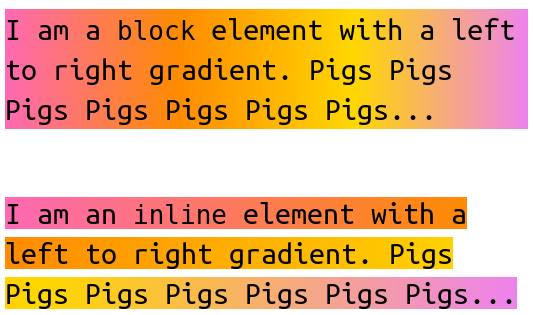
Adding a gradient! There's a difference between block and inline elements when it comes to horizontal gradients.

Block element: gradient goes from left to right edge of the box.

Inline element: gradient wraps/ progresses with the wrapping text.

You may be seeing where this is going...

#CSS #pureCSS #noJS #scroll #scrollAnimation #text #textEffect #revealEffect #code #coding #frontend #webDev #web #webDevelopment #dev #cssAnimation
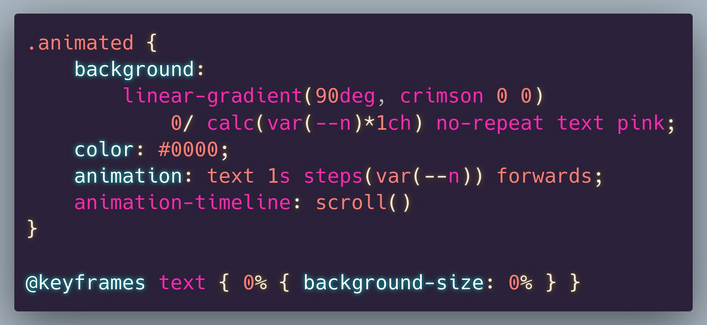
Let's animate the `background-size` of this gradient (which we also make non-repeating) along the x axis.

Then we clip this background to `text`.

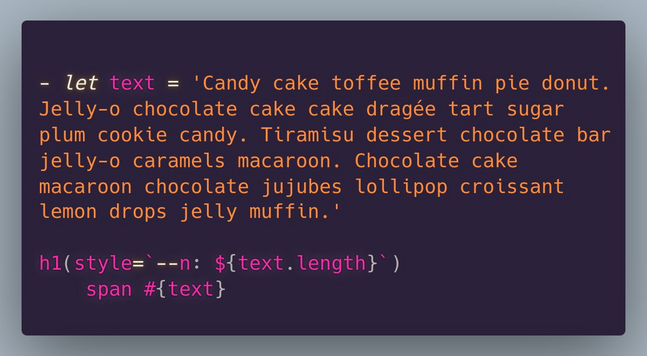
We make the animation go char by char by using `steps(var(--n))`, where n is the text length, set by an HTML preprocessor as `--n`.

#CSS #pureCSS #noJS #scroll #scrollAnimation #text #textEffect #revealEffect #code #coding #frontend #webDev #web #webDevelopment #dev #cssAnimation
It *still* doesn't look right, so we change the end state background width from `100%` to `calc(var(--n)*1ch)`.

We also add in a `background-color`. We now have our char by char text reveal!

But this just runs infinitely on its own, so we still need to tie it to page scroll.

#CSS #pureCSS #noJS #scroll #scrollAnimation #text #textEffect #revealEffect #code #coding #frontend #webDev #web #webDevelopment #dev #cssAnimation
We do that by setting `animation-timeline: scroll()`.

We also remove the `animation-iteration-count`. We could also remove the `animation-duration`... except it doesn't work in Firefox without it for some reason.
¯\_(ツ)_/¯

A Firefox bug is also why the `animation-fill-mode`.

#CSS #pureCSS #noJS #scroll #scrollAnimation #text #textEffect #revealEffect #code #coding #frontend #webDev #web #webDevelopment #dev #cssAnimation