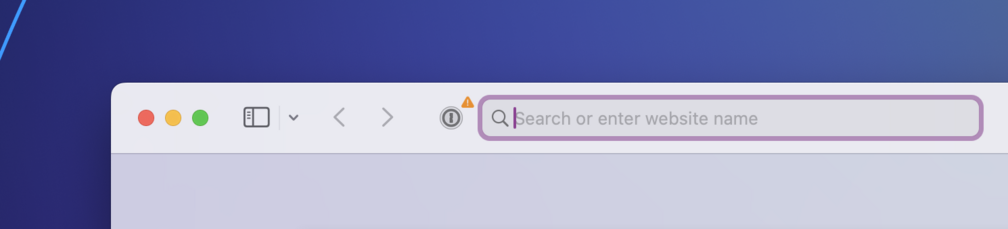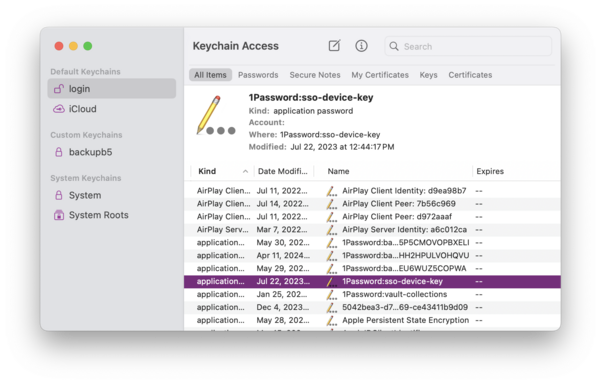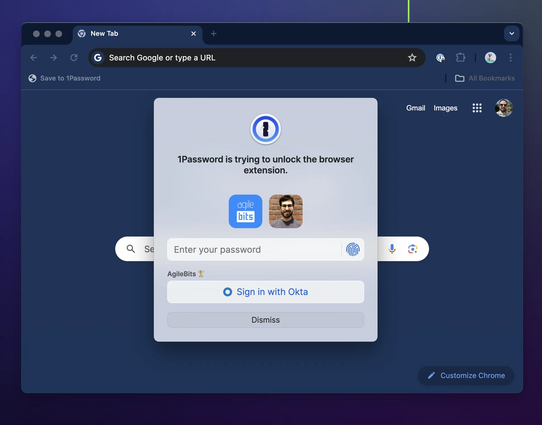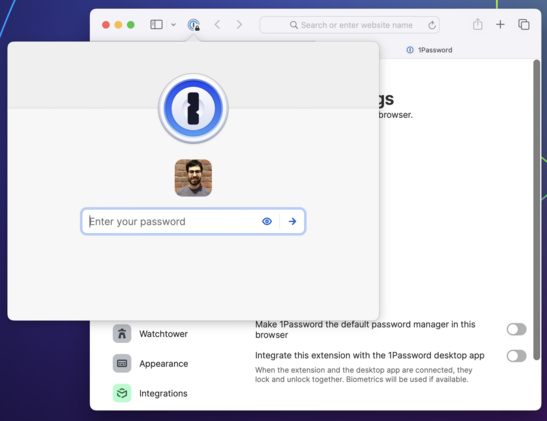
You might not know that 1Password Safari extension has been through five (!) rewrites over about a decade, with each incarnation adopting the latest supported framework:
2009: Swizzling Safari 😱
2011: Safari Extension
2017: Safari App Extension (SAE)
2020: Safari Web Extension (SWE)
2021: Safari Web Extension for iOS
(If you've never heard of swizzling, picture injecting Objective-C into Safari at runtime to implement autofill by overriding methods. It was as great/terrible as that sounds.)
Safari extensions used to trail far behind other browsers. In fact 1Password did not have anything close to feature parity in Safari until just a few years ago.
Everything changed when Apple adopted the Web Extension API at WWDC 2020 — the same one used by Chrome and Firefox. And a year later, Apple brought extensions to iOS.
We were *ecstatic*. We jumped at the opportunity to bring 1Password to Mobile Safari, redesigning every component in just under three months.
Each new Safari extension framework meant better compatibility, stronger security, and more features. But there were also growing pains. The SAE and SWE frameworks had much larger surface areas, more bugs, and new and different restrictions.
These kinds of obstacles crop up with any new API. But the issues in more recent frameworks had especially harsh consequences for a critical aspect of 1Password usability: the ability to be — and stay — unlocked.
1Password faces a unique challenge in the web browser: your data needs to be locked (encrypted) when it's not in use, and your unlock keys need to be kept safe from attackers — never cached or exposed in plain text.
Browser extensions do not have any way to securely manage keys. So if you want to unlock 1Password in a web browser, there's really only one good way to do it, and that's with the help of another app outside of the browser — one that can access the secure enclave/keychain.
When you interact with the 1Password browser extension, it sends a message to a native binary asking it to unlock (using biometry if possible) and to provide it with data. If all goes well, you see a prompt to unlock followed by your autofill suggestions.
But if for any reason the connection with the binary can't be established or isn't working as expected, things start to deteriorate. The extension stalls, or locks itself when it shouldn't, or even stops responding completely.
Keeping up a secure connection between a browser extension and a native app is a perennial challenge. It has to be achieved in unique ways for different browsers and operating systems and has been a major area of focus for our teams over my entire decade+ at 1Password.
But if every environment poses unique challenges, the most challenging of all is Safari on iOS. And the second most challenging is Safari on macOS. :)
The difference between Safari and other browsers comes down to a few fundamental issues:
1) Immature implementation of the Web Extension API
2) Extra indirection and instability in the XPC layer
3) Severe restrictions on extension lifecycles and persistence, especially on iOS.
All of these contribute to an experience in Safari that's just not as fast, reliable, or feature complete when compared to the same browser extensions in Chrome and Firefox.
Safari is the latest browser to use the modern Web Extension spec — something all developers are very grateful for — and Apple has made incredible strides to support extensions, especially on mobile. (Looking at you, Google!)
I love being able to use extensions like 1Password, Noir and Open in Apollo (RIP) on my iPhone and iPad.
But it's not fully there yet. There are still missing and incomplete APIs which must be worked around, and others which simply do not work.
An example of an incomplete API is the `onCommited` event which the 1Password extension relies on to implement one of its newest (and coolest!) features: signing in to sites with SSO/social logins. The event is still missing fundamental properties without which this feature cannot work properly. (Radar: FB10006044.)
As for APIs which simply do not work, people report that tapping "Copy" in the iOS Safari extension often does nothing. This is indeed an awful experience — I'm angry at myself whenever someone mentions it. But the truth is, 1Password is calling the clipboard API exactly as it's supposed to. It just doesn't work half the time.
It might seem like we aren't listening, but at the end of the day the fix really does have to come from upstream. (Radar: FB9924270.)
The good news is that Safari Web Extensions get more robust and bug-free with each annual update to Safari. Variations of this meme are older than 1Password, but "it will be better in the next iOS/macOS" is usually a safe bet.
Bugs do get fixed, performance improves. I hear the clipboard bug has been addressed in Safari Tech Preview. (Haven't tested yet.) And of course, 1Password has its own bug fixes and improvements to roll out.
But better API coverage does not fully address the problems with Safari extensions.
The 1Password extension uses XPC to communicate with a native app. For most desktop browsers, that app is 1Password for Mac, which the extension communicates with directly via native messaging host.
But in Safari, the extension must go through an additional binary before it can even talk to the Mac (or iOS) app. This layer of indirection has unique bugs and imposes costs on performance and reliability.
Complicating this further are the aggressive constraints on lifecycles that exist in both Safari and iOS.
At any time, the helper binary can be shut down by the OS. So can the extension itself. It's relatively common that you will luck out and try to interact with the extension when it's in one of these half-working states. It will do its best to go and *recombobulate* itself, but there are a lot of moving pieces.
More robust extension code can (and does) address some failure states related to XPC and lifecycles, but always at a cost compared to the out-of-the-box experience in other browsers. Ultimately, the helper binary is the weak spot, and when comms break down, so does the extension.
So the question you might be asking is, why rely on a helper binary at all? What if the extension just did all its work within the web context? 🤔
Well, we have started moving in that direction. As of recent updates, the 1Password Safari extension runs most of its logic in WebAssembly (WASM) just like in other browsers.
And the extension *can* run without talking to its helper binary — on Mac at least. You can disable the connection to the Mac app in Settings, putting the extension in standalone mode.
But once you sever this connection, you give up the ability to keep the extension unlocked across sessions. Worse, you give up Touch ID.
Touch ID and Face ID were once just nice conveniences, but today they are basically mandatory for 1Password users on both Mac and iOS. :) And our single biggest bottleneck right now is that there is simply no way for a browser extension to use Touch ID or other forms of biometrics without any external help.
We want to have a better answer for this. That's why we are talking to our colleagues at Apple, Google, and others about bringing a Secure Storage API to the web:
https://github.com/w3c/webextensions/blob/main/proposals/secure-storage.md
Secure Storage for the web would free the 1Password Safari extension from the need to communicate over a slow, unreliable binary chain. It would virtually eliminate responsiveness issues.
And it would allow all extensions in all browsers (perhaps all web apps) to have access to cryptographic key management, secure enclaves and biometrics. These are critical security and usability features for modern software.
(Personally I would have prioritized this before WebUSB...)
https://developer.mozilla.org/en-US/docs/Web/API/WebUSB_API
Next Monday is WWDC — a day which is treated like an annual holiday at 1Password — and we will be watching the keynote, SOTU, and sessions with excitement. I can't wait to see what's coming to Safari, the extension framework, and macOS and iOS.
But the ball is also in Apple's court to keep improving the reliability of their APIs — especially those that power the kinds of deep, cross-application system integrations used by apps like 1Password.
Developers — not platforms — take the blame when their apps and integrations don't work, and it's not a great feeling when we can neither fully fix the problems, fully identify them, nor provide estimates.
But we'll keep plugging away. And if the Safari extension isn't for you, we also make extensions for other browsers, and we support several alternative autofill methods that work great in Safari on both iOS and Mac. Try them out.
/thread
https://support.1password.com/ios-autofill/
https://support.1password.com/mac-universal-autofill/
@dluz Cheers. We added passkeys to the browser extension before the system AutoFill integration existed and it still has better coverage but I agree it's a good time to revisit.
@mitchchn does it fix completely broken extension on Mac when Safari Profiles are used?
For last few years my user experience become so much worse to the point that I’m considering not to renew my 1P sub this year and despite all the unimaginable pain that it will take, move my family to something that actually works in Safari :(
Sorry to hear this. Safari Profiles were added to macOS Sonoma last year. We know they confuse the extension and are investigating. Fully addressing this may require changes I talk about in this thread.
As I've suggested to others who've hit the limits of the Safari extension, yo might be happier without it. The Autofill shortcut (Command-\) is a great way to fill on Mac, and the autofill service on iOS works better than ever. Chrome/FF also have profiles that work well with 1Password.
@mitchchn sadly, regression started before profiles they just made Safari extension unusable :(
I’m too deep in 1P ecosystem: support suggested to use Autofill as well, but this way I can’t use passkeys stored in 1P and I’ve shared some passkeys with my family.
I would love to help as long my sub is honored until this is fixed: nightly/dev/alpha builds, manual testing, debug sessions and so on
There are a bunch of new variables here (passkeys, profiles) and I can't promise they will all work together yet. Some more suggestions in the short term:
1. Disable the Safari extension's integration with the Mac app and see if the extension works better with multiple profiles.
2. Use the 1Password iOS app for passkeys: you can scan the QR code shown in Safari on your Mac.
We are also looking into having the Mac app provide passkeys directly.
@mitchchn This thread was very interesting, and I'm glad you spent the time.
That said, I stand by my thesis: 1Password has gotten worse and worse for me in the last couple years, in every measurable way. I yearn for the time when 1Password was built for users like me, and not for other corporations.
@caseyliss @mitchchn Nostalgia can be great but things weren’t always perfect.
I remember the time when we had a huge number of complaints about 1Password 4 and how it is a huge step back from rock-solid version 3. The support inbox at 10,000+ unanswered emails. The team is burning out because of all the negative feedback.
All this because Apple made a ton of changes in the new version of macOS and it required complete rewrite of 1Password.
All I know is, 1Password used to be a delight *every time I opened it*.
Now — with 1P8 especially — it's painful nearly every time I open it.
---
I'm sure I'm coming across like a world-class asshole, and I am genuinely sorry for that. But I do this because I love[d] 1Password **so. fucking. much.* and I just want it to make me feel that way again.
@caseyliss @roustem @mitchchn I understand very well how underlying platform bugs can mess up the experience and I know damn well that 1P8 has a lot of improvements under the hood and new functionality. Platform bugs do not explain, however, how users lost local-only features, were faced with a new, bewildering, broken app UI, a new extension which has widgets and popups and distractions everywhere, and a constant load of marketing messaging saying that every feature and customer *except us* was
priority one. Apple didn’t do that to us here. I love a lot of what 1P is doing, but honestly I’d give it up if I could have a password manager with a straightforward app and a plug-in that performed autofill without choking back.
I know it’s all harder than that and the trade-offs exist and I do give Agilebits a lot of credit (and get pissed at Casey for complaining so much sometimes), but my feelings are hurt by the product state and product direction.
@joshrivers @caseyliss @roustem I know that you and Casey have other criticisms and I'm not dismissing them. But the past three times I've found myself in a thread of people so frustrated on mastodon, it originated with an issue in Safari.
There's little upside in blaming a platform. I'd much prefer to focus on your feedback about things I/we can address directly. When it comes to Safari, I'll share what I know, call attention to longstanding Radars which will help, and offer suggestions.
@mitchchn @caseyliss @roustem Thank you, and I don’t like hijacking’s a thread to add negativity. I hoped to express that the issue is only partially technical anymore. Your leadership and community managers need to know that they need something different to happen or the only thing left will be airport ads and exec-level B2B sales. You should be Tailscale, but the buzz is that 1P is Slack by Salesforce.
I want you to succeed.
@joshrivers @caseyliss @roustem Oh Tailscale is a huge inspiration! Their office is down the street in Toronto. We love their tech and devrel and we're learning from both.
I hear you on the trap of coming across as too enterprise-y. It's one reason why I (plus the founders and others) enjoy talking about 1Password more casually on here, as well as on reddit (r/1Password) and in our Slack (sorry :P) for developers. (Join us: https://developer.1password.com/joinslack.)
@roustem @joshrivers @mitchchn while I will concede that there is not an explicit statement of “we are profitable”, I feel like this is a pretty clear explanation of their business model.
https://tailscale.com/blog/free-plan
(cc @ironicbadger)
TL;DR: Tailscale’s free plan is free because we keep our scaling costs low relative to typical SaaS companies. We care about privacy, so unlike some other freemium models, you and your data are not the product. Rather, increased word-of-mouth from free plans sells the more valuable corporate plans. I know, it sounds too good to be true. Let’s see some details.
@mitchchn @joshrivers @roustem My question is: When people like @caseyliss say that they "used to love 1P and now don't": **Do you understand why?**
Like, I get that you might stand by your choices, and would make them again (for technical and/or economical reasons) - but do you _get_ it? Or do you just think he's wrong, and is looking at the past with rose tinted glasses?
@havn @mitchchn @joshrivers @roustem while you weren’t asking me, let me just assure you that the responses I’ve gotten since 1P8 launched are:
• You fool our software sucked in the past too!
Or
• But you don’t get it! This helps us bring you new features [that you don’t want and at the cost of usability/reliability]!
Or
• Well, it’s all Apple’s fault anyway
The response I wished for is
• Holy shit help me get how we burned that good will!
Or
• What would make you evangelize 1P again‽
@caseyliss @havn @mitchchn @joshrivers @roustem
I just started trying 1PW8 on one older Mac running Catalina (since it IS supported) - so far Safari 15.6.1 shows the 1PW menu but doesn't provide any fill in functionality.
In stark contrast, I don't find any issues with Firefox on this machine, and the 2FA auto-fill-in worked fine for Github (for example)
I had auto-archived a bunch of passwords on 1PW7 by mistake and I see that 1PW8 warns you before doing that. 👍
Anyone else have specifics?
@dxzdb @caseyliss @havn @joshrivers @roustem the Mac app supports Catalina, but the Safari extension does not — Safari 15 does not support some fundamental features the extension needs to work.
We've documented this: https://support.1password.com/system-requirements/#system-requirements-for-the-1password-browser-extension
Other browsers are fully supported in Catalina, and you can use Command-\ to fill in Safari without the extension, just like in older versions of 1Password.
@caseyliss @mitchchn @joshrivers @roustem In 30 years of Mac use, 1Password 8 is the only (non-beta) app which I've had to downgrade in order to be able to work effectively. 1P7 has served me well while my and others' complaints about 1P8 have been disregarded and ignored.
To suddenly be seeking sympathy when Apple seems about to sherlock 1Password strikes me as too little, too late.
@caseyliss @havn @mitchchn @joshrivers @roustem
While I understand you're frustrated, Casey, you've also gotten a lot of other responses as well...
@caseyliss @havn @mitchchn @joshrivers @roustem
I want to emphasize that real people create the products that you so bluntly call "garbage". Your words hold significant weight, and your criticism extends way beyond just 1Password. I feel ashamed when I hear you criticize apps and companies in a bullying manner. And I'm really concerned that your current approach may one day lead to a developer leaving our field (or worse) due to something you say in disdain.
@firebeyer @havn @mitchchn @joshrivers @roustem for better and for worse, I think 1Password gets “special treatment”. I dont think I pick on anything else near as much, because there is no other software I can think of that was so close to perfect. Nor that has fallen off is much.
Even Apple software I hold (/held) in extremely high regard does not reach the peaks that 1Password used to.
I am upset because I REALLY REALLY care.
@firebeyer @havn @mitchchn @joshrivers @roustem I hear you, and that's why I've been trying to couch what I've been saying:
https://mastodon.social/@caseyliss/112541868846464808
I've been banging this drum so much because I cannot overstate how much I loved 1Password. And how disappointed I am with the direction its gone in the last year or two.
But, message received: I'll shut up about it.
@caseyliss @havn @mitchchn @joshrivers @roustem
I mean I don't even really need to dig far to find them.
@dave @caseyliss @havn @mitchchn @joshrivers @roustem While I do appreciate yours and Roustem’s responses and help, it feels like 1Password becomes more enterprisy and less native.
I’m not even started about iOS version, where I now need to make extra steps to do search, or reveal the password, which was a simple task in v7.
@sashk @dave @caseyliss @havn @joshrivers @roustem
Pleased to share that iOS search is getting a *massive* overhaul this summer. Among other improvements, it will be available at the top of every tab in the app.
@mitchchn @dave @caseyliss @havn @joshrivers @roustem great to hear! Can't wait for it.
Currently, when I need to lookup a password, I always struggle trying to figure out which tab to click, and always surprised I can't pull view down to reveal the search bar.