Next week is WWDC, so it's a good time for a thread about the 1Password browser extension for Safari, its history, challenges, and the future — both what we're working on and what we'd like to see from Apple, Safari and the web platform at large. 🧵

You might not know that 1Password Safari extension has been through five (!) rewrites over about a decade, with each incarnation adopting the latest supported framework:

2009: Swizzling Safari 😱
2011: Safari Extension
2017: Safari App Extension (SAE)
2020: Safari Web Extension (SWE)
2021: Safari Web Extension for iOS

(If you've never heard of swizzling, picture injecting Objective-C into Safari at runtime to implement autofill by overriding methods. It was as great/terrible as that sounds.)

Safari extensions used to trail far behind other browsers. In fact 1Password did not have anything close to feature parity in Safari until just a few years ago.

Everything changed when Apple adopted the Web Extension API at WWDC 2020 — the same one used by Chrome and Firefox. And a year later, Apple brought extensions to iOS.

We were *ecstatic*. We jumped at the opportunity to bring 1Password to Mobile Safari, redesigning every component in just under three months.

https://blog.1password.com/1password-for-safari/

1Password for Safari is here for iOS 15, and it's life-changing | 1Password

Everything you love about 1Password is now available in Safari on iPhone and iPad. And it’s as incredible as you could possibly imagine.

1Password Blog

Each new Safari extension framework meant better compatibility, stronger security, and more features. But there were also growing pains. The SAE and SWE frameworks had much larger surface areas, more bugs, and new and different restrictions.

These kinds of obstacles crop up with any new API. But the issues in more recent frameworks had especially harsh consequences for a critical aspect of 1Password usability: the ability to be — and stay — unlocked.

1Password faces a unique challenge in the web browser: your data needs to be locked (encrypted) when it's not in use, and your unlock keys need to be kept safe from attackers — never cached or exposed in plain text.

Browser extensions do not have any way to securely manage keys. So if you want to unlock 1Password in a web browser, there's really only one good way to do it, and that's with the help of another app outside of the browser — one that can access the secure enclave/keychain.

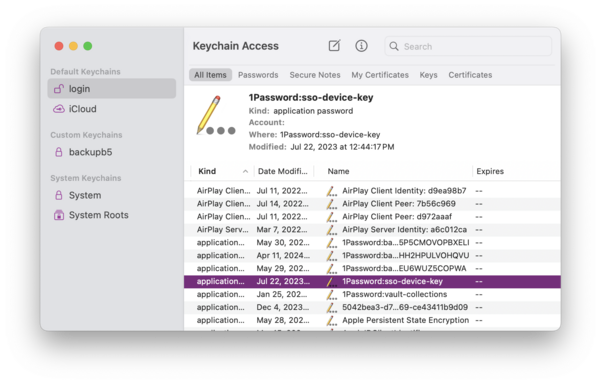
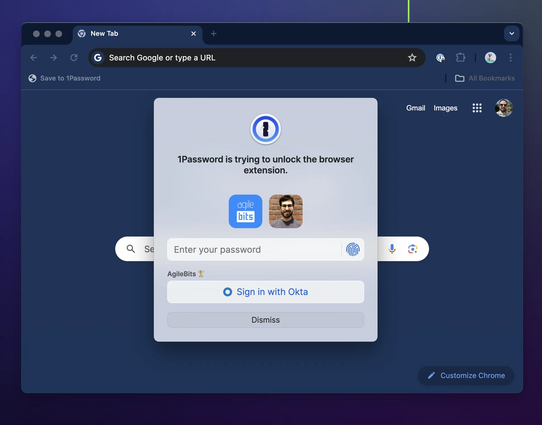
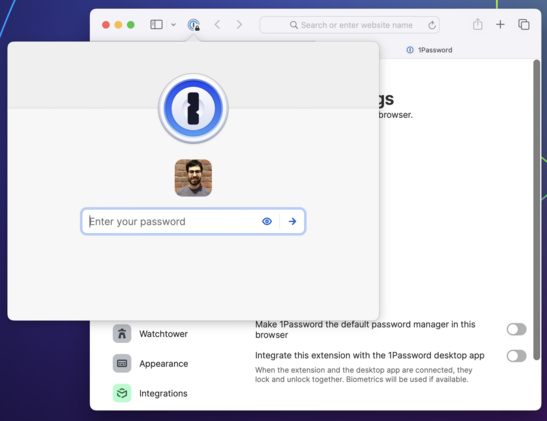
When you interact with the 1Password browser extension, it sends a message to a native binary asking it to unlock (using biometry if possible) and to provide it with data. If all goes well, you see a prompt to unlock followed by your autofill suggestions.

But if for any reason the connection with the binary can't be established or isn't working as expected, things start to deteriorate. The extension stalls, or locks itself when it shouldn't, or even stops responding completely.

Keeping up a secure connection between a browser extension and a native app is a perennial challenge. It has to be achieved in unique ways for different browsers and operating systems and has been a major area of focus for our teams over my entire decade+ at 1Password.

But if every environment poses unique challenges, the most challenging of all is Safari on iOS. And the second most challenging is Safari on macOS. :)

The difference between Safari and other browsers comes down to a few fundamental issues:

1) Immature implementation of the Web Extension API
2) Extra indirection and instability in the XPC layer
3) Severe restrictions on extension lifecycles and persistence, especially on iOS.

All of these contribute to an experience in Safari that's just not as fast, reliable, or feature complete when compared to the same browser extensions in Chrome and Firefox.

Safari is the latest browser to use the modern Web Extension spec — something all developers are very grateful for — and Apple has made incredible strides to support extensions, especially on mobile. (Looking at you, Google!)

I love being able to use extensions like 1Password, Noir and Open in Apollo (RIP) on my iPhone and iPad.

But it's not fully there yet. There are still missing and incomplete APIs which must be worked around, and others which simply do not work.

https://getnoir.app

Noir – Dark Mode for Safari

Add a dark mode to every website you visit, automatically. Browse better at night with Noir.

An example of an incomplete API is the `onCommited` event which the 1Password extension relies on to implement one of its newest (and coolest!) features: signing in to sites with SSO/social logins. The event is still missing fundamental properties without which this feature cannot work properly. (Radar: FB10006044.)

https://support.1password.com/sign-in-with-provider/

Use 1Password to sign in to sites with supported providers

Let 1Password save, remember, and fill logins in your browser when you sign in to websites with providers like Google or Facebook.

1Password

As for APIs which simply do not work, people report that tapping "Copy" in the iOS Safari extension often does nothing. This is indeed an awful experience — I'm angry at myself whenever someone mentions it. But the truth is, 1Password is calling the clipboard API exactly as it's supposed to. It just doesn't work half the time.

It might seem like we aren't listening, but at the end of the day the fix really does have to come from upstream. (Radar: FB9924270.)

https://mastodon.social/@caseyliss/112526364550291936

The good news is that Safari Web Extensions get more robust and bug-free with each annual update to Safari. Variations of this meme are older than 1Password, but "it will be better in the next iOS/macOS" is usually a safe bet.

Bugs do get fixed, performance improves. I hear the clipboard bug has been addressed in Safari Tech Preview. (Haven't tested yet.) And of course, 1Password has its own bug fixes and improvements to roll out.

https://forums.macrumors.com/threads/can-somebody-explain-to-me-the-whole-safari-seems-snappier-thing.782883/

Can somebody explain to me the whole "Safari seems snappier" thing?

I apologize if I sound like a newb, but I am. I've noticed a lot of folks saying this whenever mention of a new OS update. Is it a hidden joke or something??? Confused. Thanks.

MacRumors Forums

But better API coverage does not fully address the problems with Safari extensions.

The 1Password extension uses XPC to communicate with a native app. For most desktop browsers, that app is 1Password for Mac, which the extension communicates with directly via native messaging host.

But in Safari, the extension must go through an additional binary before it can even talk to the Mac (or iOS) app. This layer of indirection has unique bugs and imposes costs on performance and reliability.

Complicating this further are the aggressive constraints on lifecycles that exist in both Safari and iOS.

At any time, the helper binary can be shut down by the OS. So can the extension itself. It's relatively common that you will luck out and try to interact with the extension when it's in one of these half-working states. It will do its best to go and *recombobulate* itself, but there are a lot of moving pieces.

More robust extension code can (and does) address some failure states related to XPC and lifecycles, but always at a cost compared to the out-of-the-box experience in other browsers. Ultimately, the helper binary is the weak spot, and when comms break down, so does the extension.

So the question you might be asking is, why rely on a helper binary at all? What if the extension just did all its work within the web context? 🤔

Well, we have started moving in that direction. As of recent updates, the 1Password Safari extension runs most of its logic in WebAssembly (WASM) just like in other browsers.

And the extension *can* run without talking to its helper binary — on Mac at least. You can disable the connection to the Mac app in Settings, putting the extension in standalone mode.

But once you sever this connection, you give up the ability to keep the extension unlocked across sessions. Worse, you give up Touch ID.

Touch ID and Face ID were once just nice conveniences, but today they are basically mandatory for 1Password users on both Mac and iOS. :) And our single biggest bottleneck right now is that there is simply no way for a browser extension to use Touch ID or other forms of biometrics without any external help.

We want to have a better answer for this. That's why we are talking to our colleagues at Apple, Google, and others about bringing a Secure Storage API to the web:

https://github.com/w3c/webextensions/blob/main/proposals/secure-storage.md

webextensions/proposals/secure-storage.md at main · w3c/webextensions

Charter and administrivia for the WebExtensions Community Group (WECG) - w3c/webextensions

GitHub

Secure Storage for the web would free the 1Password Safari extension from the need to communicate over a slow, unreliable binary chain. It would virtually eliminate responsiveness issues.

And it would allow all extensions in all browsers (perhaps all web apps) to have access to cryptographic key management, secure enclaves and biometrics. These are critical security and usability features for modern software.

(Personally I would have prioritized this before WebUSB...)
https://developer.mozilla.org/en-US/docs/Web/API/WebUSB_API

WebUSB API - Web APIs | MDN

The WebUSB API provides a way to expose non-standard Universal Serial Bus (USB) compatible devices services to the web, to make USB safer and easier to use.

MDN Web Docs
Secure Storage is our North Star, but we're not just waiting for it to happen. We are constantly updating the Safari extension (when the App Store allows it... whole other topic). We file and track upstream bugs with the browser and platform, and we continue to explore ways to reduce the 1Password extension's overall dependency on XPC and stateful lifecycles.

Next Monday is WWDC — a day which is treated like an annual holiday at 1Password — and we will be watching the keynote, SOTU, and sessions with excitement. I can't wait to see what's coming to Safari, the extension framework, and macOS and iOS.

But the ball is also in Apple's court to keep improving the reliability of their APIs — especially those that power the kinds of deep, cross-application system integrations used by apps like 1Password.

Developers — not platforms — take the blame when their apps and integrations don't work, and it's not a great feeling when we can neither fully fix the problems, fully identify them, nor provide estimates.

But we'll keep plugging away. And if the Safari extension isn't for you, we also make extensions for other browsers, and we support several alternative autofill methods that work great in Safari on both iOS and Mac. Try them out.

/thread

https://support.1password.com/ios-autofill/
https://support.1password.com/mac-universal-autofill/

Use 1Password to save logins and sign in to apps and websites on your iPhone and iPad

Learn how to set up and use Autofill to save usernames, passwords, and passkeys and sign in to apps and websites.

1Password
Bonus points (1Password swag?) for whoever counts the number of references to Avatar: The Last Airbender in this thread.
@mitchchn Mitch, this was a great thread. Thanks for taking the time to share it with us. I may be a bit of a unicorn, but 1PW has never given me any issues (3 Macs and 2 iOS devices) — touch wood!! And it’s the most important utility on my Mac. Thanks for all your hard work. A happy paying customer!
@leoncowle thank you Leon. You’ve made it possible for us to keep making 1Password for almost 20 years. It’s indispensable to me too, which is why I love to come here and chat about it with other 1Password users.
@mitchchn Thank you, Mitch, for the thread. It offers insight that is often lacking when only reading the marketing copy. To be quite honest, I like 1Password 8 and don't share the sentiments against it. And while I see the platform and APIs being a severe burden on 1Password's development, there are some that you don't support, and I don't understand why. You support AutoFill Credential Provider Extensions on iOS, but lack this feature for a long time now on macOS—as a user it feels like this would make things so much better. Instead you push "Universal Auto Fill”, which requires full accessibility control of my Mac for a hack.
@mitchchn For me the 1Password extension is most flaky when I have windows open for multiple Safari profiles. Often, it will work in one profile but in another profile it is locked with a stuck “Open 1Password” button. Is this also a limitation of how the extension API treats multiple profiles?
@mitchchn Thanks for your work! I do have to wonder, though, why don't you support the system-level password integration on macOS like you do on iOS? Attempting to intercept passkey requests in particular seems so pointless when it could be done by the platform

@dluz Cheers. We added passkeys to the browser extension before the system AutoFill integration existed and it still has better coverage but I agree it's a good time to revisit.

https://mastodon.social/@mitchchn/112572894481333198