A bit of a frustrating day trying to get my ESP32 Atom Echo working with Home Assistant.

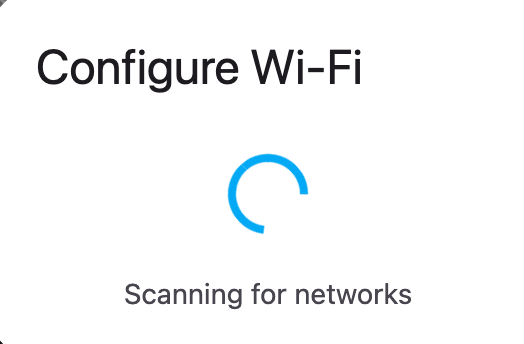
I used this page to flash it, it seems to work, but when it get to the wifi page it just spins looking for a network.

https://esphome.io/projects/index.html

Any ideas what I can do? I can add it via ESPHome, but I assume that I assume that has wipes the Voice Control firmware.

#HomeAssistant #ESP32AtomEcho #AtomEcho

@homeassistant
@[email protected]
@homeassistantinpills
@[email protected]
Ready-Made Projects

Install ready-made projects directly on your device.

ESPHome
firmware/voice-assistant/m5stack-atom-echo.yaml at main · esphome/firmware

Holds firmware configuration files for projects that the ESPHome team provides. - esphome/firmware

GitHub

@crazifyngers @homeassistant @[email protected] @homeassistantinpills @[email protected] @spitfire

The projects page now seems to install correctly. I know a fix was released last night. The Atom Echo is discovered by Home Assistant, but I get this error.

Can't connect to ESP. Please make sure your YAML file contains an 'api:' line. My Home Assistant is using https. I added that to the GUI that came up and port 6053, but still has the issue.

@crazifyngers @homeassistant @[email protected] @homeassistantinpills @[email protected] @spitfire I reset it all again and I finally have it in Home Assistant and can see all the entities. Now to get back to so voice testing.