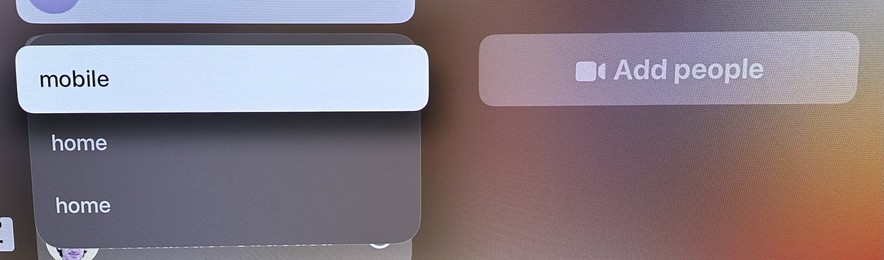
The team responsible for the FaceTime app on tvOS needs a VERY stern talking-to. Just for starters, take a look at the menu that appears when trying to start a call with a person.

Now imagine if it actually showed the emails or phone numbers for any of these choices. But no, you just have to guess! It’s on a giant TV screen! There’s plenty of room! It is MADDENING!
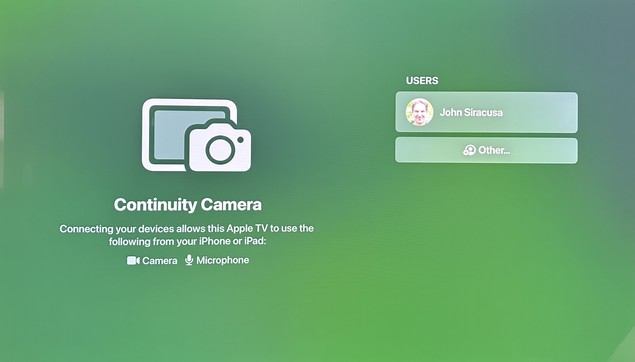
Launching the app often shows this screen, in which no button presses or swipes on the remote will do ANYTHING. Like, nothing. No item changes appearance. No actions can be triggered. Force-quitting the app and re-launching it usually “fixes” it.

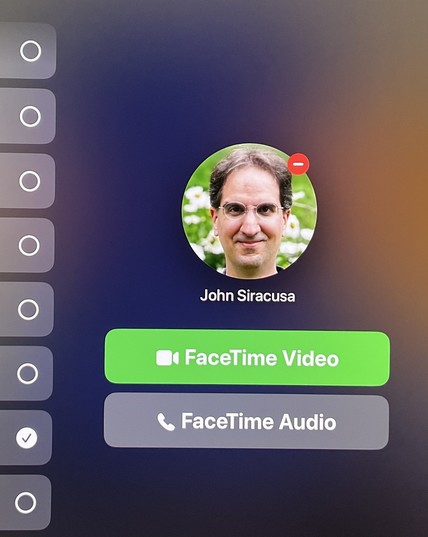
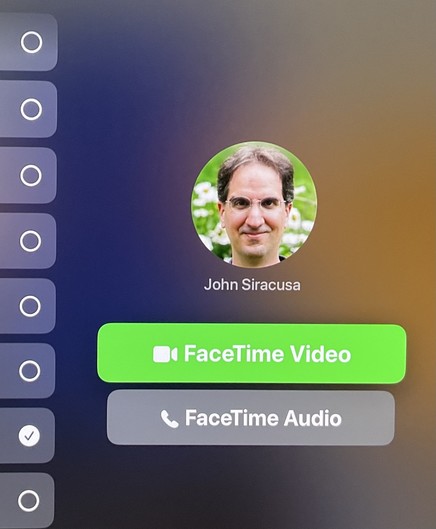
Once you pick from one of the mystery “home” or “mobile” or whatever contact methods for a person, you often get this screen, which makes it seem like you can press the main (touchpad) button on the remote to press the green button and initiate a FaceTime Video call. That is NOT the case.

Pressing the button on the remote actually moves the selection focus back to the user list! (You can figure out why if you look closely.)

Here’s what the screen has to look like in order for a button press on the remote to actually click the “FaceTime Videol button. No, this is not the same screenshot as before.
@siracusa this is a problem throughout tvOS. The fix, as others have mentioned and you prob already know is to turn on focus outlines. Without them, it feels like navigating a desktop without a cursor. It’s wild that folks (not just Apple) still make this mistake. Focus outlines everywhere (in TV app and game UIs) please.