 nixCraft 🐧
How do I rename multiple files at a shell prompt under a Linux or UNIX operating systems? https://www.cyberciti.biz/tips/renaming-multiple-files-at-a-shell-prompt.html #linux #unix #macos #sysadmin #opensource
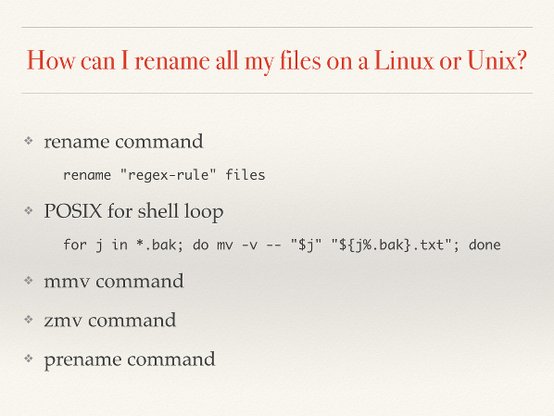
@nixCraft Beware that there are at least two different utilities named "rename". I think the syntax which that image shows for "rename" is the one for the perl utility (which might be what "prename" stands for in the last entry).
The rename utility from util-linux has a different syntax, shown in the linked page.
Which one gets installed as rename may depend on the distro/system.
perl rename: https://www.unix.com/man-page/linux/1/prename/
util-linux rename: https://www.unix.com/man-page/linux/1/rename.ul/
@nixCraft find + mv + shell parameter expansion + test:
find -mindepth 1 -maxdepth 1 -type f -exec bash -c 'file="{}"; [ "${file}" != "${file//needle/replacement}" ] && mv "${file}" "${file//needle/replacement}"' \;
man find
man mv
man test
https://www.gnu.org/software/bash/manual/html_node/Shell-Parameter-Expansion.html
for f in * ; do print mv "$f" "$( print "$f" | sed 's///' )" ; done
Fit sed expression to taste and remove first `print' once satisfied
 Roadskater, Ph.D.
 njsg
njsg
 Benedikt
 Ciourte Piaille
 words_number
 jroid8
 Oleh Gordi
 Mark Keisler
 nefelibata
 João Victor Silva