
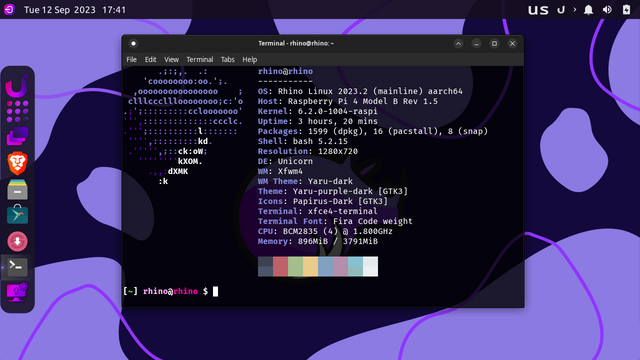
I installed #rhinolinux on my #raspberrypi 4 (4 GB #ram). The system is semi-polished with some rough edges. The only #universal #linux package format that runs on #aarch64 is unfortunately #snap, neither #flatpak nor #appimage support #arm based #operatingsystems. The overall experience is good and I wish the #developers all the best in their endeavour to improve the #distro in future.
@solicitor have you been able to disable the auto login?
@kildey not yet, I wasn't bothered with auto login because my #raspberrypi is attached to the living room's TV as a #mediacentre and it is accessible to all household members. Thus, I don't care to disable it at this moment.
@solicitor understand as that makes sense. Do you know how to disable auto login as I'm having trouble achieving this?
@kildey you may disable auto login for #lightdm display manager by editing its configuration file as follows:
sudo nano /etc/lightdm/lightdm.conf
Either comment out "autologin-user=rhino" by addition the hash sign # or amend it to "autologin-user=false", save the file, exit nano text editor and reboot your #raspberrypi .