
Any #Excel #MicrosoftExcel experts in eyeshot? I have 2 sets of data organised identically; same number of rows and columns and everything. I want to do three things:

1. Generate a new sheet with _two_ entries in each cell, one from each dataset, one atop the other and preferably different colours.

2. Obtain differential data sets by subtracting set B from set A at all cells and generating a new sheet with the results.

3. As (2), but with any negative result set to zero—so if subtracting set B's cell B52 from set A's cell B52 gives -6,319 or something, the new sheet's B52 is 0, but if that subtraction instead gives 12,031 or something, that value goes in the new sheet.

Halp?
@Isocat
2 is simplest. Make a copy of one sheet, then select and copy all data in the other sheet, give back to A1 of the copy sheet and Paste Special subtract.

OR: use a formula. Make a copy of one sheet, in A1 select all cells then enter the formula =Sheet1!A1 - Sheet2!A1 and press ctrl+enter.

1 is messy. You really want Sheet1!A1&char(13)&Sheet2!A1 formulas?
How about interleaving the rows from each sheet so one is seen above the other? There are a couple of ways of doing that.

@Isocat
3 is similar to 2 but formula is
=IF(SHEET1!A1>SHEET2!A1,0, SHEET2!A1-SHEET1!A1)

Or, even simpler, do the same as 2 but select all the #cells and apply a #Numberformat that shows positive as black and negative as red, like accountants do. That may distinguish them enough.

@ExcelAnalytics Awesome; thanks kindly! Your alternative suggestion for my (1) sounds much better, especially if I could have the sheet-1 rows one colour and the sheet-2 rows another colour (either background or text). How might I do that, please?

@Isocat
BTW if you have up to date Excel 365 you don't have to do the select + ctrl+enter things.
If the range is eg A1:Z1000 then
In A1 of a blank sheet enter
=Sheet1!A1:Z1000 -Sheet2!A1:Z1000

To line up alternate rows once-off, you could copy and paste to a new sheet one sheet's data below the other, colour each block differently, add a column containing a sequence of 1 to n step 2 for the top block, 2 to n step 2 for the bottom block, then sort by that index column.

/contd

@Isocat

To colour it, set a conditional format for all cells with a formula as the first condition
=mod(row(),2)=1 colour it green
And 2nd condition
=mod(row(), 2)=0
Colour it red

@Isocat
(I have now remembered to use #hashtags for searchability)

To line up alternate rows using formulas, I have to resort to the latest #Excel #dynamic #array #formulas.

=MAKEARRAY(2000,26, LAMBDA(i,j,IF(MOD(i,2)=1, INDEX(Sheet1!A1:Z1000,(i+1)/2,j), INDEX(Sheet2!A1:Z1000,i/2,j) )))

Use the actual rows you have rather than 1000 (and double it for the 2000) and the actual no. columns rather than 26.

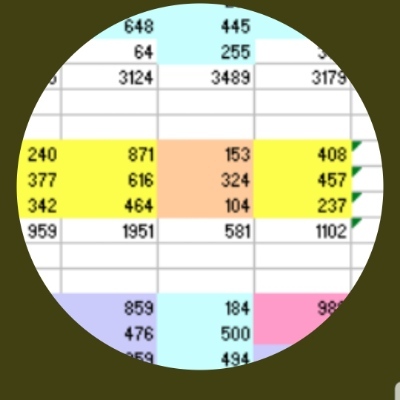
To #conditional #format, see the picture.

@Isocat
I've made lots of edits so you may want to review all my replies. Good luck!