
So. Homebrew is illegal now too, then?

EDIT: People seem to be misunderstanding this screenshot. This is me running a program installed by Brew and it being blocked by macOS Gatekeeper. You can see me executing it from the command line and you can see in the error message that Homebrew downloaded it. Although brew is in general working for me, this particular formula's app got blocked. After making the post I resolved the problem and do not need help.
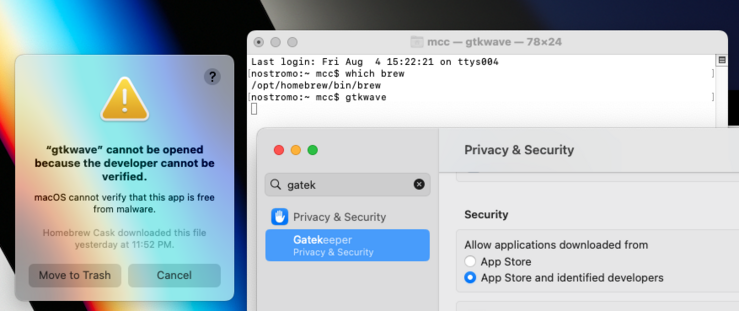

I am never going to stop being angry at the people who told me, when I said around 2010 that Gatekeeper was the end of the Macintosh and possibly the end of all computers, that there was nothing to worry about because they'd never remove that third "run any software" option from the control panel
@mcc it’s only gone from the user-facing UI. You can right-click on the app, and go to “open”, and get a different interstitial speedbump that lets you proceed. You can also just dequarantine the binaries in the terminal, if you just want to allow it to execute with no restrictions.
@glyph I know, and I don't give a shit. Also, there is no user-facing UI. It's refusing to let me run a perl script from the command line
@mcc in that case the problem is that cask is installing a perl script for some reason, which seems weird. If it were in a formula you wouldn’t hit this restriction.
@glyph Sometimes, software is written in Perl
@mcc the problem isn’t perl, it’s that Cask is the part of Brew which is supposed to install app-shaped things rather than script-shaped things. You can have apps in perl if you want, as long as you follow the app rules. It looks like this is installing a perl script where they bungled the packaging and should have made it like other scripts

@glyph @mcc it likely has Mark of The Web (aka com.apple.quarantine) as an xattr.

Part of the big issue is that Apple has just enough security in the wrong places that tools like Brew can do correct things, but then find out they did the Wrong Correct Thing.