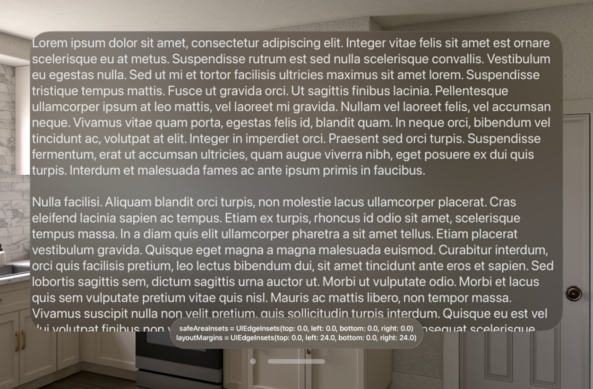
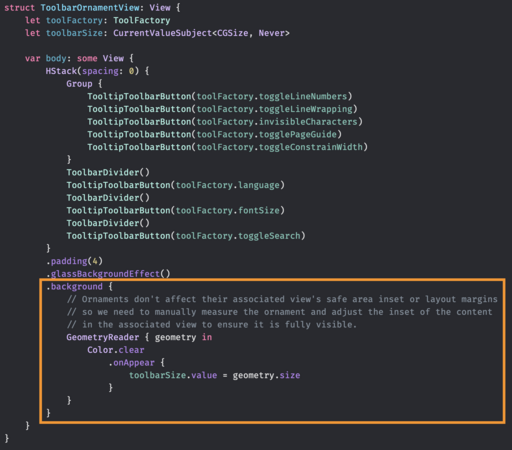
Ornaments don't affect the safe area insets or layout margins of their associated views on visionOS. This seems odd to me. What's the best way to inset a scroll view to ensure the content can become fully visible then?
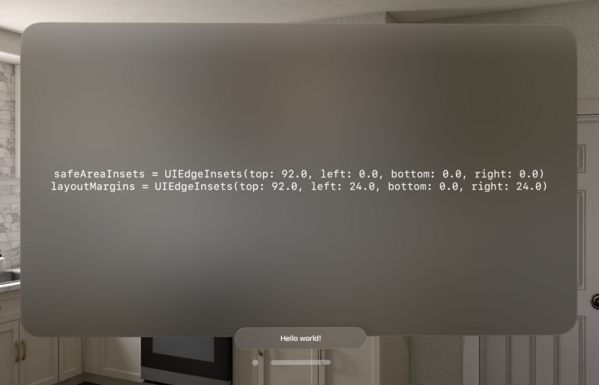
Filed this as FB12777426 with an example project. The feedback and example project can also be found here: https://github.com/simonbs/AppleFeedback/tree/main/FB12777426
AppleFeedback/FB12777426 at main · simonbs/AppleFeedback

💬 Sample projects submitted to Apple Feedback. Contribute to simonbs/AppleFeedback development by creating an account on GitHub.

GitHub
Best workaround seems to be measuring the ornament and updating the UIScrollView's content insets manually. It works but it isn't pretty.

Recipe for measuring a view in SwiftUI:

1. Add a background or overlay to your view.
2. Add a GeometryReader to that background or overlay.
3. Add an empty view, for example a clear color, to that GeometryReader.
4. Listen for changes to the geometry passed to you by the GeometryReader.

Sure, we may understand the code but how did we end up here? Surely this isn’t intuitive to anyone.

(Sorry for being old and grumpy)

@simonbs Totally agree, this method always looks like a weird hack and there should be a better way to accomplish such a simple task
@simonbs SwiftUI Views have a cycle where a parent proposes a size, the child picks a size and the parent positions the child. With a GeometryReader the available size can only be passed down meaning it would part of that same cycle. With PreferenceKey we can pass information like the size back up. This may cause another cycle where the proposal and child are recalculated. If you’re not careful it can cause many or infinite cycles and performance issues. This may be why they didn’t make it easy.
@ryanlintott @simonbs yes, I got performance issues in iVote where I needed to build “custom table” with row action functionality. Was able to optimize it, but man, it took me a long time to fix every little inefficiency
@ryanlintott @simonbs and there are still thing to be improved in that code but time is scarce
@simonbs That’s one of the great things about SwiftUI, though! You only have to figure it out once, and then you can wrap it up in a custom ViewModifier/View extension method and use it anywhere with just one line of code.

@simonbs Have you looked at anchorPreferences? I’ve used this in a few cases to gather size data about child views for use in a parent without needing a GeometryReader (hopefully not misunderstanding the issue 😅)

https://swiftui-lab.com/communicating-with-the-view-tree-part-2/

Inspecting the View Tree (Anchor Preferences) - Part 2 - The SwiftUI Lab

SwiftUI provides a set of special preferences, called Anchor Preferences. These provide all sorts of geometry data from our child views.

The SwiftUI Lab
@colinhumber you still need a geo reader though - right?
@magnuskahr You’re right, I misspoke a bit. You don’t need to use the geo reader with a background color trick in the child but one in the parent to read the preference data

@simonbs replying in case its useful:

.onGeometryChange { geo in }

https://gist.github.com/shaps80/44f82efd1ba0dad2ee8235fdff80f1d8

The other replies essentially cover this but thought I’d share my modifier since I’ve not seen it elsewhere.


Observe Geometry updates on any SwiftUI view

Observe Geometry updates on any SwiftUI view. GitHub Gist: instantly share code, notes, and snippets.

Gist