
Challenging #css question for folks. I have a grid with a header and content, the content is scrollable. I need to add padding that's equal to the height of the header to the content. I need it on the first render as well. I feel like I saw some #CSSGrid hackery that allowed something like this, but curious if #frontend folks might have any ideas.
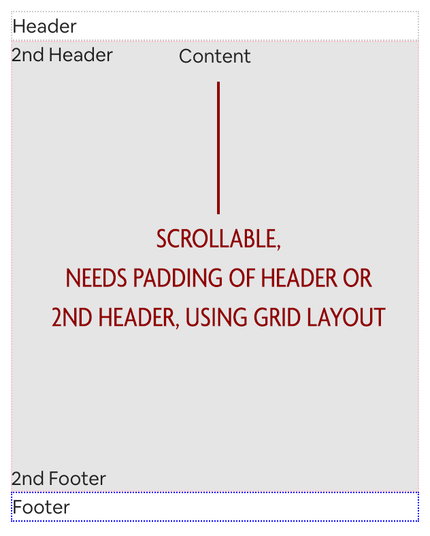
@callie My understanding here is that the header here will stay visible on top of the window as you scroll down?
@cornflour content is overflow-y: auto
@callie oh i'm asking about your wanted behaviour moreso than the code
Like do you want the header to always stay on top of the screen as you scroll down content?
And do you want to find the footer at end of the screen at all time or do you want to see the footer as you scroll to the bottom?
@callie If the goal here is to have either the header or the footer (or both) to always stay in the same position on the screen as you scroll down, the best approach I think is to use `position: sticky` so you don't have to manually padding from the content for the header or footer.
Here is an example of both the header and footer having `position: sticky` https://jsfiddle.net/rouy5wkq/14/
If I misunderstood the requirements please lmk! 😁
Edit fiddle - JSFiddle - Code Playground

Test your JavaScript, CSS, HTML or CoffeeScript online with JSFiddle code editor.

@cornflour Yeah I think this is what I'm looking for, content is offset but can scroll behind the header/footer. Thank you! Going to give this more of a shot but it looks promising!