GNOME users, I have some questions for you! This won’t single-handedly drive the design of GNOME (I’m not that influential… yet 😉 ), but anecdata is always nice to help unstick design discussions or just gather insights.

(Polls will follow posts as I can’t share an image and a poll, sadly.)
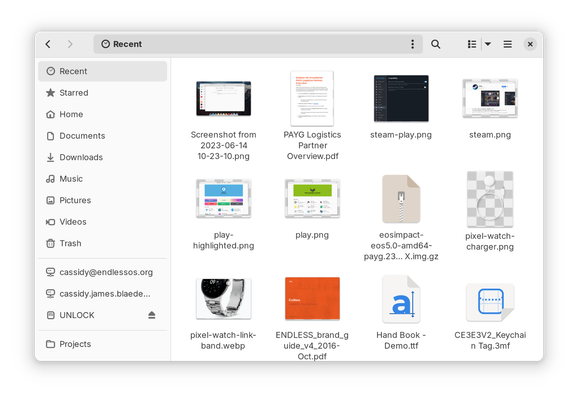
#GNOMEdesign #GNOME #UX

If you use GNOME, do you use the “Recent” view in the Files app? Note this is NOT the same as the file chooser, e.g. when opening a file in an app.

(Answer in the following poll.)

#GNOMEdesign #GNOME #UX

If you use GNOME, do you use the “Recent” view in the Files app? Note this is NOT the same as the file chooser, e.g. when opening a file in an app.

(See previous post for a screenshot, reply for context.)

#GNOMEdesign #GNOME #UX

Yes, frequently
22%
Occasionally
22.7%
Rarely
24%
Never
31.4%
Poll ended at .

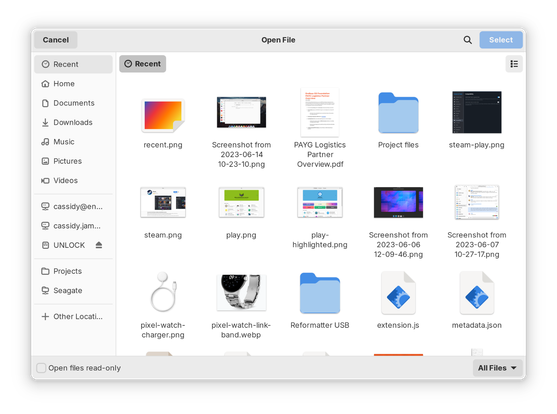
If you use GNOME, do you use the “Recent” view in the file chooser, e.g. when opening a file in an app? Note this is NOT the same as when browsing in the Files app.

(Answer in the following poll.)

#GNOMEdesign #GNOME #UX

If you use GNOME, do you use the “Recent” view in the file chooser, e.g. when opening a file in an app? Note this is NOT the same as when browsing in the Files app.

(See previous post for a screenshot, reply for context.)

#GNOMEdesign #GNOME #UX

Yes, frequently
43.6%
Occasionally
26.8%
Rarely
14.3%
Never
15.3%
Poll ended at .

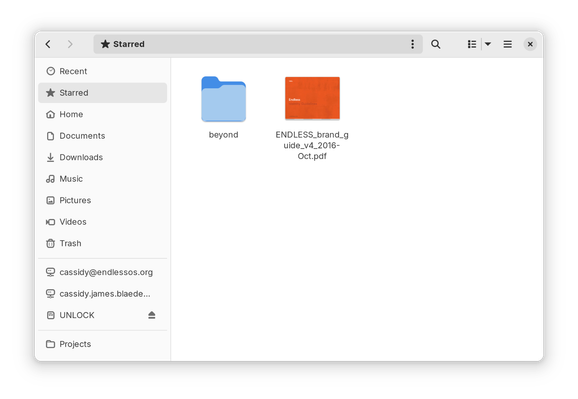
If you use GNOME, do you use the “Starred” view in the Files app?

(Answer in the following poll.)

#GNOMEdesign #GNOME #UX

If you use GNOME, do you use the “Starred” view in the Files app?

(See previous post for a screenshot, reply for context.)

#GNOMEdesign #GNOME #UX

Yes, frequently
7.5%
Occasionally
12.9%
Rarely
16%
Never
63.6%
Poll ended at .

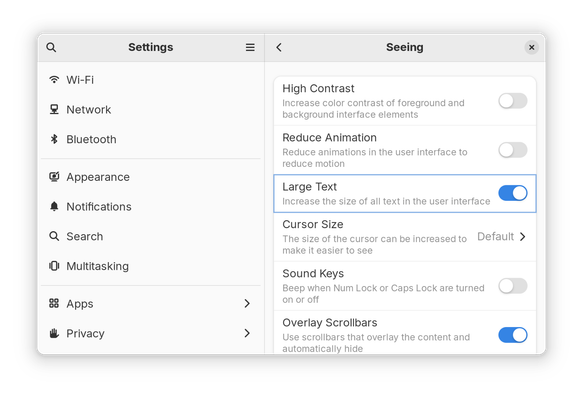
If you use GNOME, do you use the “Large Text” option in Settings → Accessibility → Seeing?

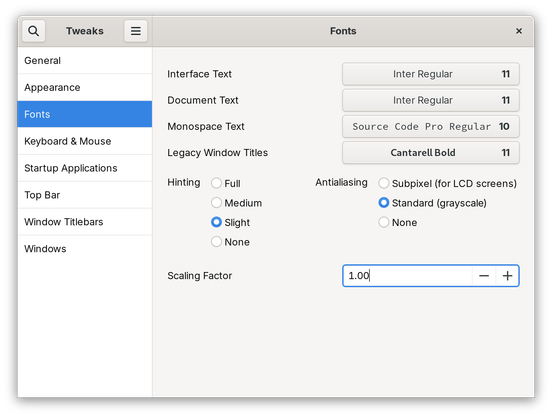
Alternatively, do you set a different font scaling factor somewhere else, e.g. in Tweaks?

(Answer in the following poll.)

#GNOMEdesign #GNOME #UX

If you use GNOME, do you use the “Large Text” option in Settings → Accessibility → Seeing?

Alternatively, do you set a different font scaling factor somewhere else, e.g. in Tweaks?

(See previous post for screenshots, reply for context.)

#GNOMEdesign #GNOME #UX

Yes, “Large Text” in Settings
8.9%
Yes, larger font scaling set somewhere else
14.7%
Yes, smaller font scaling set somewhere else
7.3%
No, no change to text/font size
69.1%
Poll ended at .
@cassidy I frequently change the font scaling too in the Tweaks UI, as for me different monitors need different settings.

@pauldoo is there a reason to not use per-display scaling, in that case?

It’s possible fractional scaling is not enabled for you since it’s not by default in GNOME (yet! We’re working to change that!).

@cassidy I almost always just use a single display. Either laptop screen, external at home, or external in the office. If I could have it remember the scale I want for each screen when I plug in to each one, that would be awesome, but I haven't noticed an option for that. (Also, fractional isn't available as you say.) So I currently set the font scaling factor in Tweaks when I move between displays.

@pauldoo ah, I think you’ll be happy when we ship fractional scaling; it remembers per-display configuration!

If you want to give it a try early, you can either run:

gsettings set org.gnome.mutter experimental-features "['scale-monitor-framebuffer']"

…from a terminal, or use dconf Editor (available on Flathub) to browse to /org/gnome/mutter/experimental-features and check "scale-monitor-framebuffer" manually.

Log out/in and you’re set! Just check out the new settings in Settings → Displays.

@pauldoo The one major downside today is that if you use a HiDPI display, XWayland (think GTK2 or Electron) apps are blurrier than before. I’m petitioning to get this fixed, but it’s one reason it’s still considered experimental.

@pauldoo to revert, either use dconf Editor to reset the setting, or run:

gsettings reset org.gnome.mutter experimental-features

…in a terminal, then log out/in or reboot.

@cassidy Will certainly try this.. Can I set scaling per-app? :D

@cassidy Have enabled it now. I can see why it's experimental.. My mouse cursor is clipped.. hehe :)

Also, the display settings doesn't let me set 1.20 (what I often set font scaling to), but only 25% increments. Also also, it doesn't let me make things smaller. There's one laptop I use (with a rubbish low res screen) where I set font scaling to 0.9.

@pauldoo hmmm, I wonder if those limitations are just in the Settings UI, or under the hood. 🤔