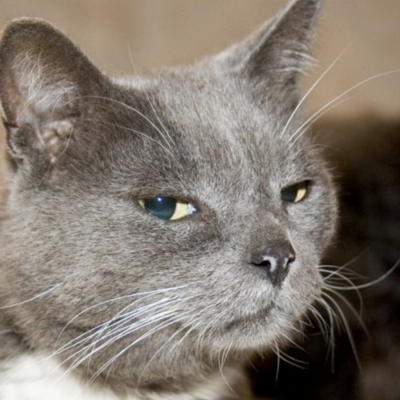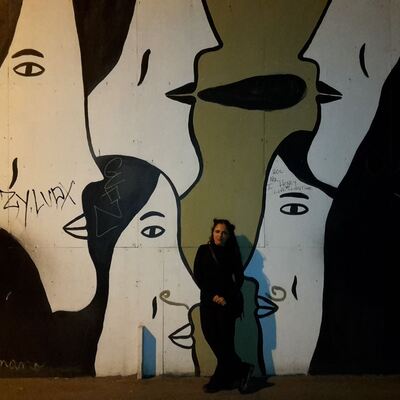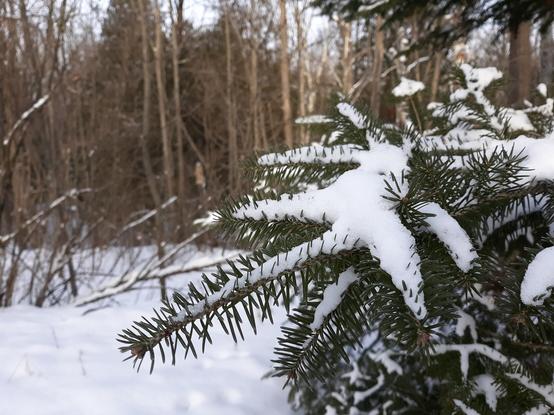
10 Image #CaptionTips from a transcriptionist:

1. Any words are better than nothing.
2. You don't need to say it's "a picture of…" screen readers will already say it's an image.
3. Start with the framing or format (i.e. close up, landscape, meme, text).
4. Think about the reason you're posting the pic and describe that first, add background details if you have time.
5. Pretend you're talking to someone on the phone and want to tell them about this cool thing you're looking at.
6. Transcribe any and all text in the image, even if it's the only thing you do.
7. If you've described the image in your post, you don't need to copy and paste it again in the caption. But again, don't leave it blank, just put something like "as described."
8. You can add small subjective notes, but don't give too much interpretation of the image in your own opinion.
9. Caption jokes are fun, as long as they still describe the image objectively.
10. Use punctuation, and capitalize words properly. A lot of us have interacted with this tech when calling customer service or talking to Siri, so keep in mind that you're writing for a computer to read, and it needs all the help it can get.
Cat (@[email protected])

10 Image #CaptionTips from a transcriptionist: 1. Any words are better than nothing. 2. You don't need to say it's "a picture of…" screen readers will already say it's an image. 3. Start with the framing or format (i.e. close up, landscape, meme, text). 4. Think about the reason you're posting the pic and describe that first, add background details if you have time. 5. Pretend you're talking to someone on the phone and want to tell them about this cool thing you're looking at. 6. Transcribe any and all text in the image, even if it's the only thing you do. 7. If you've described the image in your post, you don't need to copy and paste it again in the caption. But again, don't leave it blank, just put something like "as described." 8. You can add small subjective notes, but don't give too much interpretation of the image in your own opinion. 9. Caption jokes are fun, as long as they still describe the image objectively. 10. Use punctuation, and capitalize words properly. A lot of us have interacted with this tech when calling customer service or talking to Siri, so keep in mind that you're writing for a computer to read, and it needs all the help it can get.

Pagan+
@Crazypedia Cool, thanks for the boost!
@Cat_LeFey When I post a pic and describe it in my post, which text is read first, the post text or the alt text? Because if the alt text is read first, it might not make sense if I don't repeat some of the post text.
@Cat_LeFey for photos with a rich emotional subtext I actually prefer to include a subjective interpretation, or at least an explanation of the mood I expect it to convey. Perhaps because I don’t have enough faith in my description to evoke the same mood.
@Cat_LeFey this is helpful, thank you!
@Cat_LeFey With regards to points two or three, is it helpful to start with a "photograph", "screenshot", "diagram", "video still" etc., since that's relevant framing?
@proactiveservices Yeah, those are all great! Usually it's best to avoid the word "image" or "picture" because that's what most screenreaders use, so your post doesn't end up sounding like "image of image of a cat."
@Cat_LeFey "Image of image of PIN number" :-D
@Cat_LeFey Thank you! I need to work on this, I forget too often.

@Cat_LeFey

Doesn't 3 conflict with 4 and 5? I wouldn't personally tell someone that I see e.g. a close-up of cable, but rather that I see a cable.

What do you think about including (factual) information that does not exist in the image (e.g. that this is a still from movie X, or that this PCB is actually a power supply from device Y)?

@Cat_LeFey super helpful, thank you!
@Cat_LeFey Very nicely summarized - thanks!
@Cat_LeFey Providing image alt text and writing it effectively is on everyone's New Year's resolution list, right?
@Cat_LeFey That is such useful advice. Thank you muchly.
@Cat_LeFey should I be defining whether the image is a photograph or screenshot? I've been doing so, because I feel it might get confusing due to how many of both image types I post
@sortius Yeah, those are fine, it's just best to avoid the word "image" or "picture" because that's what most screenreaders use, so your post ends up sounding like "image of image of a cat."

@Cat_LeFey sweet, I try to do my best to describe images, but not having used a screen reader (I've only ever configured them for visually impaired users), I wasn't sure exactly what is presented to the user.

Thanks for the reply, and the original post. Both will help me be a better digital citizen

@Cat_LeFey @sortius i generally try to be as specific as is reasonable about what kind of "image" it is, eg "a crayon drawing of...", "a color photograph of...", "a diagram of..", "16-color pixel art of..." - simply because that so often determines a lot of the unspoken context around an image.
@Cat_LeFey
I’m going to suggest that sometimes, you don’t need all the text, eg if the line you want is in the middle of a larger block, a couple of dots will do.
@Cat_LeFey Can you post an image and and caption it as an example?
@Red_Shirt_Dude Sure thing, here's one I took this morning:
@Cat_LeFey Thank you. Now I understand, that I don't understand. I can see the tooltip which contains the caption, but I have no idea how you added it in the first place.
@Cat_LeFey I can't find the image description how do I access it to know what it is?;
@Red_Shirt_Dude @Cat_LeFey This was a great suggestion, and the response was helpful.
@Cat_LeFey I'm going to have to disregard #8 because it's giving me too much joy at the moment.

@Cat_LeFey Very helpful, thank you.

I’ve never done this before Mastodon but I’ve been trying since I joined. I think I’ve managed every image so far. It’s a learning curve!

@Cat_LeFey you have 1500 characters to describe your photo, why not see how many of those you can use.
@Cat_LeFey Really useful, thank you. I think one of the reasons I don't always do it is bc I feel like I'm rubbish at it but this post helps.
@Cat_LeFey this is hugely helpful to people like me who , generally, only post photos. Great post, or is it great ‘toot’.
@Cat_LeFey
At 2. I'd imagine saying it's a picture would make it clear that it's not for example a drawing.
@Veticia @Cat_LeFey
How about "photograph" instead of "picture" if it seems important?
@Cat_LeFey "Pretend you're talking to someone on the phone" is such a brilliant and useful tip, thanks!
@Cat_LeFey this is probably the best tips I've seen. Most are like "keep it short/simple" which misses the details and nuances that makes a good caption. Much appreciated!
@Cat_LeFey
I came across a text heavy meme and someone kindly recommended that OCR readers are better than ever (not perfect) and can at least help with the bulk of a text heavy photo.
NewOCR.com is one.
@PariMoonForest @Cat_LeFey iphones can do this also and you can cut and paste the text
@Cat_LeFey @kcarruthers thank you this is super helpful 🙌
@Cat_LeFey wow that's a nice checklist, hope my captions fit 
@Cat_LeFey 2 years ago a heart virus tried to kill me. It gave me a stroke caused #aphasia. I'm hard to communicate to talk or write. I try to pictures it is not good to communicate 😕
@Cat_LeFey I'll usually distinguish if it's a photo vs a graphic etc. Is that useful? e.g., https://outdoors.lgbt/@leif/109548715721372057
Tyler Leif 🏳️‍🌈 (@[email protected])

Attached: 4 images @lily These are some of my favorites from the last few years. All of these were taken while either #climbing, #bouldering, or #hiking. One of my resolutions for the new year is to start taking photography more seriously!

outdoors.lgbt
@Cat_LeFey pet peeve: if the image is just text, don't just paste the text. Have at least: 'text saying: "[text]"'
@Cat_LeFey also, I’ve been told to avoid all caps for effect, as screen readers read out capital letters as separate letters. And if using acronyms, think if they are pronounced as a list of letters or as a word: if as a word, better to use Guardian style (acronyms in sentence case) for stuff like “Unicef”
@Cat_LeFey Thank you for tips 3 and 4. I'm trying to be consistent about doing alt text and I didn't think about 3 at all and I'm not very good at 4.
@Cat_LeFey I'm mostly posting about computer stuff, and sometimes I like to post graphs/plots, e.g. about CPU utilization on a specific piece of hardware when running a specific program. Are there any rules/guides for providing captions of plots/graphs properly?
@mmeier for graphs I often start with the layout, e.g. "graph of CPU usage over time", and then only describe the things I want to focus on, for example "there is a big sudden spike to 100%".
@Cat_LeFey
@Cat_LeFey Or: Why I do not post that much images anymore.
@Cat_LeFey the “explaining it to someone on the phone” tip is one I often use in talks, it’s gold!
@Cat_LeFey
This is terrific, particularly 4, 5 and 10. Having a machine read unpunctuated text to you can be a nightmare!
@Cat_LeFey This is very helpful. Thank you.
@Cat_LeFey
Re 2, picture (ie photo) as opposed to cartoon or drawing, to make clear _type_ of image.

@Cat_LeFey

I'm interested in this…

6. Transcribe any and all text in the image, even if it's the only thing you do.

So, say the was a traffic/street sign that was incidental to the main purpose/intent of the image.

Is this that important?

@Cat_LeFey
These are so good, thanks!

If you've time, do you have an informed opinion on this question of how much redundancy to include in descriptions of multiple pictures of the same subject?:
https://wandering.shop/@molybdomantic/109489655593267596

ceb (@[email protected])

Etiquette question for photograph alt text: when I post a main photo plus a couple of close-ups of details, should the details recapitulate all the information from the main photo too? What's most helpful? See an example at https://wandering.shop/@molybdomantic/109489631336352110 #AltText #Accessibility

The Wandering Shop
@Cat_LeFey I think I’m getting better at it…. Sometimes I’m afraid I’m being too wordy.
@Cat_LeFey I always feel inadequate when it comes to describing colours that may be relevant given that some people may never have seen a colour.