 Ben Gohlke
Anyone who’s worked with WeatherKit know why I would get nice whole numbers when showing temps in the simulator, but when running on device I get three decimal places?
Using the following to present a temp:
lowTemperature.formatted()
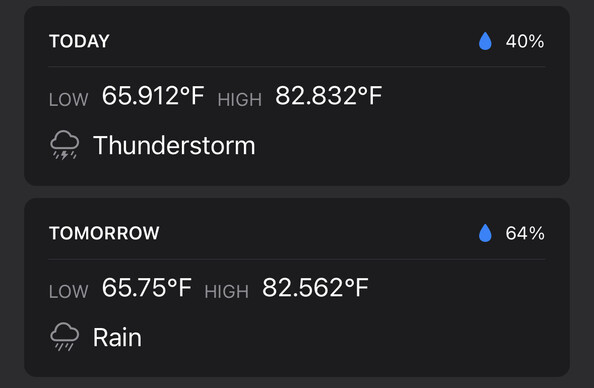
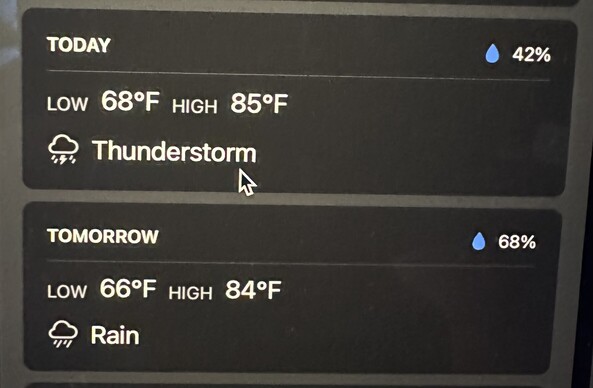
Anyone who’s worked with WeatherKit know why I would get nice whole numbers when showing temps in the simulator, but when running on device I get three decimal places?
Using the following to present a temp:
lowTemperature.formatted()
@ferrousguy if you want to control the formatting, you should be able to pass in a more precise format style to the ‘formatted’ call I believe
(From the docs)
let temp = Measurement<UnitTemperature>(value: 38, unit: .celsius)
let formattedTemp = temp.formatted(.measurement(width: .wide, usage: .weather, numberFormat: .numeric(precision: .fractionLength(1))))
@junebash thanks for the tip.
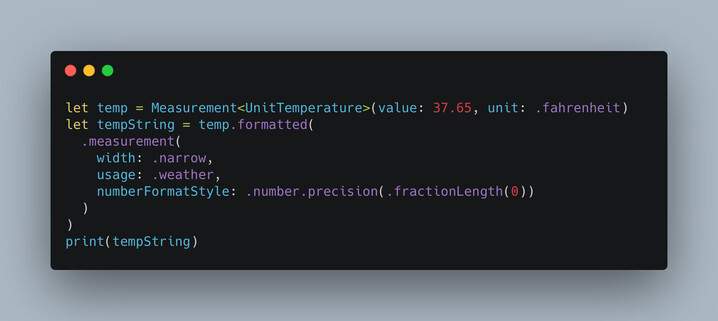
In trying this, that particular function doesn’t seem to exist, despite being in the docs as an example. The last argument is now “numberFormatStyle” and doesn’t seem to work the same way.
In code I tried 25.84 degrees Celsius on sim and device. I used “.abbreviated” and “.weather” for usage. It shows as 79 even on sim and 78.512 on device. I suspect it’s just broken?
I could convert to Fahrenheit, round the number myself, and then display with the formatter. 🤷🏻♂️
@MuseumShuffle have you run across this at all in Please Don't Rain?
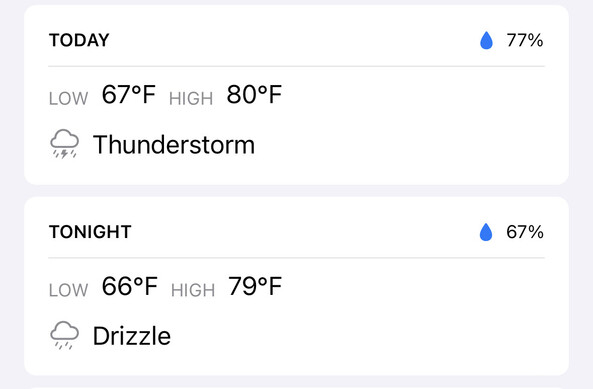
@ferrousguy @junebash I'm using a MeasurementFormatter. I didn't know you could do it the way @junebash showed. I should have because I use the "formatted" for other types all over the place!
In this snipped from my code "highTemperature" is a Measurement<UnitTemperature>.
formatterNoDecimalShortUnit.string(from: dayDetails.highTemperature.converted(to: tempUnitToUse))
 June Bash
 Chris Wu 🪐