
A free system monitor utility that I originally wrote for Intel Macs back in 2015, now updated and working fine on a Mac Studio (M1 Max). It *should* work as well on the M1 Pro and M1 Ultra.

If you happen to own one of those systems and wanna try it, I'd appreciate your feedback. M2 support still in development.
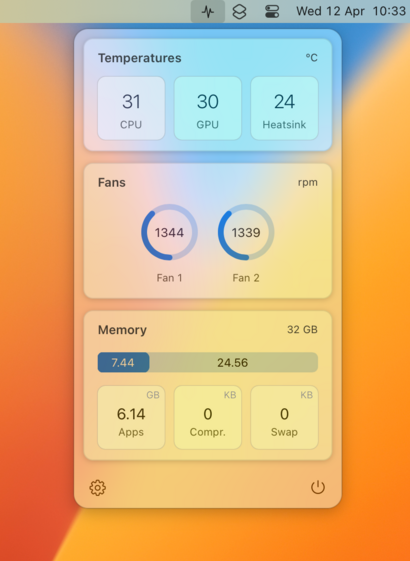
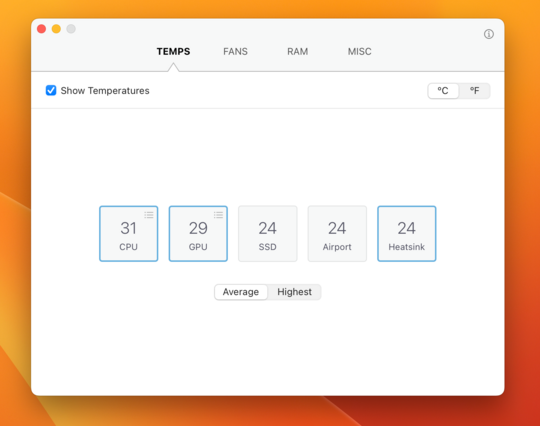
https://www.dysometrics.com/vitalsigns/

#mac #macos #macdev

VitalSigns: macOS System Monitor

VitalSigns - macOS system monitor

Version 3.0.16 now available. It fixes a bug that prevented temperature readings from showing up on systems with the M1 (base) chip.

Hello @luix,

this is Tom in Germany … a happy user of VitalSigns here (thanks!).

I just wanted to check for updates and noticed that your Web site is down … is this temporary?

@Bonobo Hi Tom!, I've recently changed the domain name. This is the new url:
https://www.dysometrics.com/vitalsigns/
😉
VitalSigns: macOS System Monitor

VitalSigns - macOS system monitor

Hey @luix,

cool, thx 🙂 🙏

Might be an idea to edit this post https://mastodon.social/@luix/110198283602449726 and put in the new URL?

@Bonobo You're right. I forgot that you can edit old posts here on Mastodon. Thanks! 👍
@luix what’s the framework/api to get this data? I never found it on Apple’s documentation.

@kafran It's not easy. For the M1 sensors you have to use HID services with C/ObjC (the API is pretty low-level).

Sensors on the M1Pro, M1Max, M1Ultra and all Intel chips can be read using the IOKit framework, but you need to know their names/codes, which of course Apple doesn't publicly expose. It takes a lot of trial and error figuring out which sensors are valid on each machine.

@kafran Things were easier on Intel chips because the temperature sensors were basically the same on every Mac, but with Apple Silicon it has become a bit more complicated because Apple changes the temperature sensors on each new iteration.
@luix Nice. Thanks. This is something I always wanted to poke around since always but I never knew where to look in the documentation. Tried once but didn’t find anything. We should keep an opensource list with the sensor names on some repository, right? I will try to find it on my M1 MacBook Air.
@kafran This should give you an idea of how to do it on M1:
https://github.com/freedomtan/sensors_cmdline
Just be aware that polling the sensors through HID services seems to be quite expensive in terms on CPU usage. With IOKit is pretty cheap, but as far as I know M1 sensors can only be accessed through HID.
GitHub - freedomtan/sensors_cmdline: Read thermal/temperature sensors, voltage meters, and current meters on M1 and iPhone

Read thermal/temperature sensors, voltage meters, and current meters on M1 and iPhone - GitHub - freedomtan/sensors_cmdline: Read thermal/temperature sensors, voltage meters, and current meters on ...

GitHub