
I wrote an article for the #EditorsToronto blog about the Elgato #StreamDeck, a device that lets me run macros, use Text Expander snippets, and open and close style sheets, invoices, project timesheets, web pages, and even Spotify playlists, all with the push of a button.

If you're an #editor who uses macros and text expanders to automate repetitive tasks and free up more time for in-depth editorial work, this may be relevant to your interests!
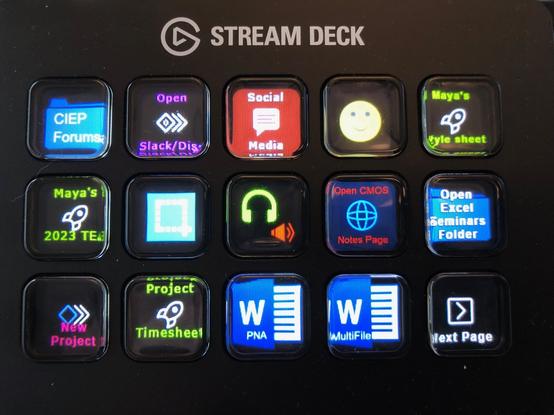

https://editorstorontoblog.com/2023/02/17/streamlining-your-digital-life-an-introduction-to-the-elgato-stream-deck/

#AmEditing

@MayaBerger Thank you for this! I just saved it to read later tonight. I've had my eye on one for a bit, and I'm looking forward to another editor's take on it.
@WordsByWesInk I’ll be interested to know your thoughts after you’ve had a look!

@MayaBerger Your article was very helpful.The Textexpander buttons may have just pushed me over the edge. Buttons for title casing and sentence casing? That alone would be worth the price. And it looks like the USB cable isn't hardwired, so I can switch it between my desktop and notebook.

Thanks again :)

@WordsByWesInk Thanks, glad the article was useful! I've had mine for a couple of months and I feel like I'm still just scratching the surface of what it can do. And yes, you should be able to attach it to different devices – just download the app on both.
@WordsByWesInk @MayaBerger You should also consider the XENCELABS Quick Keys, which is wireless (with a tiny adapter) and works very well for me. https://a.co/d/3utxxR6
@rcniman @MayaBerger That does look interesting, thank you. I'll have a deeper look before I decide.
@rcniman @WordsByWesInk Thanks for sharing. It looks quite useful for creating digital art in particular.