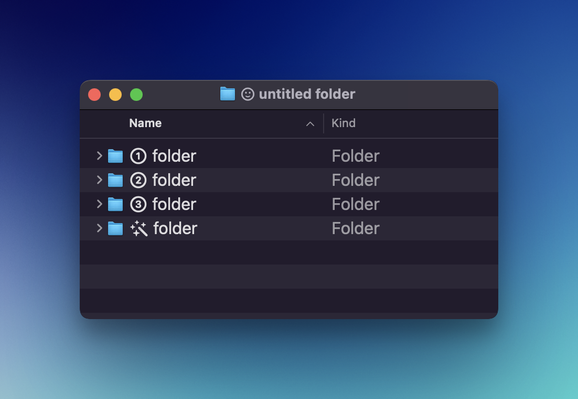
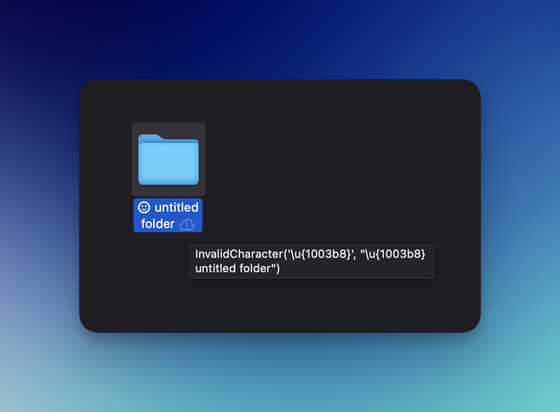
So I discovered that you can use SF Symbols anywhere in macOS where there is an editable text field and now my Safari tab groups are looking fabulous! ✨
@ciscoserrano this me making me want to rethink me work flow. I utilize chrome tan groups but really liking this aesthetically. Now to see if my work stream aka all the apps I use for work will not give me an issue on Safari. Been forever since I tried making it my default work browser. 🤞🏻
@ciscoserrano@uliwitness Great find! Look what I coincidentally discovered while reading about your discovery. You can move @ivory’s *New Post* button around by long-pressing and holding it.
@ciscoserrano the only problem is that they are not shown on iOS devices and there it appears just a square of missing character I wonder why SF Symbol is not used system-wide in iOS
 Francisco Serrano
 Jeroen
 Norbert Heger
 Thomas N (old account)
 Michael Fey
 Ross Kimes
 Jeremiah
 Daniele
 Dane Deasy
 Clemens
 Adrian Nier
 Toni Lampela 🇫🇮🇺🇦
 Kieran Mansfield
 Guillermo Ferrero
 Adam Swinden
 Benjamin
 gregatron5
 Patrick Hill