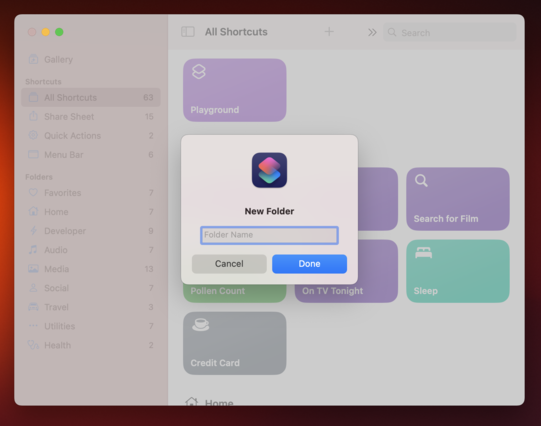
An alert presented in Mac Catalyst vs. an alert presented in a cross-platform SwiftUI app.

Small things like this make me question if it was the right decision to go with Mac Catalyst.
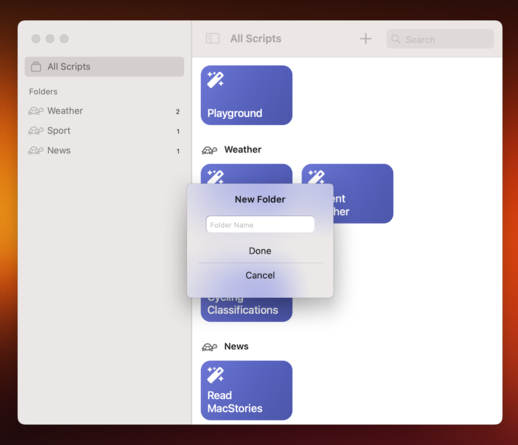
Trying to recreate my UI in a cross-platform SwiftUI app. I've gotten the alert working except:

1. The TextField is a bit small. I can't seem to make it taller.
2. The TextField isn't focused when the alert is presented. This is very annoying. I tried all sorts of combinations of .focused() and can't seem to get it working.
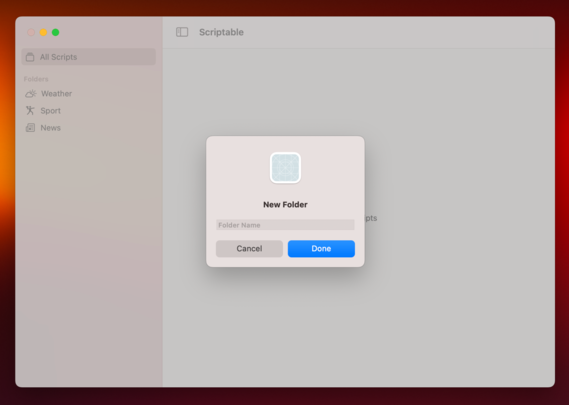
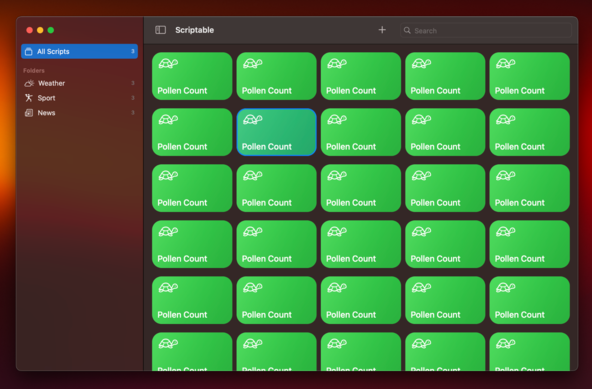
Most of the UI has now been rewritten from Catalyst to cross-platform SwiftUI. It still needs to be hooked up to the data layer which likely requires some rewriting too in order to observe it from SwiftUI. So far I like it but I'm sad to loose my band selection interaction. Will sleep on whether to stick with the Catalyst version or start using this SwiftUI version.
@simonbs I had a similar issue with focusing on a text field that just appeared. If memory serves, focusing it after a delay works (In my case I think 0.5s was the minimum). Alternatively I’ve also used introspect to set it to .becomeFirstResponder(). That was for an iOS app so take it with a pinch of salt.
@Rlfb I also tried a delay. This seems to work for many people in the Internet too but it didn't for me. I think the issue is that the TextField resides in an alert.
@simonbs Catalyst is so weird in certain areas. :/

Have you tried the becomeFirstReponder() function for focusing the text field?
@Viditb This is a cross-platform SwiftUI app so I don't think I can call becomeFirstResponder().
@simonbs Ah! Sorry , for some reason I thought you were working with Catalyst.
@Viditb I also have a version that's using Catalyst but I'm exploring if I should go with a cross-platform SwiftUI codebase instead.
@simonbs @Viditb You could try to use the Introspect library. Not ideal if you want to avoid third party libs but I’ve found it essential to get certain things done…
@simonbs I ran into this too. Ended up using NSAlert instead.
@adam @simonbs Is it possible to add a text field to NSAlert somehow? I don't see it mentioned on https://developer.apple.com/documentation/appkit/nsalert
Apple Developer Documentation

@nighthawk @simonbs Yes, you can set it as the alert’s accessoryView.
@simonbs We were frustrated by limitations/quirks/bugs in both Catalyst and SwiftUI. Settled on Catalyst in the end.
@simonbs It feels like on iOS/Catalyst the SwiftUI workarounds requiring “just wrap UIKit” are decreasing while native SwiftUI on MacOS will require a lot more “just wrap AppKit”, which I am not yet familiar with. Tough choices all around.
@simonbs IIRC the unmodifiable small TextField height is also what you get on Catalyst when building “Optimized for Mac”.
@simonbs That this one still isn't fixed is such an embarrassment. The incredibly slow drip feeding of improvements to Catalyst has been disappointing, and I say this having a showstopper bug blocking me from shipping one of my apps on Catalyst at all. That the App Store and the OS still don't stop you from loading a "Mac" bundle into a "Catalyst" process feels like it says a lot.
@simonbs what the fresh hell is the first one

@simonbs #SwiftUI seems the best option if you wanna do native dev. Unless you’ve got specific need or legacy code, using AppKit is not worth it.

Catalyst is more some transition API to bring iPad apps to Intel Mac no?

@simonbs I don’t want to sound polemic, I swear, but those screenshots anchor me to AppKit 😜
@simonbs I’m specifically talking of the alert UI, and I also have Catalyst apps, so I didn’t mean to sound like an asshole, just making a probably unsuccessful joke, sorry
@simonbs Alternative on the Mac would be to create the folder, add it to the UI, replace its label with a text field and immediately set that to editing. No need for a modal.
@nighthawk Yep. From discussing the issue with others after positing my original post, I’ve come to the same conclusion. I’ve been so dead set on copying Shortcuts’ behavior that I have been blind to better alternatives.