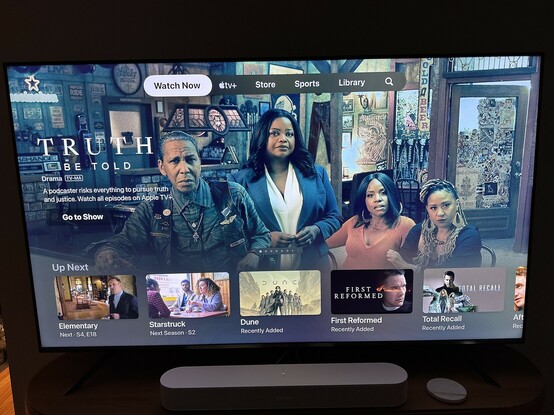
Yuck, I just got the Apple TV update that puts ATV+ continent at the top of the TV app, demoting my actual watchlist below that.

And it auto plays video…with sound…again, yuck.

As far as I can tell, there is no obvious way to turn this off, the best I can do is not open the TV app at all and scroll my queue from the home screen, which is a serious regression IMO 🤮

@birchtree One way to avoid this is to go to Settings > Apps > TV and change the Top Shelf setting to Up Next. Then you can access your Up Next queue on the home screen without opening the TV app at all as long as the TV app is on the top row of apps.

(I also went to Settings > Remotes & Devices and changed the TV Button setting to Home Screen so it takes me home rather than into the TV app.)

@devondundee That technically works, although I much preferred doing this inside the TV app before.

Stupid regression that makes them feel like Netflix, and not in a good way IMO.

@birchtree Yeah, it’s a shame. Definitely a regression in the user experience.