 Lucy Hattersley
 Khalid ⚡
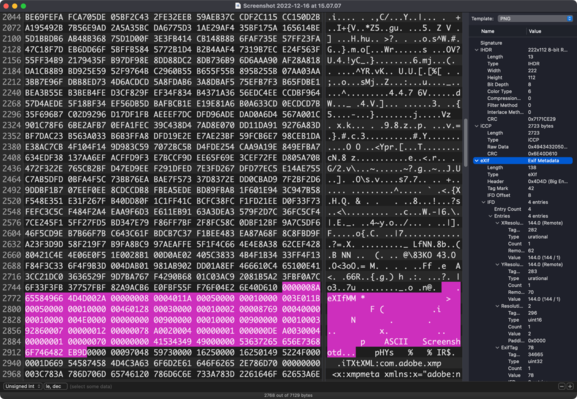
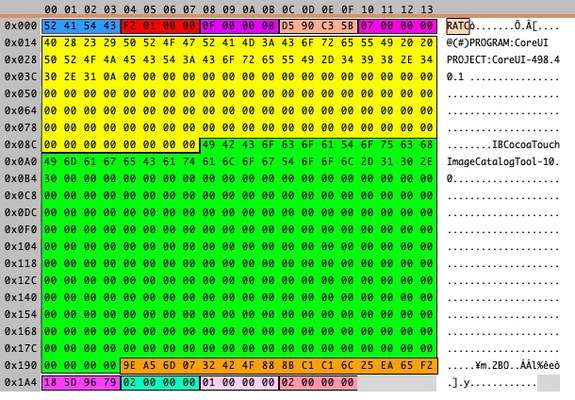
Hex Fiend for #macos is really cool. It comes with "templates" which have already figured out where all the data is in a binary file.
Helps you see offsets and number of bytes. If you're writing a file format parser, then this is really helpful.
@khalidabuhakmeh Wow! I used it as a hex editor for ages. Wasn't aware they'd added templates.
I've been looking for something like that for ages, was this close to trying to write my own.
@uliwitness @khalidabuhakmeh Synalize is the same idea but more powerful: https://mastodon.social/@timac/109527765078258113
(I was trying to play with it ages ago but it’s way above my pay grade)
@uliwitness @chucker @khalidabuhakmeh That's basically what creating a grammar is in Synalyze It!. Not that different from 'TMPL' resources, actually, except with a few more options for things like byte order.
Hex Fiend might actually be the more powerful/flexible of the two, as its counterpart to “grammars” is Tcl scripts. I haven't looked deeply into how to write such scripts, though.
 Uli Kusterer (Not a kitteh)
 Sören
Sören Peter Hosey
 Ellen Teapot 🇨🇦🏳️⚧️
 Dave DeLong
 Alexandre Colucci
 Filip Navara
 Parsingphase
 Pete Schaffner
 Mega “Byte” Matt