I followed @simon's superb tutorial here for GitHub with GitHub pages verification and redirect support (I don't have much of anything on GitHub since retiring and then not retiring)

https://til.simonwillison.net/mastodon/verifying-github-on-mastodon

Worked a treat, needed a tiny edit for it to work, for reasons it wasn't reading the rel=me in the meta tag, but the A in the body worked, this could have been eventual consistency or something, but anyway this did it for a green tick

https://github.com/DrCuff/drcuff.github.io/blob/main/index.html

#github #verify #profile

Verifying your GitHub profile on Mastodon

Mastodon has a really neat way of implementing verification, using the [rel=me microformat](https://microformats.org/wiki/rel-me). You can edit your Mastodon profile and add up to four links to it. M

Also took the time to update my #KeyOxide proof list with a #GitHub proof, and personal #DNS which was a slightly different syntax to achieve:

https://keyoxide.org/[email protected]

The proof is added via a notation trick for OpenPGP and DNS:

https://docs.keyoxide.org/service-providers/github/

https://docs.keyoxide.org/service-providers/dns/

You can then add the appropriate notations to your OpenPGP key:

https://docs.keyoxide.org/openpgp-profiles/using-gnupg/#Adding_an_identity_claim

then finally upload to #OpenPGP with:

https://docs.keyoxide.org/using-cryptography/openpgp-gnupg/#Distributing_via_keys.openpgp.org

KeyOxide pulls that.

#greentick #verified #mastodon

James Cuff - Keyoxide

Modern and secure platform to manage a decentralized identity based on cryptographic keys

I was just stalking Simon's profile and the #GitHub #greencheck thing has fallen off their profile, no green any more at the moment - so that whole <a href ... probably does now need to be there, maybe something changed on the mastodon server for how it parses them - in any case, if you want to do the whole awesome GitHub pages plus redirect thing, then this seems to be working for it at the moment:

https://github.com/DrCuff/drcuff.github.io/blob/main/index.html

Hope this helps.

drcuff.github.io/index.html at main · DrCuff/drcuff.github.io

GitHub website. Contribute to DrCuff/drcuff.github.io development by creating an account on GitHub.

GitHub
Verifying your GitHub profile on Mastodon

Mastodon has a really neat way of implementing verification, using the [rel=me microformat](https://microformats.org/wiki/rel-me). You can edit your Mastodon profile and add up to four links to it. M

@AlanSill

Yes of course the webpage is still there, it's the green tick on the mastodon profile that isn't

@AlanSill

And now it's back on @simon's profile again... harm - weird, some kinda strange eventual consistency thing going on here.... probably my little raspberry pi server being slow. Weird. Well in any case, it's all working now!

Also - as an aside, this I just discovered is also epic!

https://simonwillison.net/2020/Jul/10/self-updating-profile-readme/

/cc @vsoch our global resident #github guru.

Building a self-updating profile README for GitHub

GitHub quietly released a new feature at some point in the past few days: profile READMEs. Create a repository with the same name as your GitHub account (in my case …

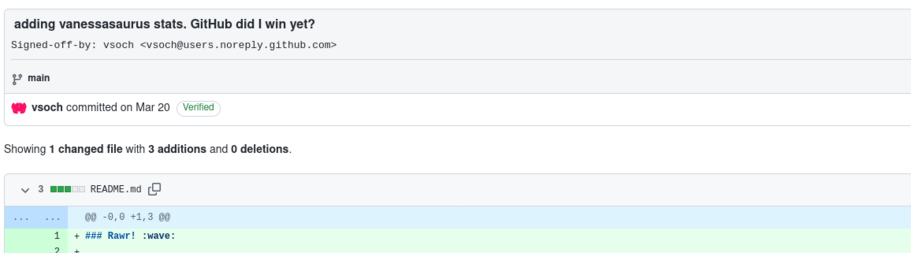
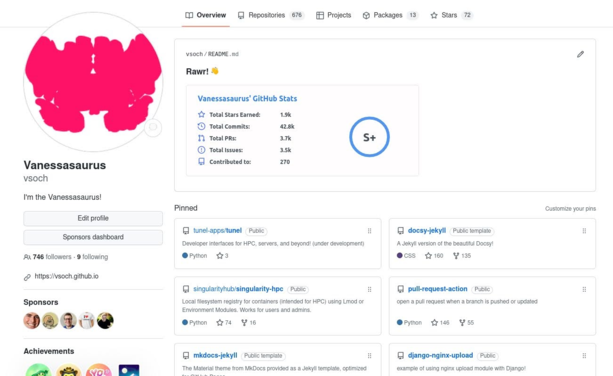
@james @AlanSill @simon looks good! I was not wanting to use the README feature for a long time because I thought it took away from the core focus of GitHub, the projects. However, 8-9 months ago I decided on a nice compromise - some some quick stats to showcase my activity!

Did I win GitHub yet? 😆

@vsoch @AlanSill @simon

You won GitHub years ago!