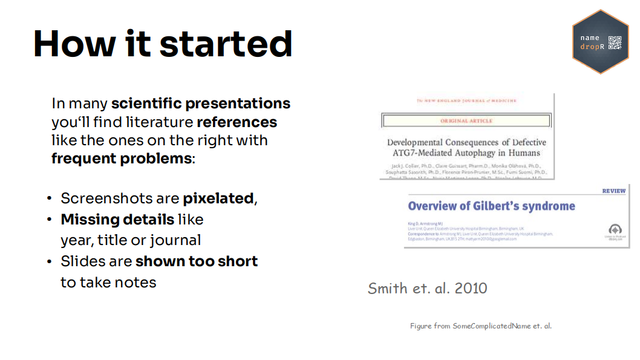
Citations in scientific presentations should be readable and easy to follow for the audience even at the back of the room.

I wrote the tiny #rstats package {namedropR} to make this easy to achieve for speakers.

A quick 'How to' is in the thread below.
#scicomm #academia #academicchatter

When you prepare a talk / conference poster and want to point the audience to your (or others') papers, you should make it easy to follow the reference from the back of the room.

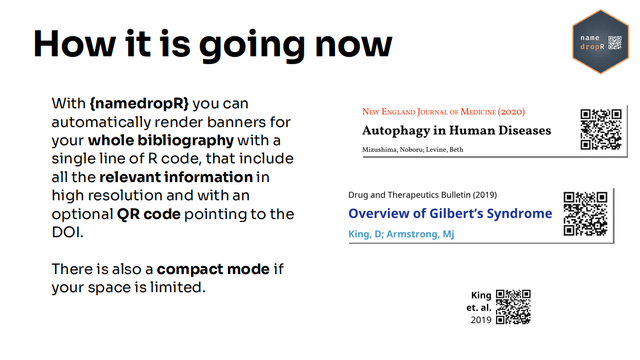
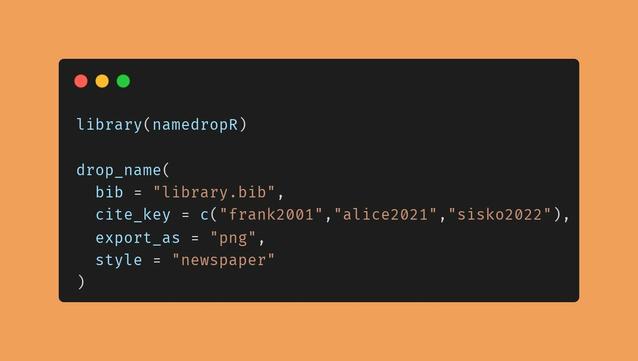
With a single line of R code you can render readable references w/ qr code for your whole library.

You can either render one, some or all of your references and drag/drop them on your slides on demand.
When you use e.g. #xaringan (or any other Rmd) or
@[email protected]
for presentations, you can render the citations from within code snippets, either as images to be included, or as HTML that follows your presentations style sheet.

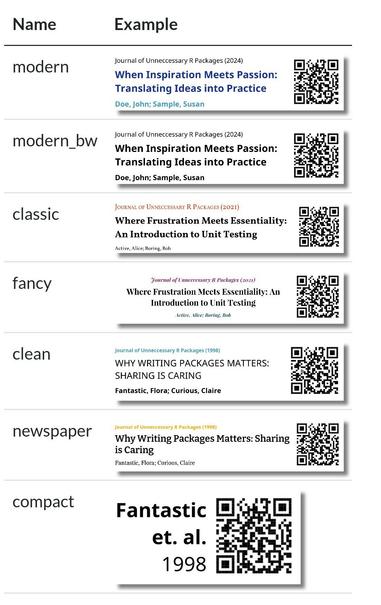
There are predefined styles to chose from (see examples below).

v2.3.3 makes custom styling easier via function arguments. You can override custom style elements such as font, weight, size and color with arguments passed to the main function.

Since v2.4.1 you can even pass DOIs as arguments. The references' metadata is then automatically retrieved at Crossref via the {rcrossref} package.

Also, the QR-code in HTML output is itself a clickable URL to the referenced paper. (note: there seems to be an issue here in quarto-documents, working on it).

Check out the vignette / documentation here:
https://nucleic-acid.github.io/namedropR/

Give feedback / report issues here:
https://github.com/nucleic-acid/namedropR/issues

#rstats @rstats #citation #academicchatter #academia

Create Visual Citations for Presentations and Posters

Provides visual citations containing the metadata of a scientific paper and a QR code. A visual citation is a banner containing title, authors, journal and year of a publication. This package can create such banners based on BibTeX and BibLaTeX references or call the reference metadata from Crossref-API. The banners include a QR code pointing to the DOI. The resulting HTML object or PNG image can be included in a presentation to point the audience to good resources for further reading. Styling is possible via predefined designs or via custom CSS. This package is not intended as replacement for proper reference manager packages, but a tool to enrich scientific presentation slides and conference posters.

@basepair @rstats How hard would it be to translate to python? If you think it is feasible, I wouldn’t mind doing it (you create the repository and I fill it)

@brugalada @rstats

I think it would not be hard at all. The logic is not very complicated. The hardest part (for me) would be to find fitting other modules to build upon, such as to handle bibtex files, rendering HTML and taking screenshots of that, etc., since I'm not as familiar with the python ecosystem as I am with R.

If you are interested, feel free to contribute to https://github.com/nucleic-acid/namedroppy , which I just created :)

Also tagging @M here, who was interested in this as well.

GitHub - nucleic-acid/namedroppy

Contribute to nucleic-acid/namedroppy development by creating an account on GitHub.

GitHub

@brugalada @rstats @M

Having said all that: if you think there is a better way to achieve the output within python, other ways to compose the components and render this as PNG output, then I'm open for suggestions.

The way through HTML was the best way, I could think of in R, but in python there might be better ways to achieve the same?

Also, I can add work on the project as well, I just don't know how to start from scratch in python to get a pypi package done.

@brugalada @rstats @M

also tagging @alienghic: just like you said, there are people willing to port it