Speed up your Xcode test runs! This Tuist video shows how to run tests selectively with xcodebuild and Tuist, ensuring consistent results across environments. Short, practical, and perfect for iOS devs who want faster CI and local feedback. Level up your workflow! #Xcode #iOSDev #Testing #Tuist #xcodebuild #CI #Swift #English
https://videos.tuist.dev/videos/watch/07066c4c-4e58-4058-9c2d-c65b1dc5c574
Run tests selectively in your Xcode projects

PeerTube

Anyone else getting this? Seems to be a bug?

#xcode26 #xcodebuild #iOSDev

Ha ha ha ha! OK Xcode, lovely joke.

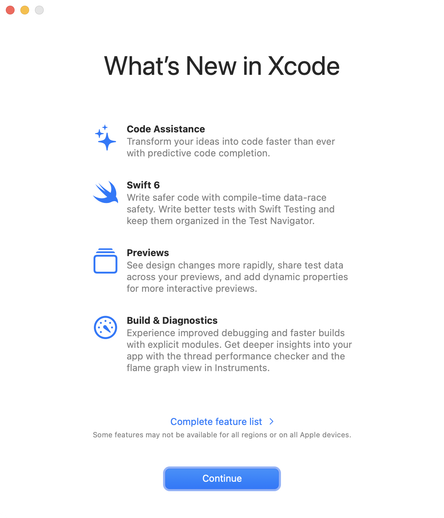
- Faster builds? Sure…

- Faster previews? Mmmkay…

- Code assistance? Uhuh… yeah.

Swift 6: 💯👌🏾, probably the only thing to look forward to.

But, let’s give it a try and find out!

#Xcode #SwiftLang #iOSDev #Xcodebuild

MacStadium: Cloud-MacMinis jetzt mit M4 und M4 Pro verfügbar
Der Cloud-Computing-Anbieter MacStadium erweitert sein Angebot um die neuesten Mac mini Modelle mit M4 und M4 Pro. Entwickler:innen und Unternehmen, die auf die Rechenleistung und Effizienz der neuen Apple Silicon Chips setzen, k
https://www.apfeltalk.de/magazin/news/macstadium-cloud-macminis-jetzt-mit-m4-und-m4-pro-verfuegbar/
#Mac #News #AppleSilicon #CloudComputing #M4Pro #MacMiniM4 #macOSEntwicklung #MacStadium #XcodeBuild
MacStadium: Cloud-MacMinis jetzt mit M4 und M4 Pro verfügbar

Der Cloud-Computing-Anbieter MacStadium erweitert sein Angebot um die neuesten Mac mini Modelle mit M4 und M4 Pro. Entwickler:innen und Unternehmen, die auf die Rechenleistung und Effizienz der neuen Apple Silicon Chips setzen, können diese Geräte jetzt mieten.

Apfeltalk Magazin

I had forgotten about apple's weird thing about developer tools. I was working in nvim and I kept getting warnings about #xcodebuild. When I exited, I found that git wasn't working and I needed to log in as root and use `sudo xcodebuild -license` to get back my #git.

I did that and then found that my commits couldn't be signed by my #gpg key and I had to temporarily move my `~/.gnupg/gpg-agent.conf`, run `gpgconf --kill gpgagent`, run `gpg --clearsign <<< "hello"` and re-enter my passphrase.

#xcodebuild taunts me with this warning. they are identical. Identical! I hoped fastlane scan or xcbeautify would parse this out, but the raw xcodebuild command is still throwing it, so, that'd be a band-aid at best.

```
--- xcodebuild: WARNING: Using the first of multiple matching destinations:
{ platform:iOS Simulator, id:[…], OS:17.5, name:iPhone 15 Pro }
```

Как я делаю build больших Android/iOS проектов со 128 GB памяти на старом Mac

Наверняка вы не раз сталкивались с проблемой нехватки памяти на вашем ПК при билде проектов? Недавно мне стало не хватать основной памяти на диске, где установлена система MacOS. Решением проблемы послужило приобретение внешнего SSD диска. Как же настроить работу билдов Android и iOS на внешнем диске и перенести все проекты и приложения? Об этом и пойдет речь в этой статье. Приятного чтения!

https://habr.com/ru/articles/816417/

#внешний_диск #gradle #кэш #kmp #xcodebuild #android_studio

Как я делаю build больших Android/iOS проектов со 128 GB памяти на старом Mac

Как я делаю build больших Android/iOS проектов со 128 GB памяти на старом Mac ✦ Introduction Всем привет! Наверняка вы не раз сталкивались с проблемой нехватки памяти на вашем ПК при билде проектов?...

Хабр
I think Apple should include a section called "Newly Introduced Issues & Crashes" in Xcode’s release notes. This is getting ridiculous.
As of version 15.4, xcodebuild now crashes systematically with a segfault when exporting a previously built archive from the command line. FB13797668 🤬 #apple #xcode #macos #development #xcodebuild
Turns out, this is not an actual build failure. The build output is `fatal error: module …` but it actually recovers from this. `xcodebuild.nvim` parses the build output and looks for errors, and if so marks the build as failing. The rootcause of the error seems to be an import of the same module at multiple paths. #vim #ios #xcode #xcodebuild
Pretty big hurdle found, xcodebuild for some reason returns `module <xxx> in AST file <derived_data/ModuleCache….> is not defined in any loaded module map`. Rebuilding solves it, but you get this again after every change which is a deal breaker. Something with my projects setup? #vim #ios #xcode #xcodebuild