 Amanda Hogan
Just catching up on the #replit #TutorialJam and holy fricken heck knuckles I came second!!!
I won actual cash! I'm so chuffed ☺️ #FlappyBrickForever #pygamezero @pygame
I won actual cash! I'm so chuffed ☺️ #FlappyBrickForever #pygamezero @pygame
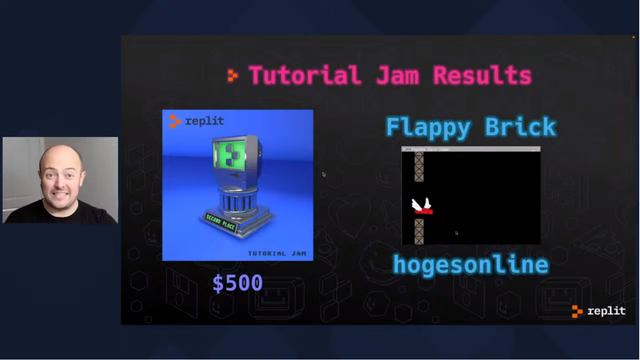
Something good happened! 31 people made #TutorialJam games. There are some brand new games and even more game developers in the world now. Hooray!
Play their games!
A nice thing about finishing a game for #TutorialJam is that it means I've cleared the "set up my itch.io for uploading games" hassle hurdle. Now I can make games for the future.
Also, I discovered (was reminded?) that I really enjoy filling in the metadata. 😄
My #TutorialJam game is FINISHED!
Play/Download here: https://cpttobi.itch.io/polished-paddle
Music by Gruber of grubermusic.com!
Packbat's #TutorialJam finished! https://packbat.itch.io/recolored-platforms
(Well, sort of finished. It has a weird bug that I would like to have fixed, but I don't understand well enough to know how to. Still plays, just ... part of the game mechanics don't function.)
Jam page is https://itch.io/jam/tutorial-jam if you want to check out the other games. 😄
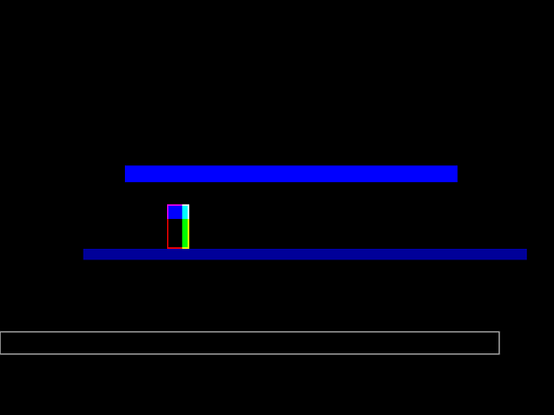
Instead of sleeping in, I worked on my #TutorialJam game some more 😓
It's more interesting and challenging!
In other words: The ball has a random vector and it speeds up!
Also, new UI!
My results for Day 1 of the #TutorialJam (I probably spent <4 hours on this, because of reasons)
https://f.d9.lv/day1.html
Based on the squashy tutorial from this zine: https://sectordub.itch.io/pico-8-fanzine-1
- Finished Part 1.
- Tried to clean up a couple bugs in Part 1.
- Discovered new, strange, and infelicitous behavior in Part 1.
- ...I think I am going to follow the example of another person in #TutorialJam and focus on making the very minimal mechanics of the tutorial actually *feel right* before I focus on building a game out of it.
- (although I have an idea for how to build a game out of it...)
- But first I'm going to go through Part 2 first, because organization is nice and I would not mind this having some more of that.
- picked a LÖVE tutorial ( http://osmstudios.com/tutorials/love2d-platformer-tutorial-part-1-the-basics ) based on a recommendation in the #TutorialJam Discord channel
- Downloaded and installed LÖVE
- Discovered what I probably should have known already: the LÖVE executable is the thing that *plays* the game, and the game itself is plaintext .lua files and assets and stuff in a folder
- Per advice on the wiki, set up Notepad++ with a keyboard shortcut to open the game in LÖVE directly from the editor window
- Started copy+pasting the tutorial code from the tutorial
- Reconsidered, started copy+pasting the comments only and retyping the code by hand to make the process more conscious and deliberate
- Made it through the black triangle moment (which, in this case, was a green rectangle) and onwards to installing the first library that this tutorial recommends.
Glancing ahead, I'm mostly done with Part 1 of this, and at that point I will have a minimal viable product. Part 2 is about reorganizing the code within that project to make more sense and be easier to expand on, which seems like what I want; Part 3 is about adding a bunch of assets, which I don't care about. So I'll probably aim to get parts 1 and 2 done next session and branch off in my own direction after that.
(...it's normal to immediately have an innumerable swarm of overambitious game ideas, right?)
I have realized that, in addition to "Save" and "Save As...", I really want "Save and Move...".
That is: "open the directory select dialogue box and allow it to select a new directory and filename, then move the unsaved file to that new location and filename before saving changes to it".
Signed, a #tutorialJam participant who only just created zir "game dev" folder and did not realize until now that project files should be in a subfolder.
 Mike T 🌈🔫🕺⚔
 packbats in existence
 Kirby
Kirby 