 Sandip Bhattacharya ☮️
I love #tinypilot, but their new AI API comes with a subscription plan. I don't get it, it is not a SaaS product. It is an on device api service. What justifies an ongoing subscription? And all this over something which can anyways be automated by playwright?
 wav3
wav3
 Csepp 🌢
If you have weird requirements for networking and controlling a machine remotely without installing anything on it, #NanoKVM is pretty fucking cool. Got mine recently and while the interface is not as nice as something like #Remmina (for example it can't capture all keyboard input in Firefox, and the video codec is not optimized for this purpose) it fits my weird little niche very well.
I was originally going to buy a #TinyPilot or a #PiKVM, but this was much cheaper, plus it draws way less power, since it's not a full #RaspberryPi. (Also I did not want to give more money to the Raspberry Pi Foundation.)
We'll see how it holds up in a few months, but so far it's been more reliable than the alternatives I've tried. (But again, I have a very weird networking setup that I can't really discuss.)
I was originally going to buy a #TinyPilot or a #PiKVM, but this was much cheaper, plus it draws way less power, since it's not a full #RaspberryPi. (Also I did not want to give more money to the Raspberry Pi Foundation.)
We'll see how it holds up in a few months, but so far it's been more reliable than the alternatives I've tried. (But again, I have a very weird networking setup that I can't really discuss.)
 bon3s🥕
Nothing says the holidays like finding an exposed TinyPilot, not using credentials, from a recently hired contractor.
#incidentresponse #tinypilot #pikvm
#incidentresponse #tinypilot #pikvm
 yelinaung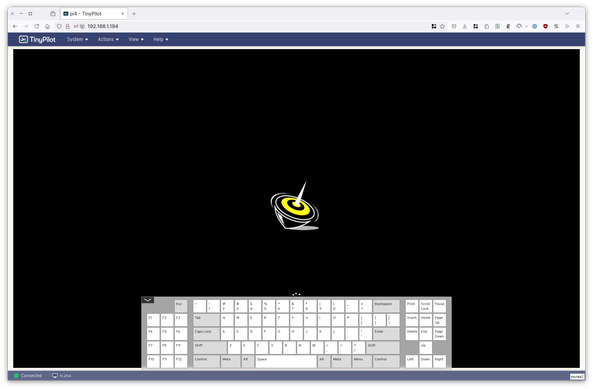
 mav
mav 
Knew there was a newer Pi KVM thing than #PiKVM so I went looking and found #TinyPilot - they specifically have a marketing page for convincing people that their product is superior (marketing, after all) and one of the PiKVM features they use to describe its setup difficulty is one that the TinyPilot DOES NOT HAVE. (power control)
Ripping on an open source project over a nontrivial feature that they implemented but you didn't is a good way to get me to never even consider your products for any reason.
 m23hauke
TinyPilot: Fernwartungslösung im Kleinformat
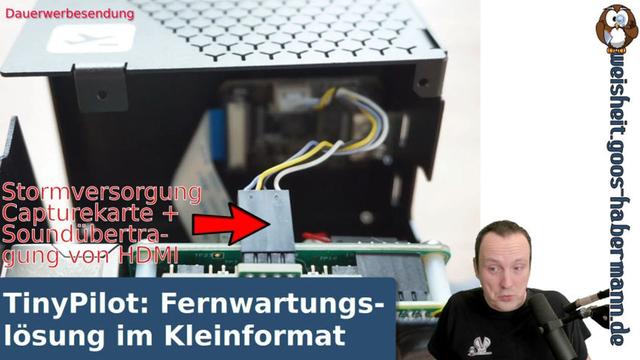
TinyPilot: Fernwartungslösung im Kleinformat
 Danie
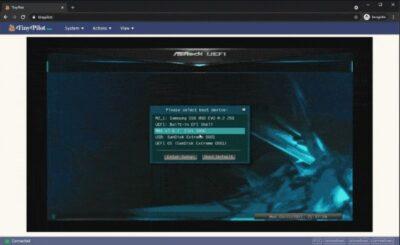
DanieTinyPilot is open source software to allow you control a remote computer giving you a virtual console during BIOS and boot
TinyPilot It is basically a hardware device (buy theirs or build your own with a Raspberry Pi 4 or above), that is connected to the remote device’s HDMI/DVI/VGA/USB so that you have a working keyboard and […]
 Danie van der Merwe
It is basically a hardware device (buy theirs or build your own with a Raspberry Pi 4 or above), that is connected to the remote device's HDMI/DVI/VGA/USB so that you have a working keyboard and mouse, and can see the actual display output. It therefore requires no software or drivers at all on the remote device that you want to manage.
I have a use case for this with my CCTV device where nearly everything can be down through it's web interface remotely, except that I cannot actually shut it down, nor can I update camera firmware remotely. TinyPilot allows me to do this.
One thing to note though is the open source version does not remotely mount media such as a USB stick. You'd have to have the USB stick stuck into the remote device, allowing you still though to flash that USB stick, or work with other files remotely downloaded.
See GitHub - tiny-pilot/tinypilot: Use your Raspberry Pi as a browser-based KVM.
#technology #remotemanagement #opensource #tinypilot
Use your Raspberry Pi as a browser-based KVM. Contribute to tiny-pilot/tinypilot development by creating an account on GitHub.
I have a use case for this with my CCTV device where nearly everything can be down through it's web interface remotely, except that I cannot actually shut it down, nor can I update camera firmware remotely. TinyPilot allows me to do this.
One thing to note though is the open source version does not remotely mount media such as a USB stick. You'd have to have the USB stick stuck into the remote device, allowing you still though to flash that USB stick, or work with other files remotely downloaded.
See GitHub - tiny-pilot/tinypilot: Use your Raspberry Pi as a browser-based KVM.
#technology #remotemanagement #opensource #tinypilot
Use your Raspberry Pi as a browser-based KVM. Contribute to tiny-pilot/tinypilot development by creating an account on GitHub.


 Michael Lynch
I've been a longtime fan of @geerlingguy's work on Ansible and his experiments with Raspberry Pi. I was thrilled yesterday when he published a video demonstrating the TinyPilot Voyager, and he said many kind things about it.
---
RT @geerlingguy
Control ANY computer with these Raspberry Pi KVMs: https://www.youtube.com/watch?v=TIrkEr2AeDY #TinyPilot #PiKVM
https://twitter.com/geerlingguy/status/1440677433884041220
---
RT @geerlingguy
Control ANY computer with these Raspberry Pi KVMs: https://www.youtube.com/watch?v=TIrkEr2AeDY #TinyPilot #PiKVM
https://twitter.com/geerlingguy/status/1440677433884041220
