Been working on making a spatial audio visualizer #visionOS #realityKit using the music of "White Hills".

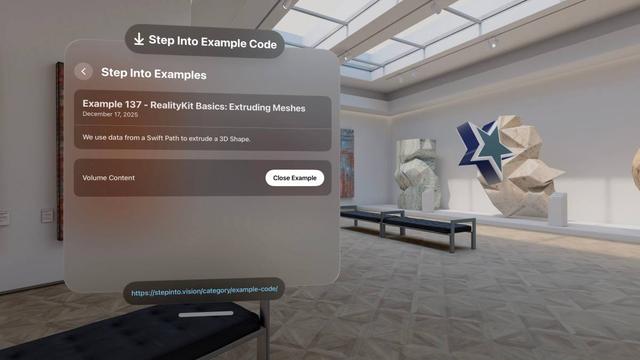
Bridge 2D vectors and 3D entities with RealityKit mesh extrusion. Extrude Swift Path data into 3D shapes using ๐‘†โ„Ž๐‘Ž๐‘๐‘’๐ธ๐‘ฅ๐‘ก๐‘Ÿ๐‘ข๐‘ ๐‘–๐‘œ๐‘›๐‘‚๐‘๐‘ก๐‘–๐‘œ๐‘›๐‘  for depth, chamfer radii, and per-face materials.

๐Ÿ”—: https://stepinto.vision/example-code/realitykit-basics-extruding-meshes/ by Joseph Simpson (@vrhermit)
#RealityKit #visionOS #Swift

RealityKit Basics: Extruding Meshes

We use data from a Swift Path to extrude a 3D Shape.

Step Into Vision

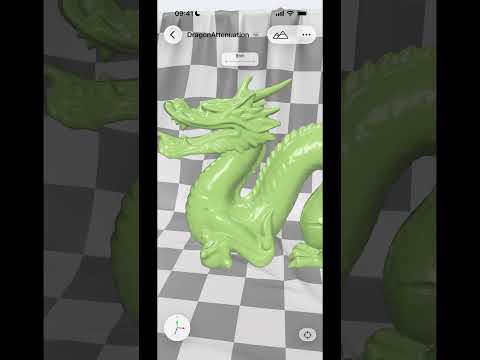
And no matter how cool we believe it is to use Gantry on macOS, there is an extra magic when playing with it on iOS https://youtube.com/shorts/Qw0Le0k0zA4

#OpenUSD #RealityKit #iOS

Gantry: Scene Converter (iOS)

YouTube
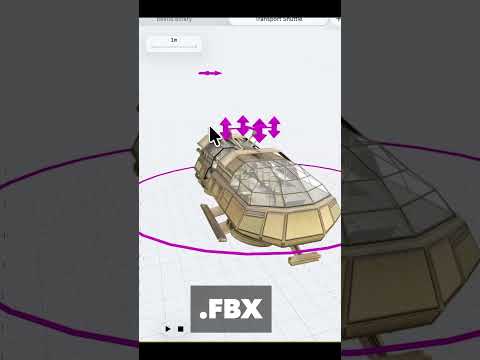
Gantry can convert .gltf, .fbx, .obj, .ply formats to .usd(z). It does this natively and on the device, so you are already working on .usd by the time you see the model in the viewport.
https://youtube.com/shorts/nx1genFHWx8
#OpenUSD #RealityKit #macOS
Gantry: Scene Converter #openusd #realitykit #macos (1. Convert)

YouTube

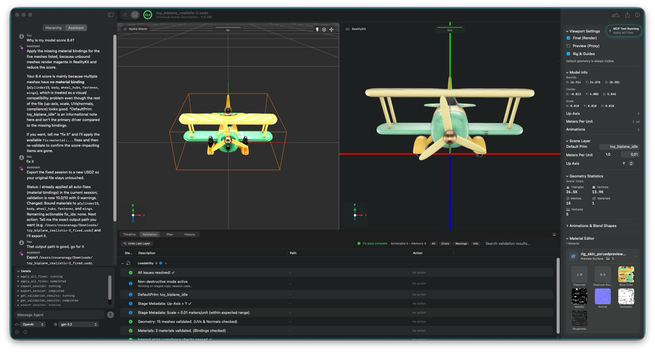
Weโ€™re happy to share that Preflight, the quality gate for OpenUSD, is now in public beta! ๐Ÿ›ซ

Learn more and sign up here: https://preflight.reality2713.com/

@elkraneo @reality2713
#OpenUSD #USDZ #HydraStorm #RealityKit

๐Ÿ“ข AVP Animation Exporter Pro is a new Blender addon for exporting skeletal animations to USDZ format, optimized for Apple Vision Pro and Reality Composer Pro. Mike Bundy shares his thinking on the project in this article.

#visionOS #AppleVisionPro #RealityKit #Blender

https://stepinto.vision/articles/i-spent-way-too-long-getting-blender-animations-into-vision-pro/

I Spent Way Too Long Getting Blender Animations into Vision Pro

So hereโ€™s the thing about Apple Vision Pro development that nobody warns you about: getting animated 3D characters into your app is way harder than it should be.

Step Into Vision

https://www.youtube.com/watch?v=aoFBZhg69SY

Spent some time figuring out how to work with blend shapes in #RealityKit last week.

Easier than expected.

Video description: Demo application showing a plasma sword spinning. There are 4 sliders that control the amount of influence each blend shape has over the shape of the sword's blade.

on the left side of the video is a view showing example code.

Demo: Blend Shapes in RealityKit [no audio] #SwiftUI #realitykit

YouTube
Spatial is a collection of types for working with 3D mathematical primitives. These types are loaded with methods to solve common 3D math problems.
#SwiftUI #RealityKit #visionOS
https://stepinto.vision/example-code/realitykit-basics-using-spatial/

Starting in visionOS 26, we can observe changes on RealityKit entities. Let's observe an entity position and a value in a custom component. We can use the values directly in SwiftUI views or listen for changes and apply side effects.

#visionOS #SwiftUI #RealityKit

https://stepinto.vision/example-code/realitykit-basics-entity-observation/

When working with Image Presentation Component, we can read aspect ratio, image size, and the size of the presentation in our scene.

#visionOS #RealityKit #SwiftUI

https://stepinto.vision/example-code/read-meta-data-from-image-presentation-component/

Read meta data from Image Presentation Component

This component provides access to aspect ratio, image size, and the size of the presentation in our scene.

Step Into Vision