 elkraneo
And no matter how cool we believe it is to use Gantry on macOS, there is an extra magic when playing with it on iOS https://youtube.com/shorts/Qw0Le0k0zA4
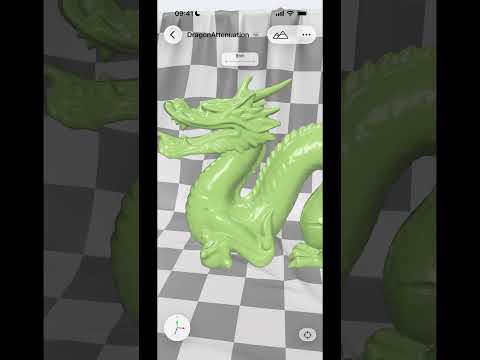
And no matter how cool we believe it is to use Gantry on macOS, there is an extra magic when playing with it on iOS https://youtube.com/shorts/Qw0Le0k0zA4
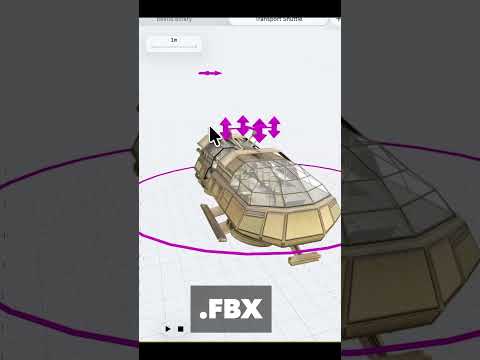
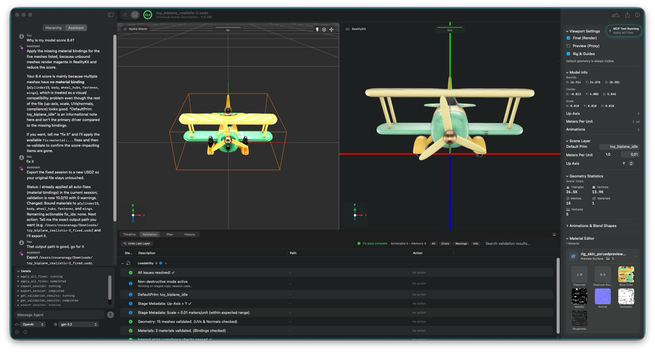
We’re happy to share that Preflight, the quality gate for OpenUSD, is now in public beta! 🛫
Learn more and sign up here: https://preflight.reality2713.com/
@elkraneo @reality2713
#OpenUSD #USDZ #HydraStorm #RealityKit
[MyMallow - RealityKit으로 구현한 3D 캐릭터 감정 일기
MyMallow는 사용자가 자신의 감정을 3D 캐릭터로 의인화하고 꾸밀 수 있는 iOS 앱으로, RealityKit을 활용해 사용자 참여형 3D 콘텐츠 생산에 초점을 맞추었습니다. 주요 기능으로는 커스텀 텍스처, 모션 캡처, 자율 행동 NPC 등이 있으며, RealityKit과 ARKit, GameplayKit 등을 활용해 몰입감 있는 3D 공간을 구현했습니다.
📢 AVP Animation Exporter Pro is a new Blender addon for exporting skeletal animations to USDZ format, optimized for Apple Vision Pro and Reality Composer Pro. Mike Bundy shares his thinking on the project in this article.
#visionOS #AppleVisionPro #RealityKit #Blender
https://stepinto.vision/articles/i-spent-way-too-long-getting-blender-animations-into-vision-pro/
https://www.youtube.com/watch?v=aoFBZhg69SY
Spent some time figuring out how to work with blend shapes in #RealityKit last week.
Easier than expected.
Video description: Demo application showing a plasma sword spinning. There are 4 sliders that control the amount of influence each blend shape has over the shape of the sword's blade.
on the left side of the video is a view showing example code.

Starting in visionOS 26, we can observe changes on RealityKit entities. Let's observe an entity position and a value in a custom component. We can use the values directly in SwiftUI views or listen for changes and apply side effects.
#visionOS #SwiftUI #RealityKit
https://stepinto.vision/example-code/realitykit-basics-entity-observation/
When working with Image Presentation Component, we can read aspect ratio, image size, and the size of the presentation in our scene.
#visionOS #RealityKit #SwiftUI
https://stepinto.vision/example-code/read-meta-data-from-image-presentation-component/
We can pre or post-generate Spatial Scenes with Image Presentation Component. Take a look at the difference between these two approaches.
#visionOS #RealityKit #SwiftUI
https://stepinto.vision/example-code/explore-spatial-scenes-with-image-presentation-component/
 Roxana Nagy
 sayzard
 Joseph Simpson
 Andrew Edwards