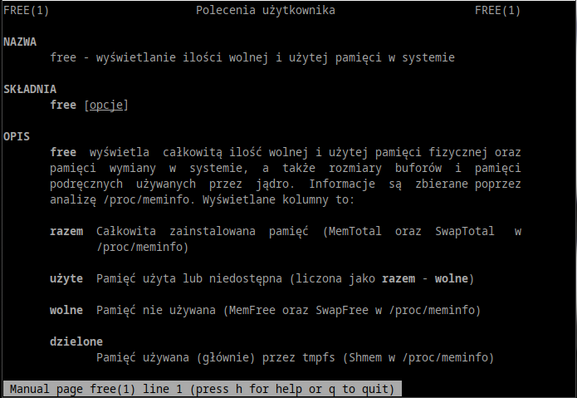
Pretty much everyone who has spent some time on a command line in Linux would have looked at the free command. This command provides some overall statistics on the memory and how it is used. Typical output looks something like this:
total used free shared buff/cache available
Mem: 32717924 3101156 26950016 143608 2666752 29011928
Swap: 1000444 0 1000444
Memory sits in the first row after the headers then we have the swap statistics. Most of the numbers are directly fetched from the procfs file /proc/meminfo which are scaled and presented to the user. A good example of a “simple” stat is total, which is just the MemTotal row located in that file. For the rest of this post, I’ll make the rows from /proc/meminfo have an amber background.
What is Free, and what is Used?
While you could say that the free value is also merely the MemFree row, this is where Linux memory statistics start to get odd. While that value is indeed what is found for MemFree and not a calculated field, it can be misleading.
Most people would assume that Free means free to use, with the implication that only this amount of memory is free to use and nothing more. That would also mean the used value is really used by something and nothing else can use it.
In the early days of free and Linux statistics in general that was how it looked. Used is a calculated field (there is no MemUsed row) and was, initially, Total - Free.
The problem was, Used also included Buffers and Cached values. This meant that it looked like Linux was using a lot of memory for… something. If you read old messages before 2002 that are talking about excessive memory use, they quite likely are looking at the values printed by free.
The thing was, under memory pressure the kernel could release Buffers and Cached for use. Not all of the storage but some of it so it wasn’t all used. To counter this, free showed a row between Memory and Swap with Used having Buffers and Cached removed and Free having the same values added:
total used free shared buffers cached
Mem: 32717924 6063648 26654276 0 313552 2234436
-/+ buffers/cache: 3515660 29202264
Swap: 1000444 0 1000444
You might notice that this older version of free from around 2001 shows buffers and cached separately and there’s no available column (we’ll get to Available later.) Shared appears as zero because the old row was labelled MemShared and not Shmem which was changed in Linux 2.6 and I’m running a system way past that version.
It’s not ideal, you can say that the amount of free memory is something above 26654276 and below 29202264 KiB but nothing more accurate. buffers and cached are almost never all-used or all-unused so the real figure is not either of those numbers but something in-between.
Cached, just not for Caches
That appeared to be an uneasy truce within the Linux memory statistics world for a while. By 2014 we realised that there was a problem with Cached. This field used to have the memory used for a cache for files read from storage. While this value still has that component, it was also being used for tmpfs storage and the use of tmpfs went from an interesting idea to being everywhere. Cheaper memory meant larger tmpfs partitions went from a luxury to something everyone was doing.
The problem is with large files put into a tmpfs partition the Free would decrease, but so would Cached meaning the free column in the -/+ row would not change much and understate the impact of files in tmpfs.
Lucky enough in Linux 2.6.32 the developers added a Shmem row which was the amount of memory used for shmem and tmpfs. Subtracting that value from Cached gave you the “real” cached value which we call main_cache and very briefly this is what the cached value would show in free.
However, this caused further problems because not all Shem can be reclaimed and reused and probably swapped one set of problematic values for another. It did however prompt the Linux kernel community to have a look at the problem.
Enter Available
There was increasing awareness of the issues with working out how much memory a system has free within the kernel community. It wasn’t just the output of free or the percentage values in top, but load balancer or workload placing systems would have their own view of this value. As memory management and use within the Linux kernel evolved, what was or wasn’t free changed and all the userland programs were expected somehow to keep up.
The kernel developers realised the best place to get an estimate of the memory not used was in the kernel and they created a new memory statistic called Available. That way if how the memory is used or set to be unreclaimable they could change it and userland programs would go along with it.
procps has a fallback for this value and it’s a pretty complicated setup.
Find the min_free_kybtes setting in sysfs which is the minimum amount of free memory the kernel will handleAdd a 25% to this value (e.g. if it was 4000 make it 5000), this is the low watermarkTo find available, start with MemFree and subtract the low watermarkIf half of both Inactive(file) and Active(file) values are greater than the low watermark, add that half value otherwise add the sum of the values minus the low watermarkIf half of Slab Claimable is greater than the low watermark, add that half value otherwise add Slab Claimable minus the low watermarkIf what you get is less than zero, make available zeroOr, just look at Available in /proc/meminfoFor the free program, we added the Available value and the +/- line was removed. The main_cache value was Cached + Slab while Used was calculated as Total - Free - main_cache - Buffers. This was very close to what the Used column in the +/- line used to show.
What’s on the Slab?
The next issue that came across was the use of slabs. At this point, main_cache was Cached + Slab, but Slab consists of reclaimable and unreclaimable components. One part of Slab can be used elsewhere if needed and the other cannot but the procps tools treated them the same. The Used calculation should not subtract SUnreclaim from the Total because it is actually being used.
So in 2015 main_cache was changed to be Cached + SReclaimable. This meant that Used memory was calculated as Total - Free - Cached - SReclaimable - Buffers.
Revenge of tmpfs and the return of Available
The tmpfs impacting Cached was still an issue. If you added a 10MB file into a tmpfs partition, then Free would reduce by 10MB and Cached would increase by 10MB meaning Used stayed unchanged even though 10MB had gone somewhere.
It was time to retire the complex calculation of Used. For procps 4.0.1 onwards, Used now means “not available”. We take the Total memory and subtract the Available memory. This is not a perfect setup but it is probably going to be the best one we have and testing is giving us much more sensible results. It’s also easier for people to understand (take the total value you see in free, then subtract the available value).
What does that mean for main_cache which is part of the buff/cache value you see? As this value is no longer in the used memory calculation, it is less important. Should it also be reverted to simply Cached without the reclaimable Slabs?
The calculated fields
In summary, what this means for the calculated fields in procps at least is:
- Used:
Total - Available, unless Available is not present then it’s Total – Free - Cached:
Cached + Reclaimable Slabs - Swap/Low/HighUsed: Corresponding
Total - Free (no change here)
Almost everything else, with the exception of some bounds checking, is what you get out of /proc/meminfo which is straight from the kernel.
Share this:
#linux #procps
https://dropbear.xyz/2022/07/19/linux-memory-statistics/
 Programmer 832-529 🍅
 gary
gary Neustradamus :xmpp: :linux:
 Linuxiarze

 dropbear