What's your go-to method for organizing your notes? Do you prefer the structured Cornell Method, colorful mind maps, or something entirely different? Share your favorite technique with us!

#omnicanvasnotes #notesharing #digitalworkspace #canvaslayout #organizationtips #productivityhacks
During a recent brainstorming session, we used a mind map to organize our ideas. Watching the connections form was enlightening, and it helped us uncover insights we hadn't considered before. It was a perfect example of how visual thinking can elevate our work.

#omnicanvasnotes #mindmapping #visualthinking #notesharing #brainstorming

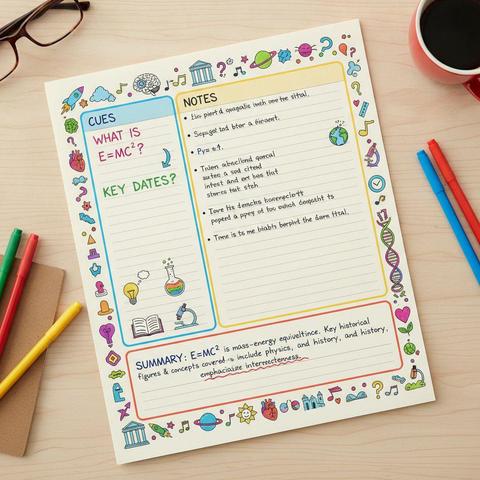
I once took a lecture using the Cornell Method and was amazed at how well I retained the information. After summarizing my notes, I realized I understood the material much better than with my previous methods. It changed my study game forever!

#omnicanvasnotes #notesharing #cornellmethod #studyhacks #digitalworkspace

Did you know that your biological brain excels at generating ideas but struggles with retaining them? Building a "second brain" – a digital system for capturing, organizing, and retrieving information – can solve this problem. Spatial notes, where connections are visible on a canvas rather than hidden in folders, are perfect for this purpose. This approach lets you see the relationships between your notes and stumble upon new ideas when they come together. #omnicanvasnotes #notesharing 1/2

To maximize your note-taking efficiency, try using the Box Method. Create distinct boxes for each topic during your session. This method helps you focus on one subject at a time, making consolidation easier during review. Give it a shot in your next meeting!

#omnicanvasnotes #pdfexport #notesharing #digitalworkspace #canvaslayout #boxmethod

Transform your notes into a powerful study tool with the Cornell Method in OmniCanvas! This structured layout helps you capture, question, and condense your notes efficiently, ensuring you truly understand the material. Start capturing your learning journey today! Visit omnicanvasnotes.com to learn more.

#omnicanvasnotes #cornellmethod #notesharing #digitalworkspace #studyhacks #canvaslayout

When taking notes, reorganize your arguments by color-coding them. It’s a simple visual cue that can help you remember the main points and relationships between ideas.

#omnicanvasnotes #notesharing #canvaslayout #colorcoding #visuallearning #productivity

Tạo nền tảng chia sẻ ghi chú không cần backend – mọi dữ liệu được lưu trong URL qua mã hóa base64 và nén dữ liệu. Chỉ cần chia sẻ link hoặc QR code là mở ra văn bản chính xác. Thú vị cho ghi chú nhanh và dùng trên nhiều thiết bị. Không thực tế trong công việc nhưng là dự án thử nghiệm hay. #SideProject #NoteSharing #WebDev #DựÁnCôngNghệ #ThửNghiệmWeb

https://www.reddit.com/r/SideProject/comments/1qo51rf/built_a_note_sharing_platform_that_stores/

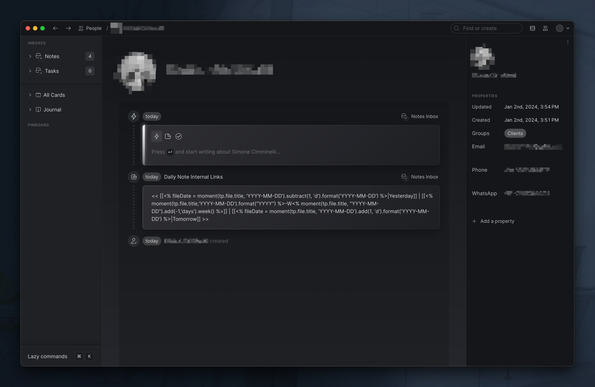
I had a video call with a client I am following to help him with
@obsidian, and he asked me how to add an internal link to the "Yesterday's note" and "Tomorrow's note" inside his daily note.

I thought about one simple and amazing Lazy (the app!) feature to test: Share to web!
I created the card with the template syntax and I shared it with him. It looks very nice!

I also see the note in the "client profile" history!

#obsidian #lazyapp #notetaking #notesharing